
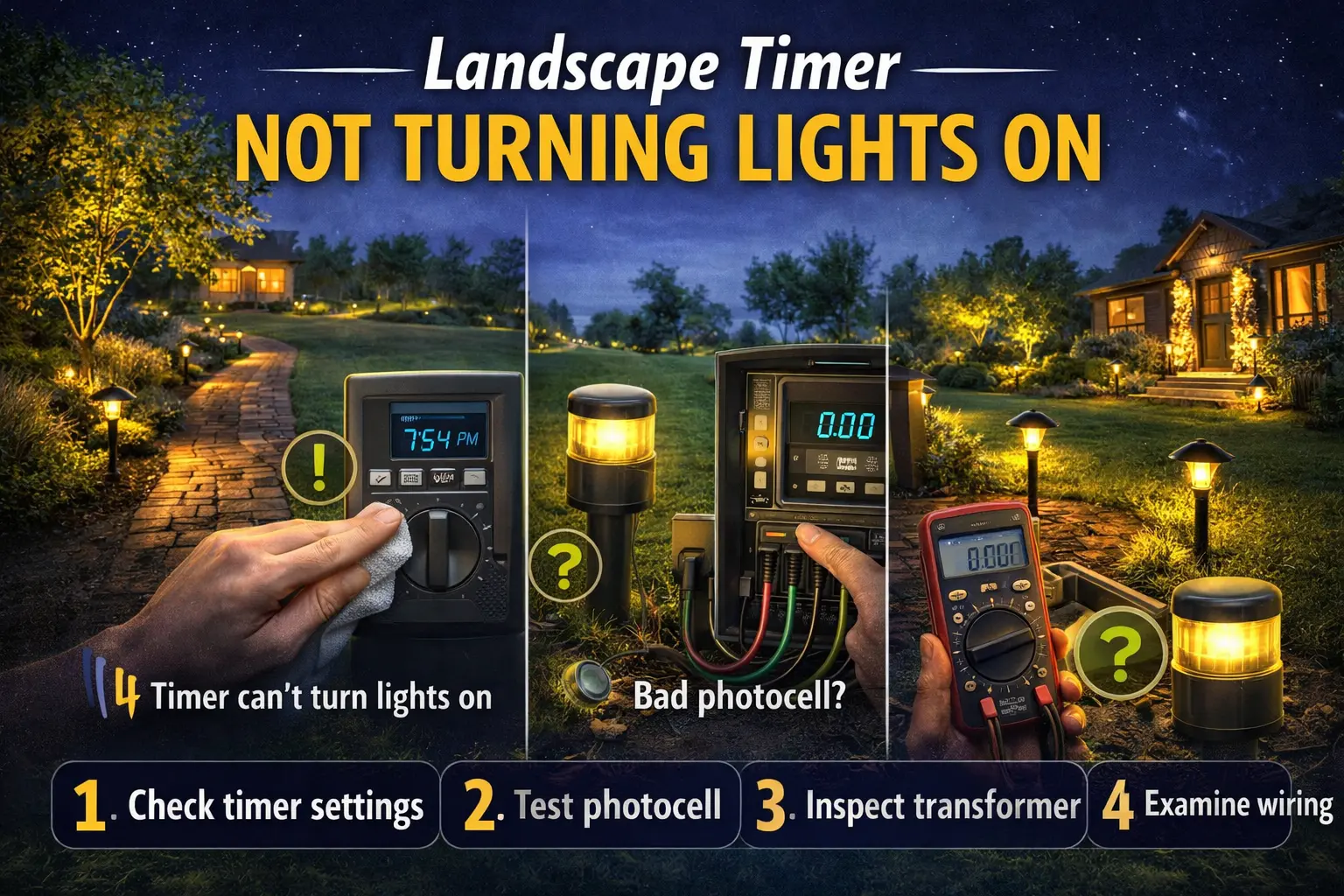
Why Is My Landscape Timer Not Turning Lights On? (Quick Answer)
A landscape timer usually fails to turn lights on because of incorrect settings, photocell conflicts, transformer output problems, or wiring issues. The fastest fix is to test manual mode, confirm settings, and then check the transformer and wiring.
- Timer has power: check settings and photocell
- Manual mode works: control issue
- No response at all: transformer or wiring problem
Landscape Timer Problem Guide
| What You See | Most Likely Cause | What To Check First |
|---|---|---|
| Timer has power, but lights stay off | Photocell, transformer, or control circuit problem | Switch to manual mode, then inspect the photocell and transformer output. |
| Manual mode works normally | Timer programming or operating mode is incorrect | Verify the schedule, current time, operating mode, and AM/PM settings. |
| No response at all | Transformer, wiring, or incoming power problem | Check the outlet, GFCI, breaker, transformer input, and low-voltage output. |
| Only one lighting section is off | Broken cable, loose connector, or damaged branch circuit | Inspect splice points, cable runs, and the first fixture in the affected section. |
| Lights work inconsistently | Photocell or timer is failing intermittently | Observe sensor operation at dusk and verify the timer switches reliably. |
Most timer problems are actually caused by other parts of the landscape lighting system, so verify the transformer, photocell, wiring, and power supply before replacing the timer itself.
Start Here: Fix Your Lights Fast
- Manual mode works → fix settings or photocell
- Manual mode does not work → check transformer
- One section off → check wiring or connectors
- Everything off → check power and transformer
Always follow the power path before replacing parts.
When a landscape timer fails to turn the lights on, it is easy to focus only on the timer. But outdoor lighting systems are connected in layers. The timer may send the signal correctly while the photocell blocks the response. The timer may switch on exactly as programmed while the transformer fails to deliver power. The timer may be fine, but a damaged connector may stop the current from reaching the fixtures. That is why this page uses a more careful troubleshooting approach.
Think of the system like a chain of classroom instructions. One part gives the command, another part supplies the power, and another part carries that power to the lights. If any one link in the chain fails, the final result is the same: the lights stay off. Your job is to figure out which link failed first.
Why a landscape timer may not turn lights on
A timer can fail to turn the lights on for several different reasons, and not all of them come from the timer itself. The first group of causes comes from control settings. The timer may be in the wrong mode, the schedule may be off, or the system may be stuck in manual off or override mode. The second group comes from control conflicts. If your system uses both a timer and a photocell, the two may be working against each other. The third group comes from power delivery. The timer may be doing its job, but the transformer may not be supplying low-voltage output to the lights. Finally, there are path problems. A bad connector, damaged wire, or failed fixture on the run can make it seem like the timer never turned anything on.
That is why symptom-based troubleshooting is so important here. You are not just asking, “Is the timer broken?” You are asking a better question: “What is stopping the timer’s command from reaching the lights?” Once you think in that order, the diagnosis becomes much more accurate.
Quick checklist before replacing the timer
Before you replace the timer, go through this short checklist. Many timer complaints are solved here.
- Confirm the transformer has incoming power from the outlet
- Check the GFCI and breaker
- Make sure the timer is set to auto mode, not manual off
- Verify the current time and on schedule
- Check whether the system also uses a photocell
- Test manual on mode to see whether the lights can be forced on
- Inspect visible wiring and connectors near the transformer
- Listen or watch for timer activity, such as clicks or display changes
Timer has power but lights still do not come on
This is one of the clearest signs that the timer may not be the only issue in the system. If the timer display lights up, the dial is moving, or the control appears active, then the timer is at least receiving power. But receiving power is not the same as successfully turning the lighting system on.
Start by testing manual mode. If the lights come on manually, then the low-voltage side of the system is probably still working and the problem is more likely in the timer settings, photocell interaction, or timer control logic. If the lights do not come on even in manual mode, that shifts suspicion away from the timer and toward the transformer, the output wiring, or the fixture run.
This is why the page on landscape lighting timer not working is a useful companion. That page focuses on the timer itself as a part, while this page stays focused on the symptom of the lights not coming on.
Timer settings are correct but nothing happens
Sometimes the current time, the on time, and the mode all look correct, yet the lights still stay off. When that happens, there are a few likely explanations.
The timer may be programmed correctly but not actually switching output
A timer can display the right settings while still failing internally. Mechanical contacts may not switch. A digital control may display normally but fail to trigger the output circuit.
The photocell may be overriding the timer
If the system uses both controls, the photocell may be preventing the system from responding when you expect it to.
The transformer may not be sending low-voltage power out
The timer can trigger correctly, but if the transformer is overloaded or failing, the fixtures may still remain dark.
The schedule may be right, but the clock may be wrong
This is especially common on digital timers after power interruptions. A 6:00 PM schedule does not help if the timer thinks it is noon.
If your timer settings seem correct but the results make no sense, compare your configuration with landscape lighting timer settings. That page helps you verify whether the control is actually set the way you think it is.
Could it be the photocell instead?
Yes, and this is one of the most common reasons homeowners misdiagnose a timer problem. A photocell senses light levels. A timer follows a schedule. In a combined control system, both parts influence when the lights turn on. If the photocell is dirty, blocked, poorly positioned, or failing internally, the timer may appear to be the problem even when the timer is doing its job.
For example, if your timer is scheduled correctly but the photocell never reads the environment as dark enough, the lights may stay off. If the photocell is getting hit by reflected light from the house or another fixture, it may also behave unpredictably. That is why it is smart to inspect the sensor before blaming the timer completely.
The best next page for that part of the diagnosis is landscape lighting photocell not working.
Could it be the transformer instead?
Absolutely. The timer can send the command to turn on, but if the transformer does not deliver low-voltage output, the fixtures will stay dark anyway. This is one of the biggest reasons timer problems are misread.
A transformer issue is more likely when the timer appears to be working but the lights do not respond in either auto or manual mode. It is also more likely when the system has been overloaded with additional fixtures, when the transformer hums or behaves erratically, or when the output side of the system seems weak or inconsistent.
If that sounds like what you are seeing, go next to landscape transformer not working. If overload may be part of the story, compare it with Portfolio lighting troubleshooting for broader system-level guidance.
Could it be wiring or connectors?
Yes, and this is where many homeowners lose time by focusing too much on the timer alone. If one bad connector, damaged wire, or loose terminal interrupts the power path after the transformer, the lights may stay off even though the timer is operating exactly as it should.
This is especially important in low-voltage outdoor systems because connectors live in wet, dirty, changing conditions. Over time, moisture, corrosion, loose splices, or physical damage can interrupt the run. In some cases, a single failed connection can leave multiple downstream lights dark and make the timer look guilty.
If the timer works, the transformer has output, but the fixtures still stay off, inspect the wiring path carefully. This is where landscape lights not working becomes a useful supporting page, because it helps you think through fixture-side and run-side failures rather than control-only failures.
Symptom-based troubleshooting table
| Problem you see | Likely cause | What to check first |
|---|---|---|
| Timer has power, lights stay off | Photocell conflict or transformer output problem | Test manual mode and inspect photocell behavior |
| Settings look correct, nothing happens | Clock wrong, timer not actually switching, or transformer issue | Verify current time and test output behavior |
| Manual mode works, auto mode does not | Timer settings or photocell conflict | Check schedule, mode, and sensor condition |
| Lights do not respond in manual or auto | Transformer or wiring problem | Check transformer power and low-voltage output |
| Only one section stays dark | Broken wire or connector downstream | Inspect run and fixture connections |
When to replace the timer
Replace the timer only after you have worked through the symptom carefully. The strongest case for replacement is when the timer has power, the clock and settings are correct, the photocell is not interfering, the transformer is working, the wiring looks intact, and manual testing still shows the timer is not switching the system on properly.
A timer also deserves replacement when it loses its settings repeatedly, becomes inconsistent from one day to the next, stays stuck in the wrong mode, or fails to activate the lights even though the rest of the system checks out. If the control hardware itself is worn out, further reprogramming will not solve the deeper failure.
If you need broader parts support or want to compare repair versus replacement, use Portfolio lighting troubleshooting as your next broader guide.
Frequently asked questions
Why is my landscape timer not turning the lights on?
The most common causes are incorrect timer settings, timer override mode, a photocell conflict, no transformer output, a tripped GFCI, broken low-voltage wiring, or a failed connector that stops power from reaching the lights.
My timer has power but the lights still do not turn on. What should I check?
Check whether the timer is in auto mode, verify the on schedule, test manual mode, inspect the photocell, confirm the transformer is outputting low-voltage power, and look for broken wiring or loose connectors downstream.
Can a photocell stop landscape lights from turning on?
Yes. If your system uses both a timer and a photocell, a bad or blocked photocell can keep the lights from responding normally, even when the timer appears to be working.
Can a transformer problem look like a timer problem?
Yes. A transformer that is not outputting power correctly can make it seem like the timer is failing when the real issue is the transformer itself or the supply power feeding it.
When should I replace the landscape timer?
Replace the timer when settings, power, manual mode, photocell behavior, transformer output, and wiring all check out, but the timer still fails to activate the lights correctly.
Final thoughts
When a landscape timer is not turning the lights on, the smartest move is to treat the problem like a system symptom rather than a part failure. The timer may be wrong, but so might the photocell, the transformer, or the wiring path that carries power to the lights. When you test each layer in the right order, the answer usually becomes much clearer.
That careful, step-by-step approach is what protects you from replacing good parts and still ending up with dark fixtures. Start with control settings, compare auto and manual mode, then follow the power path outward. Once you do that, you will know much more confidently whether the timer is truly the problem or whether another part of the system is stopping the lights from coming on.