
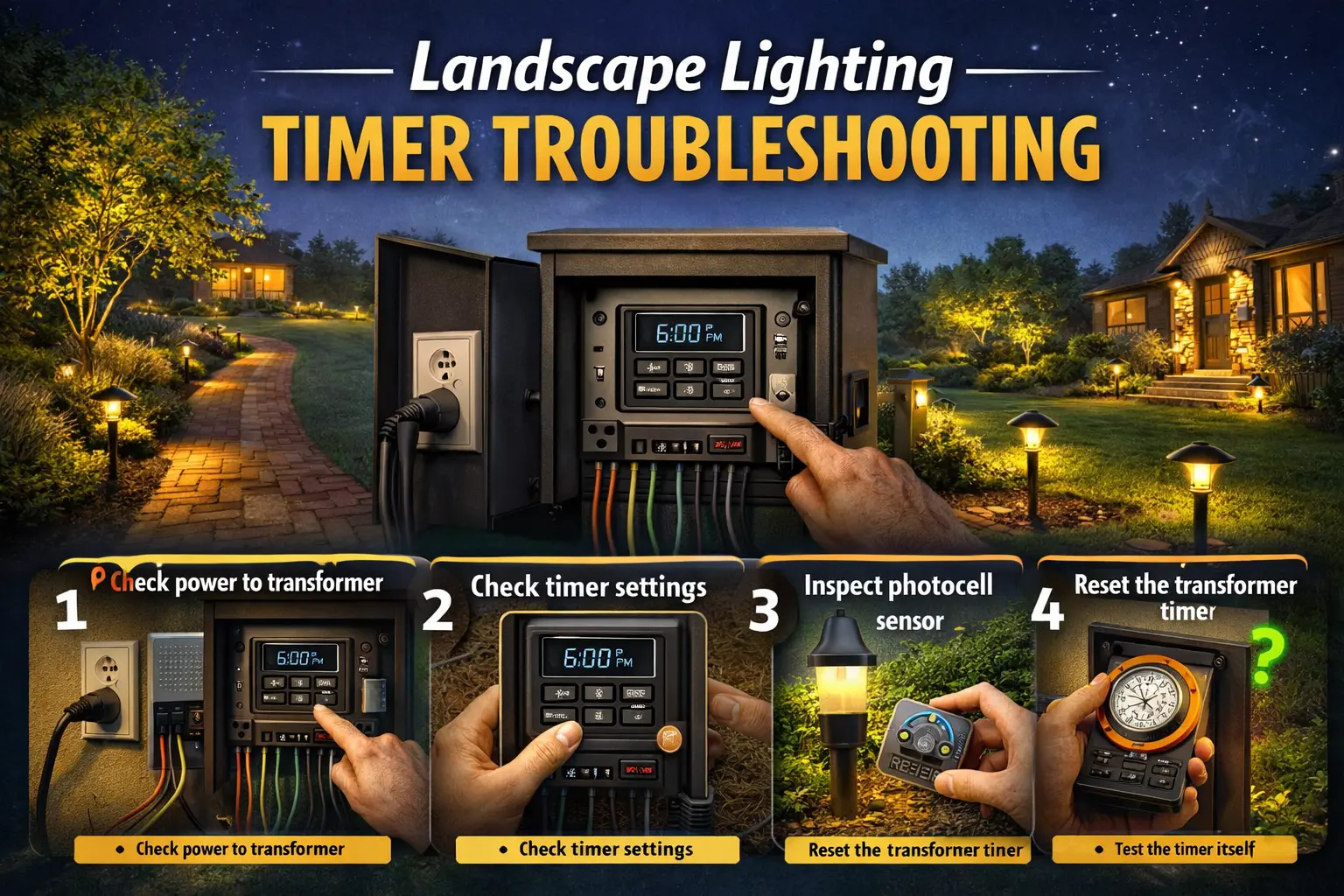
Quick Answer: Why Your Landscape Lighting Timer Is Not Working
A landscape lighting timer usually stops working because of incorrect settings, a tripped breaker, power loss, a faulty photocell, damaged wiring, or a failed timer mechanism. The fastest fix is to check power, confirm the timer settings, reset the timer, and test manual mode before replacing any parts.
- Most common cause: incorrect timer settings or wrong mode
- Second most common: power issue (GFCI or breaker)
- Works in manual but not auto: timer or programming issue
- Doesn’t work at all: power, wiring, or transformer problem
- Works randomly: photocell interference or failing timer
7 Most Common Reasons a Landscape Lighting Timer Stops Working
- Incorrect timer settings or wrong mode
- Power loss from breaker or GFCI
- Photocell interference or failure
- Timer lost settings after power outage
- Transformer overload
- Loose or damaged wiring
- Failed timer mechanism
Timer problems are common in low voltage outdoor lighting because the timer sits at the center of the system’s daily routine. It tells the transformer when to send power, when to shut down, and sometimes how to work alongside a photocell or dusk-to-dawn feature. When that control stops behaving normally, it can look like the entire lighting system has failed even when the fixtures and wiring are still fine.
The smartest way to troubleshoot is to start simple. Check power first, confirm the settings, look at the operating mode, and only then move into deeper electrical checks. That sequence saves time and prevents you from replacing good parts just because the schedule or control setting was wrong.
Not every control problem in a landscape lighting system is caused by the timer. In many outdoor setups, a faulty photocell can keep lights from turning on at dusk, turning off during daylight, or responding consistently to the control schedule. If you suspect the problem may be sensor-related, see our Landscape Lighting Photocell Not Working guide for step-by-step help diagnosing photocell failures in low-voltage lighting systems.
Sometimes a landscape lighting timer appears to be working but still fails to activate the lights. In many outdoor systems, the timer may be receiving power but not successfully triggering the transformer or lighting circuit. If your timer runs but the lights never come on, read our Landscape Timer Not Turning Lights On guide for step-by-step troubleshooting that explains how timer settings, photocells, wiring, and transformer issues can prevent the lights from activating.
What Your Symptoms Usually Mean
Lights don’t turn on at all
This usually means a power issue, tripped breaker, or transformer problem.
Lights work in manual but not auto
This usually means the timer settings or timer itself is the issue.
Lights stay on all the time
This usually means override mode is on or the photocell is malfunctioning.
Lights behave randomly
This usually points to a photocell problem or inconsistent power supply.
How to Fix a Landscape Lighting Timer That Is Not Working (Step-by-Step)
When a timer stops doing its job, the fastest solution is to work through a short sequence of basic checks before touching the wiring. This simple routine solves a surprising number of timer complaints.
1. Check power to the transformer
Make sure the transformer is actually receiving power. Check the outlet, GFCI, breaker, and any reset switch. If the transformer has no incoming power, the timer cannot control anything.
2. Confirm the timer settings
Look at the current time, the on and off schedule, and the operating mode. Many timers appear broken when they are simply programmed incorrectly or left in manual override.
3. Inspect the photocell if the system uses one
A dirty, shaded, or blocked photocell can interfere with normal operation. Some homeowners think the timer has failed when the photocell is actually the part causing the confusion.
4. Reset the timer
If the control recently lost power or seems stuck, resetting it can clear the problem. Many digital timers especially need to be reprogrammed after outages.
5. Check visible wiring and connectors
Loose or damaged wiring near the transformer can make the timer appear faulty even when the real issue is an electrical connection.
6. Test manual mode versus auto mode
If the lights work in manual mode but not in auto mode, the timer or settings are the most likely problem. If the lights do not work in either mode, the issue may be deeper in the transformer or wiring.
How landscape lighting timers work
A timer is the control that tells your outdoor lighting system when to operate. In a low voltage system, the timer is often built into the transformer or attached to it as part of the control assembly. Some timers are mechanical and use a dial or pins. Others are digital and store programmed schedules electronically. Some systems also work together with a photocell, which detects darkness and helps trigger the lighting at dusk.
Mechanical timers are straightforward. They usually rely on a rotating dial and simple switching points. Digital timers offer more flexibility, but they can also be more sensitive to lost power, incorrect programming, and reset issues. Photocell-based systems add another layer because now the system may be reacting to both light level and schedule.
If you are learning this topic from the ground up, the page on Portfolio low voltage lighting helps explain how the timer fits into the broader transformer-and-cable system.
If your timer continues to fail or behave inconsistently, switching to smart control is a more reliable long-term solution. Use this smart bridge guide to upgrade your system with modern scheduling and automation.
Most common reasons landscape lighting timers stop working
Timer problems usually come from a few repeated causes. Knowing these causes helps you troubleshoot efficiently rather than guessing.
Power outage reset the timer
Digital controls often lose the clock or program after an outage, even if the rest of the system still has power now.
Incorrect settings or wrong mode
Timers are often left in override mode, dusk mode, or an unsaved schedule that never actually runs.
Photocell failure or interference
A dirty sensor or reflected light can confuse a system that uses both a timer and a photocell.
Transformer overload
An overloaded transformer may behave unpredictably, making the timer look guilty when the load is the real issue.
Damaged wiring
Loose or worn wiring near the transformer can interrupt operation and mimic timer failure.
Broken timer mechanism
Older timers sometimes wear out, stop moving, lose their motor drive, or fail electronically.
For overload-related problems, compare what you are seeing with landscape transformer overload. For wiring-related concerns, review Portfolio landscape lighting wiring.
How to reset a landscape lighting timer
Resetting the timer is one of the most useful troubleshooting steps because it clears bad settings, restores the correct clock, and gives you a clean starting point.
For a mechanical timer
Turn the dial to the correct present time, check the tabs or pins, and make sure the switch is set to auto rather than on or off. If the dial does not move at all over time, the timer motor may be failing.
For a digital timer
Reset the clock, clear any incorrect schedules, and re-enter the on and off times carefully. Check AM and PM if the control uses them. Return the timer to auto mode after programming.
For a transformer timer
Some transformer controls have a reset function or a way to fully cycle power. After restoring power, set the clock again and test the auto schedule.
If you need a settings-specific lesson after resetting, go to landscape lighting timer settings. That page is the best next step when the timer hardware itself may still be fine.
Mechanical timer vs digital timer problems
| Timer type | Common problem | What to check first | Best first fix |
|---|---|---|---|
| Mechanical timer | Dial stuck or not advancing | Watch whether the dial moves over time | Replace worn timer if the mechanism has stopped |
| Digital timer | Lost programming | Clock, schedule, and operating mode | Reset and reprogram |
| Photocell-timer system | Sensor confusion | Sensor cleanliness and light exposure | Clean or reposition sensor |
| Built-in transformer timer | Control failure or overload confusion | Manual mode, load, and output behavior | Reduce load or replace failing control |
Photocell vs timer lighting systems
Many homeowners confuse photocell problems with timer problems because the two can work together in the same system. A photocell reacts to light level. In simple terms, it tells the system when it is dark enough to turn on. A timer follows a clock or programmed schedule. Some systems use one or the other, while others use both.
If the lights come on at odd times during the day, turn on too early, or do not react normally at dusk, the photocell may be part of the problem. Dirt, shade, reflected light, or sensor failure can create behavior that looks like a broken timer. That is why you should always inspect the sensor before assuming the timer itself is bad.
If you want to compare how these controls are supposed to work in a normal system, use landscape lighting timer settings and Portfolio low voltage lighting.
When the transformer timer needs replacement
Sometimes a timer reaches the point where further adjustment is no longer worth the effort. A worn-out timer often gives warning signs before it fails completely.
Signs the timer may need replacement
- The dial no longer moves or advances correctly
- The lights stay on even when the off time is programmed correctly
- The lights never turn on in auto mode but work in manual mode
- The timer loses settings repeatedly without a clear reason
- The control feels inconsistent even after resets and reprogramming
When you reach this point, compare the repair cost and effort against simply replacing the timer or the control assembly. If parts are needed, the best supporting page is Portfolio lighting parts and accessories.
When the problem is not the timer
This is one of the most important sections on the page because timer problems are often blamed for issues caused by something else in the system.
If your landscape lights stay on continuously instead of following the schedule, also see our landscape lights not turning off guide for step-by-step help with timer, photocell, and control-related causes.
Transformer failure
If the transformer is not delivering reliable power, the timer may appear to be the issue when it is really a transformer problem. Compare symptoms with landscape transformer not working.
Voltage drop
Dim or inconsistent operation at the far end of the system can come from cable length and wire size, not the timer. That is where landscape lighting wire gauge becomes helpful.
Broken or loose wiring
A weak connection near the transformer or on the main run can interrupt the lights and create confusing symptoms.
Corrosion and connector issues
Outdoor systems age. Moisture, oxidation, and worn connectors can make the timer look faulty even though the control is doing its job.
For broader symptom-based diagnosis, use Portfolio lighting troubleshooting and Portfolio landscape lights not working.
How to prevent timer problems
Timer life improves when the whole system is cared for properly. The timer may be the control point, but it benefits from a healthy transformer, a reasonable electrical load, and regular outdoor maintenance.
- Keep the transformer area dry and clean
- Clean photocell sensors so they read light correctly
- Review timer settings after storms or power outages
- Avoid overloading the transformer with too many fixtures
- Inspect visible wiring and connectors seasonally
For full seasonal care routines, the best supporting page is landscape lighting maintenance.
Landscape lighting timer troubleshooting checklist
Use this checklist before replacing anything
✓ Transformer plugged in and receiving power
✓ GFCI and breaker checked
✓ Current time on timer is correct
✓ On and off times entered correctly
✓ Timer set to auto mode
✓ Photocell clean and not blocked
✓ Manual mode tested
✓ Visible wiring and connectors inspected
✓ Transformer load not excessive
✓ Timer reset attempted before replacement
Final thoughts
A landscape lighting timer problem can feel bigger than it really is because the timer controls the system’s daily routine. But in many cases, the right solution is simple: restore power, correct the settings, reset the timer, and compare manual mode to auto mode. That sequence gives you a clearer answer than guessing.
If the timer truly has failed, you will usually see clear warning signs such as a non-moving dial, repeated loss of programming, or auto mode that no longer works even when manual mode does. If those signs are not present, the problem may be elsewhere in the transformer, wiring, photocell, or connectors. When you troubleshoot like a teacher walking step by step through the system, the answer usually becomes much easier to find.