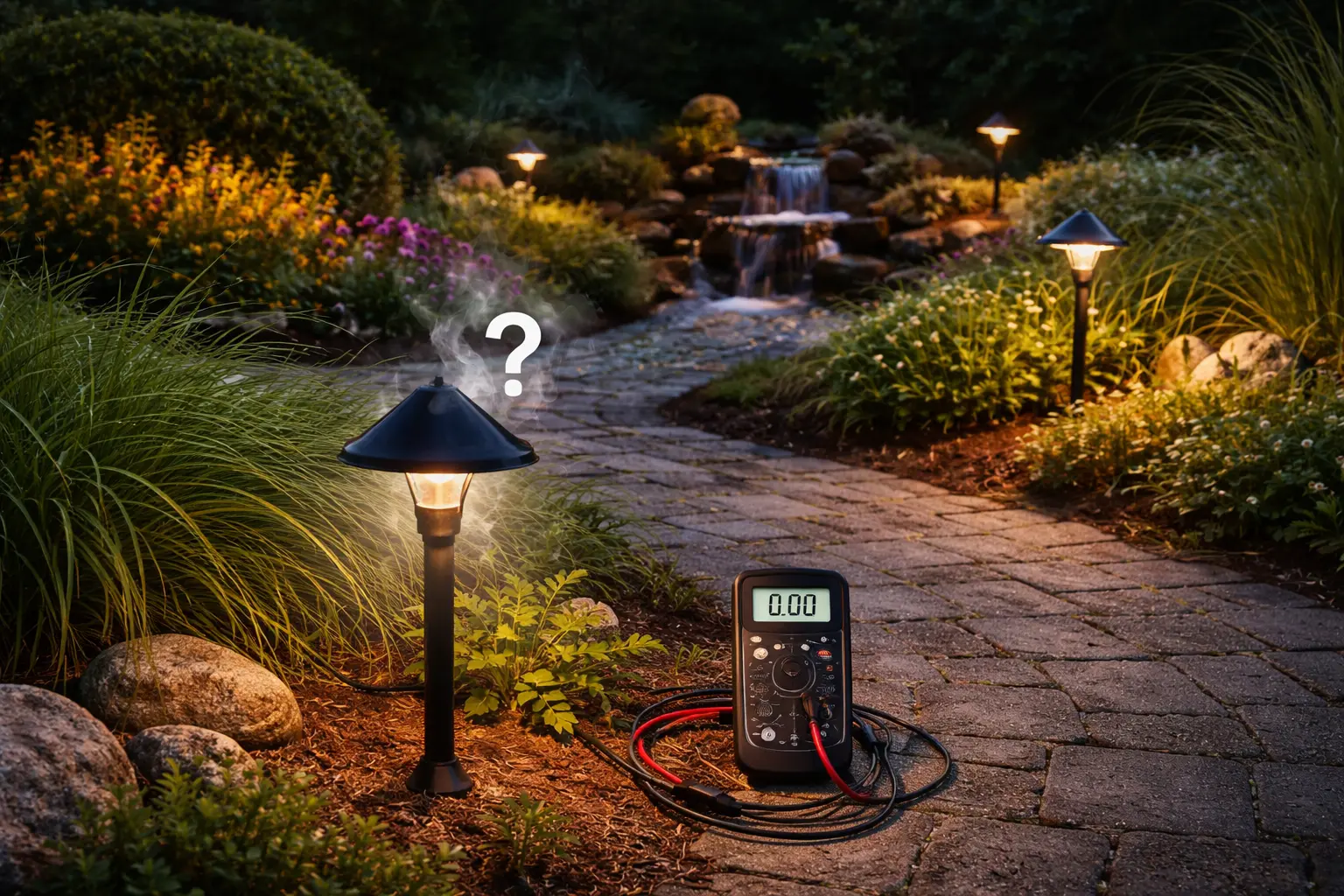
How Landscape Lighting Works
Start here if you want to understand the full power path from the house to the transformer, wiring, and fixtures before troubleshooting deeper.
Read the guide
If your landscape lights are not working, the problem is usually one of 7 things: power loss, transformer failure, timer or photocell issues, damaged wiring, loose connections, bad bulbs, or voltage drop.
Most problems can be fixed in minutes without replacing parts.
In most cases, the cause comes back to a small group of possibilities: power problems, transformer issues, timer or photocell problems, wiring faults, loose connections, burned-out bulbs, damaged fixtures, or voltage drop across the system. The goal of this page is to help you find that failure point quickly and logically instead of guessing and replacing random parts.
Think of this page as your main outdoor lighting troubleshooting hub. Start with the quick checklist, then work step by step from the power source outward through the transformer, controls, wiring, and fixtures. That process gives you the fastest path to the real problem.
If you discover during troubleshooting that the issue is a bad part rather than a wiring or transformer problem, the best next page is Portfolio lighting parts and accessories. If you need the system basics first, start with how landscape lighting works.
See More Troubleshooting HelpLandscape lights usually stop working due to power issues, a faulty transformer, timer or photocell problems, damaged wiring, loose connectors, failed bulbs, or voltage drop in the system.
Landscape lights that are not working usually point to a system problem, not just a fixture problem. Outdoor lighting depends on a chain of parts working together correctly. Power has to reach the transformer. The transformer has to reduce and deliver voltage correctly. The timer or photocell has to control the system at the right time. The wiring has to stay intact. The connectors have to stay secure. The bulbs and fixtures have to be in good shape. If any one of those steps fails, the lights can stop working.
That is why the fastest way to troubleshoot is to move in order, from the source of power outward through the rest of the system. If you skip around too quickly, it is easy to blame the wrong part. This page is designed to help you avoid that.
Most landscape lighting problems are fixed within these 7 steps.
Most landscape lighting problems come down to power, transformer issues, wiring, or failed fixtures. Follow these steps to find the problem and restore your lights quickly.
Before you dive into detailed troubleshooting, it helps to review the most common reasons landscape lights stop working:
That checklist covers the majority of real-world landscape lighting failures. The next sections help you work through each one in order.
If the lights are not working but seem to come back after a rainstorm, do not stop at the transformer. That pattern often means the circuit has a hidden high-resistance connection that only conducts when wet.
A low-voltage landscape lighting system follows a simple power path. Electricity starts at the house. It feeds into a transformer. The transformer reduces standard household power to low voltage. That low-voltage power then travels through outdoor cable to the fixtures. The fixtures use that power to produce light.
If the system stops working, one of those links in the chain has failed. This is why understanding the basic power flow matters so much in troubleshooting. If you want the deeper system explanation first, read how landscape lighting works.
Start with the simplest question first: is the system receiving power at all? If the transformer is not getting electricity, nothing else in the yard matters yet.
Make sure the outlet feeding the transformer is working. Outdoor outlets sometimes trip quietly, especially after storms, moisture exposure, or seasonal reset issues.
Go to the electrical panel and confirm the breaker serving the outdoor outlet or lighting circuit has not tripped. A reset here can solve the problem immediately in some cases.
If the transformer is plugged into a GFCI-protected outlet, press the reset button. This is a very common cause of total system failure, especially after rain or moisture exposure.
The transformer is one of the most important parts of the system, so this section deserves special attention. If the transformer is off, overloaded, damaged, or not sending proper output, the lights will not work correctly even if everything else looks fine.
Confirm the transformer itself is powered on and not simply switched off or stuck in a manual setting that prevents the lights from operating when expected.
Many landscape systems fail because the transformer timer settings were changed, lost, or set incorrectly. A system that seems dead may actually be waiting for a schedule that no longer matches your expectations.
If the problem started during a seasonal display or holiday lighting changeover, the holiday lighting guide can help you trace power, connector, timer, and display issues more quickly.
If the transformer has output terminals but the system still stays dark, the transformer may not be delivering usable voltage. That can happen because of internal failure, overload conditions, or age.
Too many fixtures or too much load on one transformer can cause the unit to shut down, trip protection features, or run weakly. This is especially common when systems have been expanded over time without recalculating transformer capacity.
For deeper help, use landscape transformer not working and landscape lighting transformer guide.
If the lights are supposed to turn on automatically and they are not doing it, the problem may not be the fixtures or the transformer at all. It may be the control system.
Timers can fail, lose settings, or be programmed incorrectly. When that happens, the lights may not turn on at night, may switch on at the wrong time, or may stay off even though the rest of the system is ready to work.
A photocell senses ambient light and tells the system when it is dark enough to turn on. If it fails, the lights may stay off at night, stay on during the day, or cycle unpredictably around dusk.
For focused diagnostic help, visit landscape lighting timer not working and landscape lighting photocell not working.
Not every lighting problem is a total failure. If your system still works but will not shut off correctly, review landscape lights not turning off for control-related troubleshooting focused on timers, photocells, and automatic shutoff problems.
Wiring and connector issues are some of the most common causes of landscape lights not working, especially in systems that have been in the ground for several seasons. Outdoor wiring faces moisture, soil movement, edging tools, roots, weather, and connector wear over time.
A connector that looks attached may still be loose enough to interrupt the circuit. This is especially common with older clip-style connectors that no longer grip cleanly.
Landscape cable can be cut, nicked, or crushed during yard work, planting, edging, trenching, or routine maintenance. A small break can shut down part or all of the line.
Moisture inside a connection point can lead to corrosion, weak contact, shorting, and inconsistent behavior. This is why waterproof connection quality matters so much in low-voltage systems.
If you need the full system wiring basics, read how to wire landscape lighting.
If only one light is out, the most likely problem is often local to that fixture. This may mean a burned-out bulb, a failed LED module, moisture inside the housing, or a damaged socket or internal connection.
Traditional bulb-based fixtures can simply age out and stop working. This is one of the easiest problems to fix once confirmed.
If only one path light is out while others still work, the issue is often the connector or the fixture itself. This Portfolio 0688503 troubleshooting guide shows how to isolate connector problems, voltage issues, and integrated LED failure on a real low-voltage path light.
Integrated LED fixtures can fail differently than replaceable-bulb fixtures. Instead of a simple bulb swap, the entire light source or module may need replacement.
Fixtures exposed to impact, moisture, corrosion, or ground shifting may fail even when the rest of the system is healthy. If the failure is isolated to one light, this should move higher on your suspect list.
Voltage drop is one of the most important technical reasons landscape lights stop working properly, especially when some lights are dim or the far fixtures fail before the ones closer to the transformer.
The farther electricity travels through the wire, and the more load it carries along the way, the more likely it is to weaken before reaching the end of the line. This can cause uneven brightness, partial failure, or total failure in the last section of the run.
If your fixtures near the transformer work better than those farther away, this is one of the first things to consider. For the full explanation, visit landscape lighting voltage drop.
Partial system failure is one of the most common troubleshooting scenarios. Some lights stay on, others go dark, and the system feels inconsistent instead of fully dead.
When this happens, the problem is often tied to wiring splits, bad connections in one branch, or voltage drop affecting one section more than another. A system can still have some power flow while one run or one group of fixtures has effectively dropped out.
This is why the pattern of failure matters. If the whole yard is dark, start at the power source and transformer. If only one section is dark, focus more heavily on wiring layout, branch connections, and partial power loss.
If your system still isn’t working, review landscape lighting electrical code and safety guide to confirm proper wiring, protection, and installation conditions.
Rain introduces a very specific set of problems. Water can enter connectors, expose weak seals, worsen corrosion, and create shorts in damaged sections of cable or fixtures. Some transformers also shut down when conditions suggest a fault or overload.
If the system worked before rain and then failed immediately afterward, moisture-related failure should move high on your list of suspects. That often points toward connection points first.
For the dedicated page on this problem, go to landscape lights not working after rain.
This usually points toward power supply, transformer, timer, photocell, or wiring issues. Start early in the system and move outward.
Flickering often suggests unstable voltage, weak connections, failing bulbs, moisture issues, or a transformer problem that is affecting consistency more than total output.
This often points toward a photocell issue or a control setting problem rather than a fixture failure.
Clicking, buzzing, or humming can indicate overload, internal wear, or power-delivery problems that deserve closer attention.
For more on flicker-specific symptoms, read landscape lights flickering.
If you want the simplest troubleshooting process in order, this is the best sequence:
This order keeps you from skipping straight to the hardest possibilities when the real problem may be something simple and upstream.
Some problems are better solved by replacement than repair. An old transformer that repeatedly fails, fixtures with severe corrosion, or connectors that have aged beyond reliability may continue causing problems even after a temporary fix.
Replacement also makes sense when you are troubleshooting the same component over and over. At that point, the system is telling you that the part itself may no longer be worth saving.
For parts support, browse Portfolio lighting parts and accessories.
Good systems last longer when they are maintained instead of ignored until failure. A few practical habits can prevent a lot of future problems:
Prevention is especially important in outdoor systems because small issues tend to grow over time when weather keeps working against them.
Some landscape lighting problems are reasonable homeowner repairs. Others are better handed to a professional. If you are seeing repeated breaker trips, unknown wiring damage, severe corrosion, persistent moisture-related faults, or anything that raises safety concerns, it is smart to stop and bring in qualified help.
A professional is also worth calling when the system has been modified over the years and the wiring path is no longer clear. Hidden complexity is one of the fastest ways to waste time during troubleshooting.
Start here if you want to understand the full power path from the house to the transformer, wiring, and fixtures before troubleshooting deeper.
Read the guideUse this page when the transformer itself seems to be the likely failure point and the system is completely dark or inconsistent.
Read the guideHelpful for understanding transformer sizing, controls, capacity, and the role the transformer plays in overall system performance.
Read the guideBest when the system does not turn on at the expected time or behaves like a schedule problem instead of a power failure.
Read the guideUse this page when lights stay on during the day, fail at dusk, or react poorly to changing natural light conditions.
Read the guideImportant for connector problems, damaged cable, branch failures, and the wiring layouts that affect the whole system.
Read the guideRead this when far fixtures are dim, weak, or completely out while the lights closer to the transformer still work better.
Read the guideFocuses on moisture-related failures, shorting, corrosion, and water intrusion after storms or wet conditions.
Read the guideUseful when the system still works partly but the light output is unstable, pulsing, or inconsistent at night.
Read the guideUse this page when troubleshooting shows that the system needs replacement parts rather than more diagnostic work.
Read the guideLandscape lights usually stop working because of power loss, transformer problems, timer or photocell issues, damaged wiring, loose connectors, failed bulbs, or voltage drop.
Many transformers can be reset by checking power, correcting overload conditions, and using the reset button or breaker if the model has one. Always confirm the outlet and breaker are working first.
When some lights work and others do not, the problem is often a loose connection, a wiring split issue, voltage drop, or a failure affecting only one section of the system.
Yes. Water can enter connectors, fixtures, or damaged cable areas and cause shorts, corrosion, or transformer shutdown.
You can test low-voltage landscape lighting by checking the power source, verifying transformer output, inspecting wiring and connectors, and testing fixtures and bulbs one section at a time.
Voltage drop is caused by long wire runs, too many fixtures on one line, undersized cable, and wiring layouts that make power travel too far before reaching the last fixtures.
This page is designed to be the main troubleshooting hub for landscape lighting failures, helping you move from the first symptom to the most likely cause and then into the deeper transformer, timer, wiring, voltage drop, and parts pages that match your situation.