
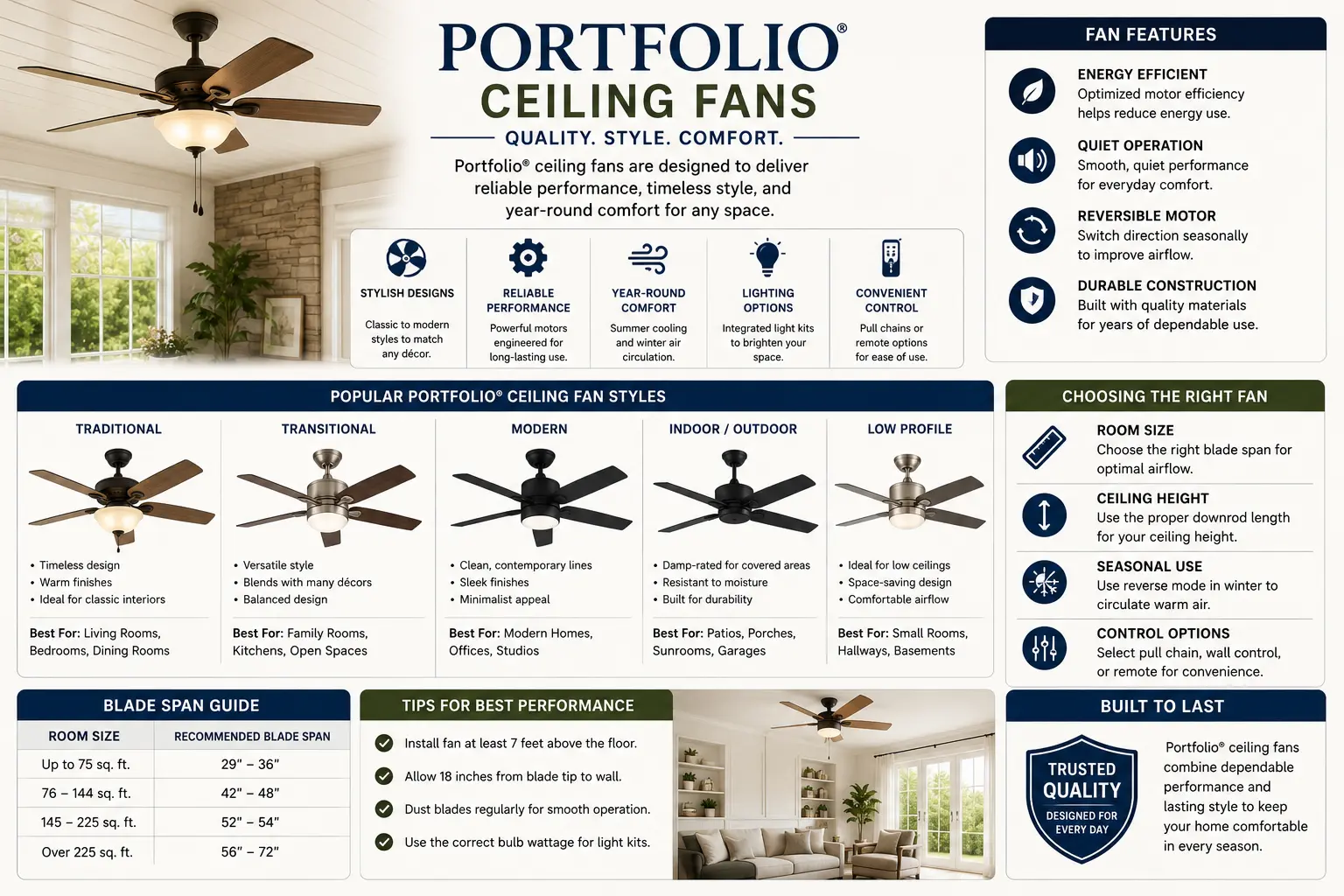
Portfolio Ceiling Fans: What You Need to Know About the Brand
Portfolio was a private-label brand sold exclusively at Lowe's, covering both indoor and outdoor lighting products. Portfolio ceiling fans were part of the indoor lineup — manufactured by various suppliers and sold under the Portfolio name. The brand has been discontinued, which creates real parts challenges.
Portfolio indoor lighting, including ceiling fans, was largely manufactured by Cooper Lighting (headquartered in Peachtree City, Georgia, now operating as Cooper Lighting Solutions under Signify/Philips). The majority of Portfolio ceiling fans used standard industry components — the motors, receivers, and blade hardware were often shared platform parts across multiple brands, which means universal replacement parts frequently work even when Portfolio-branded originals are gone. See the Portfolio discontinuation guide for full context on the brand's history.
The practical implication for ceiling fan troubleshooting: because Portfolio fans used common platform components, universal remote kits, universal receivers, blade balancing kits, and light kit components from other brands will almost always be compatible. You're rarely stuck with a problem that requires a Portfolio-specific part when you understand the underlying component.
For ceiling fans specifically, the allen + roth brand at Lowe's now fills the category that Portfolio once occupied. See the current replacement options section below for specifics.
Remote Not Working: The Dip Switch Matching Procedure
A Portfolio ceiling fan remote that has stopped working is the most common complaint — and in the large majority of cases, the fix is matching the dip switches on the remote to the receiver inside the canopy. Here's the complete procedure.
Understanding How Portfolio Ceiling Fan Remotes Work
Most Portfolio ceiling fan remotes use radio frequency (RF) transmission — not infrared — so line-of-sight isn't required between the remote and the fan. The remote contains a small transmitter. The receiver, installed inside the fan canopy or motor housing, receives the signal and controls the fan motor and light. Both the remote and the receiver have four small dip switches (dual in-line package switches) — small sliding or toggle switches that set the operating frequency. Both must be set to identical positions to communicate.
Step-by-Step Dip Switch Matching
When Neighbors Have Interfering Fans
If your Portfolio fan randomly turns on or off by itself, or responds to someone else's remote, your fan's receiver and a nearby fan are on the same frequency. The fix: change your dip switch combination to a unique setting. There are 16 possible combinations of four on/off switches (2⁴ = 16). If you live in a multi-unit building with many ceiling fans, some combinations will be taken — try several until you find one that doesn't interfere. Change both the remote and receiver to the new matching combination.
Receiver Dead or Remote Lost: Installing a Universal Remote Kit
If the receiver inside the canopy has failed, or the original remote is lost and can't be replaced with a Portfolio-branded unit (they're discontinued), a universal ceiling fan remote kit is the solution. These kits include both a new remote and a new receiver.
When a Universal Kit Is Required
- The original remote is lost and no Portfolio-branded replacement is available
- Dip switch matching didn't solve the problem — receiver is suspected dead
- The fan came with the house and has no remote at all
- The receiver was damaged by a power surge
Universal Remote Kit Installation Steps
Light Kit Won't Turn On or Flickers
Portfolio ceiling fan light kits are wired through the receiver — the remote controls the light separately from the fan motor. Light kit problems usually fall into one of four categories.
- Bulb failure: Check the bulb first. Portfolio fan light kits typically use standard candelabra (E12) or medium base (E26) bulbs. Remove and inspect. Try a known-good bulb before any other troubleshooting.
- Light switch on remote: Make sure you're pressing the light button on the remote, not just the fan speed buttons. Some Portfolio remotes have separate light on/off and dim controls; it's easy to press the wrong button.
- Receiver light output not connecting to light kit: The blue wire from the receiver connects to the light kit wiring inside the fan. If that connection came loose inside the canopy, the light won't work. Access the canopy (power off at breaker first) and verify the blue receiver output wire is securely connected to the fan's light wire.
- Integrated LED light kit failure: If the Portfolio fan uses an integrated LED light kit (no replaceable bulb), the LED module or its driver may have failed. See the integrated LED lighting guide for diagnosis and replacement options.
- Dimmer incompatibility: If a dimmer switch is installed on the wall for the fan circuit, LED bulbs in the light kit will often flicker because the dimmer's minimum load or dimming range doesn't match the LED bulb. Ceiling fans should never be wired to a standard dimmer — use a fan-rated speed control or remove the dimmer and replace with a standard switch. The remote handles dimming internally.
- LED bulb and receiver compatibility: Some older Portfolio receivers have difficulty with the lower wattage draw of LED bulbs (minimum load issue). If flickering occurs with LED bulbs but not with incandescent: try a different LED bulb with a higher power factor rating, or add a small load resistor kit (available at lighting supply houses) that mimics incandescent load.
- Loose connection at light kit socket: Inspect the bulb socket contact — the center brass tab may need to be gently bent outward slightly to create better contact with the bulb base. This is a common cause of flickering and intermittent operation independent of bulb type.
- Check the circuit breaker first. A tripped breaker is the most common cause. Reset and test.
- Wall switch: Verify the wall switch is on and supplying power. Test with a non-contact voltage tester at the switch location.
- Receiver total failure: If the circuit breaker is fine and the wall switch is on but nothing responds, the receiver has likely failed completely. Replace the receiver using the universal kit procedure above.
- Wiring connection: A loose wire nut inside the canopy can interrupt power completely. Access the canopy (power off at breaker) and verify all connections are tight.
Fan Wobbles: The Complete Diagnosis Sequence
Wobbling is almost always caused by installation factors, not manufacturing defects. Work through this sequence in order — each step eliminates the most likely cause at that level.
Every wobbling Portfolio fan I've diagnosed that didn't respond to blade tightening had one of two root causes: a bent blade iron (the angle bracket between blade and motor), or a standard lighting box instead of a fan-rated box. The blade iron issue is visible once you measure — one blade sits 1/4 inch lower than the others. A new blade iron costs $5-10 and takes five minutes to swap. The junction box issue is more involved but always the right fix — an unrated box will eventually work its screws loose from the drywall and create a genuinely dangerous situation with a heavy ceiling fan.
Fan Is Noisy
New Portfolio fans are often noisy for 24–48 hours while components settle. Persistent noise after that points to a specific cause.
- Rattling or clicking: Almost always loose hardware. Tighten all blade bracket screws, light kit screws, and canopy screws. A single loose screw anywhere on the fan creates noise at speed.
- Glass shade rattle: The glass panels or shades on the light kit rattle when screws are slightly loose. Tighten the screws that secure each glass piece — usually a set screw or thumb nut at each panel edge. Don't overtighten glass; snug is correct.
- Humming from motor: A low hum from the motor is normal for AC motors. If the hum is loud and new, check whether the fan has been set to a mismatched speed via a dimmer or speed controller incompatible with ceiling fans. Dimmers are a very common source of motor humming and should never be used on fan circuits.
- Humming from receiver: Some Portfolio receivers hum slightly when the fan is off but the circuit is live — this is normal low-level transformer hum. Excessive hum from the receiver can indicate it is beginning to fail.
- Bearing noise (grinding or squealing): A grinding or squealing sound indicates a motor bearing beginning to fail. Portfolio replacement motors are no longer available. If the motor bearing fails completely, the fan needs to be replaced. See the replacement options section.
Pull Chain Broken or Stuck
Portfolio ceiling fan pull chains — for speed and light control on models without remotes — are a standard component available universally as replacement parts.
Pull Chain Broke Off
If the pull chain broke at the switch housing (the stub of chain is still inside and you can see it protruding), use needle-nose pliers to carefully pull the remaining stub far enough to grasp, then attach a new pull chain extension. Pull chain extensions are a universal hardware item available at any home improvement store. If the chain pulled out completely and there's nothing protruding, the pull switch may need to be replaced — see below.
Pull Chain Switch Needs Replacement
Pull chain switches are standard 3-speed or 4-wire ceiling fan switches. They're not Portfolio-specific — the same switch type is used across nearly every major ceiling fan brand. Measure or photograph the existing switch (count the wire leads — 3-speed switches typically have 4 leads; single-speed switches have 2), purchase a matching universal pull chain switch from any hardware store, disconnect the old switch leads and connect the new ones in the same configuration. For a model with the wiring diagram: use the Portfolio lighting manuals page to look up the original manual if available.
Pull Chain Works But Not the Remote
If the fan responds to the pull chains but not the remote, the pull chain confirms the motor and wiring are functional — the problem is isolated to the remote/receiver system. Go to the remote troubleshooting section above.
Fan Won't Spin At All
The fan motor and light kit are on separate circuits through the receiver. If the light works but the fan doesn't, power is reaching the receiver correctly — the issue is either the motor side of the receiver output, the motor wiring connection, or the motor itself.
- Check if the fan responds on all three speed settings (low/med/high on remote or pull chain) — if it responds on high but not low/medium, the receiver's speed control output may be partially failing
- Verify the reverse switch (on the motor housing, near the pull chain or directional switch) is firmly in the forward or reverse position — not in a neutral/center position, which disables the motor
- Check all wiring connections inside the canopy — the motor supply wire from the receiver must be securely connected
- If the motor makes a hum but doesn't spin, the motor capacitor may have failed — motor capacitors are a serviceable component on some fans but typically not worth replacing versus buying a new fan when the fan is this far along in failure
- Check the circuit breaker and wall switch first
- Test for voltage at the ceiling junction box (with power on and wall switch on) using a non-contact tester — if no voltage at the box, the wiring issue is upstream (switch, wiring, breaker)
- If voltage is present at the box but the fan is dead, the receiver has failed — proceed to the universal remote kit replacement above
Portfolio Ceiling Fan Parts: What's Findable and What Isn't
Portfolio is a discontinued brand with no active manufacturer parts support. However, because Portfolio fans used standard industry components, universal replacement parts cover most repair needs.
| Part | Availability | Where to Find |
|---|---|---|
| Remote control (original Portfolio) | No longer available | Use a universal receiver + remote kit — see the remote replacement guide |
| Receiver (original Portfolio) | No longer available | Universal replacement receivers (Hampton Bay UC7078T, ANDERIC RR7078TR, etc.) fit most Portfolio fan canopies |
| Fan blades | Limited — measure carefully | Universal fan blades by size (52", 44", 42"); match blade span and mounting hole pattern; Amazon, home improvement stores |
| Blade irons (blade brackets) | Generally available | Universal blade irons by angle; match the blade mounting hole spacing; widely available at hardware stores and online |
| Pull chain switch | Universally available | Standard 3-speed or single-speed ceiling fan pull chain switches; hardware stores, electrical supply |
| Pull chain extension | Universally available | Any hardware or home improvement store; multiple styles and finishes available |
| Blade balancing kit | Universally available | Standard ceiling fan blade balancing kits; hardware stores, Amazon |
| Light kit globes/shades (glass) | Depends on fitter size | Match the fitter opening size (2-1/4", 3-1/4") — universal glass shades by fitter size; see the ceiling lighting parts guide |
| Light kit bulbs | Universally available | Standard E12 candelabra or E26 medium base; match the wattage stated on the socket label inside the kit |
| Integrated LED light module | Portfolio-specific — unavailable | If the integrated LED module fails and can't be replaced, the entire light kit assembly may need replacement with a universal add-on kit; see the integrated LED guide |
| Motor | No longer available | Motor failure typically means fan replacement — motors are not cost-effectively serviceable on residential ceiling fans |
| Downrod | Universally available | Standard downrods by diameter and length; most Portfolio fans use 3/4" or 1/2" diameter downrods |
For help identifying a specific Portfolio model number before ordering parts, use the model number lookup. The model number label is typically found inside the canopy cover or on the motor housing.
Current Replacement Fan Options When Portfolio Is Beyond Repair
When a Portfolio ceiling fan has failed beyond what parts can fix — motor failure, housing damage, or an obsolete integrated LED system — the current-production options that most closely match what Portfolio offered are now found primarily under the allen + roth, Progress Lighting, and Harbor Breeze brands at Lowe's.
What Replaced Portfolio Ceiling Fans at Lowe's
Lowe's replaced Portfolio ceiling fans in its lineup with allen + roth branded fans for most style categories, and continued Harbor Breeze for value-tier options. Allen + roth now covers transitional, modern, and traditional ceiling fan styles that Portfolio previously served. Both brands use standard remote receiver systems with dip switch or learning-type pairing compatible with universal remote kits.
Choosing a Replacement — Size and Mounting
- Fan diameter: Match the original Portfolio fan's diameter as closely as possible. Portfolio fans came in standard sizes: 42", 44", 52", and some 56" models. The replacement should be the same diameter for the room size it was designed for — see the indoor lighting layout guide for room-to-fan-size guidelines.
- Ceiling height and mounting type: If the original Portfolio fan was close-mounted (flush mount, hugger style), select a close-mount replacement. If it used a downrod, the replacement downrod length should put the blade 8–9 feet above the floor for optimal airflow. Many rooms have mounting-type constraints that should drive this decision before style.
- Junction box: If the existing box is already fan-rated, any standard replacement fan will mount to it. If you're not sure the box is fan-rated, verify before installing any new fan — see the installation notes below.
- Light kit compatibility: Most current fans include a light kit or are pre-wired for one. If the room has a switched ceiling fan circuit (where the wall switch originally controlled fan+light together), a fan with a remote allows independent control of both functions without rewiring. For more on indoor ceiling fixture options and layering with other light sources, see the indoor lighting guide.
Installation Notes: Outlet Box, Mounting, and Wiring
Whether reinstalling a repaired Portfolio fan or installing a replacement, these installation requirements are non-negotiable for safety.
Fan-Rated Outlet Box Requirement
The ceiling junction box must be listed and rated for ceiling fan support. A standard light fixture box — even one that's firmly attached to a structural member — is not rated for the dynamic load of a spinning ceiling fan. Ceiling fan weight plus the gyroscopic forces of blade rotation require a fan-rated box, which is tested and listed specifically for this application. Per the Home Depot's ceiling fan troubleshooting guidance: "Confirm the outlet box is ceiling fan-rated and designed to support the ceiling fan's weight. Confirm the outlet box is securely attached to a beam or a support brace. If the outlet box is installed directly to the ceiling, this could cause wobbling and eventually damage the ceiling."
Fan-rated boxes are marked with the maximum weight they can support (typically 35 lbs, 50 lbs, or 70 lbs). Verify your fan's weight from the specification sticker on the motor housing or in the manual, and ensure the box rating meets or exceeds it.
Single-Circuit vs Dual-Circuit Wiring
Portfolio ceiling fan wiring typically comes in two configurations: single-circuit (one switch controls both fan and light) and dual-circuit (two switches, one for fan speed and one for light). When replacing a Portfolio fan:
- Single-circuit: One cable runs from the switch to the fan with two conductors plus ground. A remote-controlled fan on a single circuit works well here — the wall switch provides power, the remote controls fan/light independently. The wall switch must remain ON.
- Dual-circuit: Two cables or a cable with multiple conductors allows separate wall switch control of fan and light. Any current ceiling fan with a light kit supports this wiring configuration.
The Reverse Direction Switch
Portfolio ceiling fans have a reverse direction switch on the motor housing — typically a small slide switch located near the pull chain. In summer, fans should spin counterclockwise (viewed from below) to push air downward and create a cooling effect. In winter, set to clockwise to pull air up along the walls and recirculate warm air from the ceiling. The reverse switch must be in a definite forward or reverse position — a switch caught between positions disables the motor. If a Portfolio fan stopped working after someone handled the housing near the pull chains, check the reverse switch position before any other diagnosis.
For related ceiling fixture information, see Portfolio ceiling lighting, Portfolio flush mount lighting, and for general indoor planning, the Portfolio indoor lighting guide.
Portfolio Ceiling Fan FAQ
Why is my Portfolio ceiling fan remote not working?
The most common cause is a dip switch mismatch between the remote and the receiver inside the canopy. Both the handheld remote and the receiver have four small sliding switches that must be in identical positions. After a power outage, battery change, or accidentally moved switch, they can get out of sync. Turn off breaker power, access the canopy by unscrewing it, locate the receiver inside, and compare its four switch positions to the four switches in the remote's battery compartment. Match them, reassemble, restore power, and test. Full step-by-step procedure is in the dip switch section above.
How do I reset a Portfolio ceiling fan remote and re-pair it?
For dip-switch models: turn off breaker power, remove remote batteries, wait 30 seconds, replace batteries, restore power, and test within 30 seconds. For learning-type models: restore power, then within 30 seconds press and hold the pairing button on the remote until the fan responds. If you don't know which type your fan uses and the original manual isn't available, try both methods. If neither works and the dip switches match, the receiver itself may have failed — proceed to universal remote kit replacement. See the Portfolio ceiling fan remote replacement guide for detailed pairing steps by control type.
My Portfolio ceiling fan wobbles — what should I check first?
Wobbling is almost always an installation issue, not a manufacturing defect. Start by tightening all blade bracket screws (each blade attaches to the motor with 2–3 screws at the blade iron — tighten every one). Then measure blade height uniformity: from a fixed ceiling point, each blade tip should be within 1/8 inch of the others. A blade that's lower or higher has a bent blade iron. If tightening doesn't fix it, use a blade balancing kit to find and correct any imbalance. Finally, verify the ceiling box is fan-rated — a standard light box will wobble any fan regardless of how well-balanced it is. Full diagnosis sequence in the wobble section above.
Can I replace a lost Portfolio ceiling fan remote with a universal remote?
Yes — a universal ceiling fan remote kit (which includes both a new remote and a new receiver) works as a complete replacement. The original Portfolio receiver is removed from the canopy and replaced with the new receiver, which pairs with the included remote. Popular compatible kits include the Hampton Bay UC7078T and ANDERIC RR7078TR. Detailed installation steps are in the receiver replacement section above and the remote replacement guide.
Where can I find Portfolio ceiling fan replacement parts?
Portfolio is a discontinued brand with no active manufacturer parts support. However, most Portfolio fan components can be replaced with universal parts: pull chain switches (standard 3-speed ceiling fan switch), blade irons (universal by angle and mounting hole spacing), blade balancing kits (universal), light kit bulbs (standard E12 or E26), glass shades (by fitter size), and receivers/remotes (universal kits). The components that cannot be replaced are Portfolio-specific receivers (use universal) and motors (use universal parts or replace the fan). See the replacement parts guide and the parts availability table above for the full breakdown.
Related Indoor Lighting Guides
- Portfolio Indoor Lighting Guide
- Ceiling Fan Remote Replacement
- Portfolio Ceiling Lighting
- Portfolio Flush Mount Lighting
- Portfolio Recessed Lighting
- Portfolio Track Lighting
- Portfolio Pendant Lighting
- Portfolio Sconces Lighting
- Portfolio Bathroom Lighting
- Portfolio Under Cabinet Lighting
- Portfolio Integrated LED Lighting
- Indoor Lighting Layout Guide
- Portfolio Replacement Parts
- Model Number Lookup
- Portfolio Lighting Manuals
- Portfolio Troubleshooting Guide
- Discontinued Portfolio Lighting
- Why Portfolio Was Discontinued
- Portfolio Lighting Alternatives
- Integrated LED Bypass Testing