
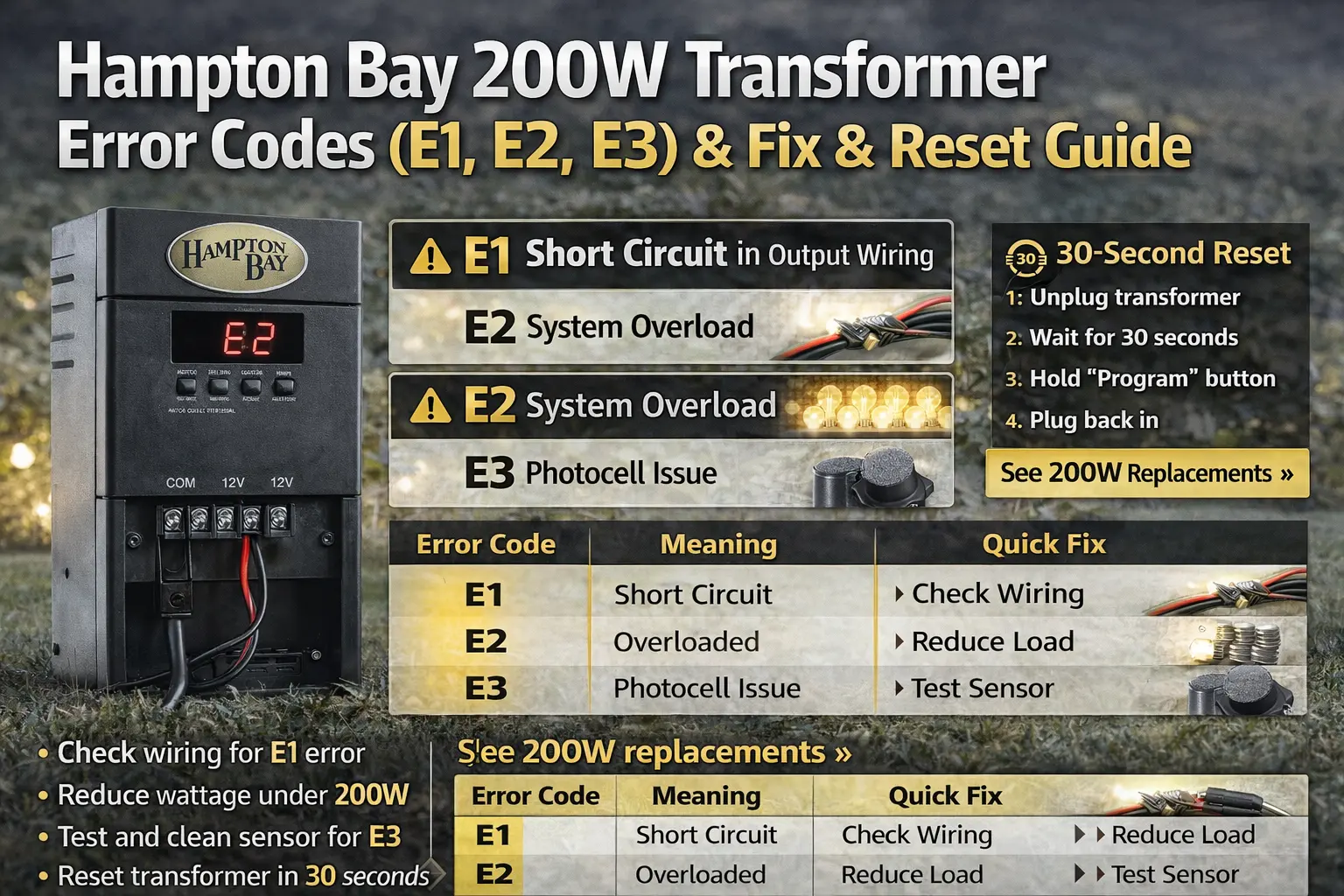
E1 means a short circuit, E2 means overload, and E3 means a photocell or sensor problem. Most Hampton Bay transformer errors can be fixed by checking wiring, reducing load, or cleaning the sensor.
Quick Answer
E1 means a short circuit, E2 means overload, and E3 means a photocell or sensor problem.
- E1: Check for crossed wires or damaged cable
- E2: Reduce total wattage below 200W
- E3: Clean or test the photocell sensor
Fast Diagnosis: What Your Error Code Means
- E1: Something is shorting → check wiring first
- E2: Too many lights → reduce load
- E3: Sensor issue → test or clean photocell
Start with the code you see and follow that path. These codes are designed to point directly to the problem.
Hampton Bay Transformer Error Codes Explained
| Error Code | Meaning | Fix |
|---|---|---|
| E1 | Short circuit in output wiring | Check for crossed wires or damaged cable |
| E2 | System overload (too many lights) | Reduce total wattage below 200W |
| E3 | Photocell or sensor issue | Clean or test the sensor |
These error codes are safety protections built into the transformer. Most issues can be fixed without replacing the unit, which is exactly why reading the code correctly matters.
Hampton Bay Transformer Showing “E” Only
If your display only shows “E” without a number, it usually indicates a system fault or startup error.
- Reset the transformer
- Check wiring and load
- Watch for a specific code after restart
Most units will display E1, E2, or E3 after restarting, which helps narrow down the issue.
If your landscape lights suddenly stop working and your transformer shows an error code, you need a clear answer fast. This page breaks down exactly what E1, E2, and E3 mean, what typically causes each one, and how to fix the problem without guessing or replacing parts too soon.
Each code points to a specific issue. E1 usually means a wiring problem, E2 points to overload, and E3 signals a sensor or photocell issue. Once you understand what the code is telling you, it becomes much easier to find the problem and get your lighting system working again.
Hampton Bay Transformer Reset (30-Second Fix)
Resetting the transformer often clears temporary error codes.
- Unplug the transformer.
- Wait 30 seconds.
- If your unit has a program button, hold it while restoring power if needed for restart.
- Plug the unit back in and watch whether the code returns.
If the error code returns after reset, the underlying problem still needs to be fixed. Reset is useful because it confirms whether the code was a momentary issue or a real ongoing fault.
E1 Error Code: Short Circuit in Output Wiring
E1 usually means the transformer sees a short somewhere on the low-voltage side of the system.
This is the code most likely to appear after cable damage, connector problems, or a fixture failure that puts the conductors in contact where they should not be. Homeowners often notice it after recent landscape work, edging, digging, or moving fixtures.
- Check for crossed wires at connectors
- Look for cable damage near recent digging or edging
- Inspect fixtures with water, corrosion, or broken sockets
- Disconnect branches one at a time to isolate the fault
If you need a broader short-circuit pattern to compare against, use Portfolio landscape lights short circuit and Portfolio transformer tripping breaker. The brand may differ, but the fault pattern is often very similar.
E2 Error Code: System Overload
E2 means the transformer is being asked to run too much load.
This is one of the most common real-world failures because systems grow over time. A homeowner adds path lights, then a spotlight, then another fixture near the mailbox, and suddenly the same 200W transformer is expected to carry more than it should.
- Add up the wattage of all connected fixtures
- Remove a few lights and test again
- Check for older halogen lamps that draw more than expected
- Confirm the cable run is not adding extra voltage strain to an already full load
If overload is likely, compare your setup with Portfolio lighting transformer sizing guide, Portfolio lighting transformer wattage guide, and landscape lighting transformer size calculator.
E3 Error Code: Photocell or Sensor Problem
E3 usually points to the photocell or sensor side of the transformer.
This can happen when the sensor is dirty, blocked, damaged, or simply no longer reading daylight and darkness the way it should. It can also show up when the transformer is in a mode that depends on the sensor and the sensor is no longer responding correctly.
- Clean the sensor gently.
- Make sure it is not blocked by dirt, mulch, or plants.
- Test it in the correct operating mode.
- Cover it briefly to simulate darkness and watch for response.
If you need a deeper control-side troubleshooting path, compare with Portfolio lighting photocell not working and landscape lighting photocell not working.
Hampton Bay Transformer Modes Explained
- Auto: uses photocell and timer behavior
- Manual: keeps the lights on continuously
- Timer: runs for a set number of hours
Incorrect mode settings can sometimes look like a system failure when the transformer is actually working correctly. That is why mode confusion should be ruled out before replacing a unit that still powers on and responds.
Still Seeing an Error Code? When to Replace the Transformer
If error codes keep returning after resetting and fixing wiring or load issues, the internal control board may be failing. That is the moment where it often stops being worth it to keep restarting the same problem.
- Repeated E1 or E2 errors after repairs
- Display glitches, freezing, or random resets
- E3 that comes back after sensor cleaning and testing
- Older systems already showing multiple reliability problems
In these cases, replacing the transformer with a modern LED-compatible unit is usually faster and more reliable. Good next stops include Portfolio lighting transformer alternatives, best replacement for Portfolio landscape lighting, and where to buy Portfolio lighting replacement parts.
Why This Page Can Save You Time
The biggest mistake homeowners make with transformer codes is treating every code like total failure. These codes are actually helpful because they narrow the problem down. If you follow the code, fix the cause, and reset the unit, you can often get the system back without replacing the transformer too soon.
Need Troubleshooting?
Compare the code with broader transformer symptoms and repair paths.
Troubleshoot TransformerRelated Transformer Guides
- Portfolio Lighting Model Number Lookup
- Portfolio Lighting Catalog
- Malibu Lighting Replacement Parts
- Hampton Bay Lighting Replacement Parts
- Portfolio 121408 Transformer Guide
- Malibu 8100-9120-01 Troubleshooting
These pages help compare common transformer and replacement patterns across brands without sending you to broken or made-up URLs.
Hampton Bay 200W Transformer FAQ
What does E1 mean on Hampton Bay transformer?
E1 usually means a short circuit in the low-voltage output wiring or a damaged fixture connection.
What does E2 mean?
E2 usually means the system is overloaded and the connected lighting load is too high for the transformer.
What does E3 mean?
E3 usually points to a photocell or sensor issue such as dirt, blockage, or sensor failure.
How do I reset a Hampton Bay 200W transformer?
Unplug the transformer, wait about 30 seconds, then restore power and retest the unit after correcting the likely cause.
Should I replace the transformer if the same error keeps coming back?
Yes, if the same code returns after repairs and reset, the transformer may have an internal control problem and replacement becomes the better long-term choice.
Can timer modes make the transformer seem broken?
Yes. If the unit is in the wrong mode, it can look like a failure when the transformer is actually responding exactly to the current settings.
Final Note
Hampton Bay transformer error codes are designed to help you diagnose problems quickly. In most cases, E1, E2, and E3 point to wiring, load, or sensor issues—not a completely failed unit. Once you understand what each code means, it becomes much easier to decide whether a simple fix will solve the problem or if it is time to replace the transformer.