
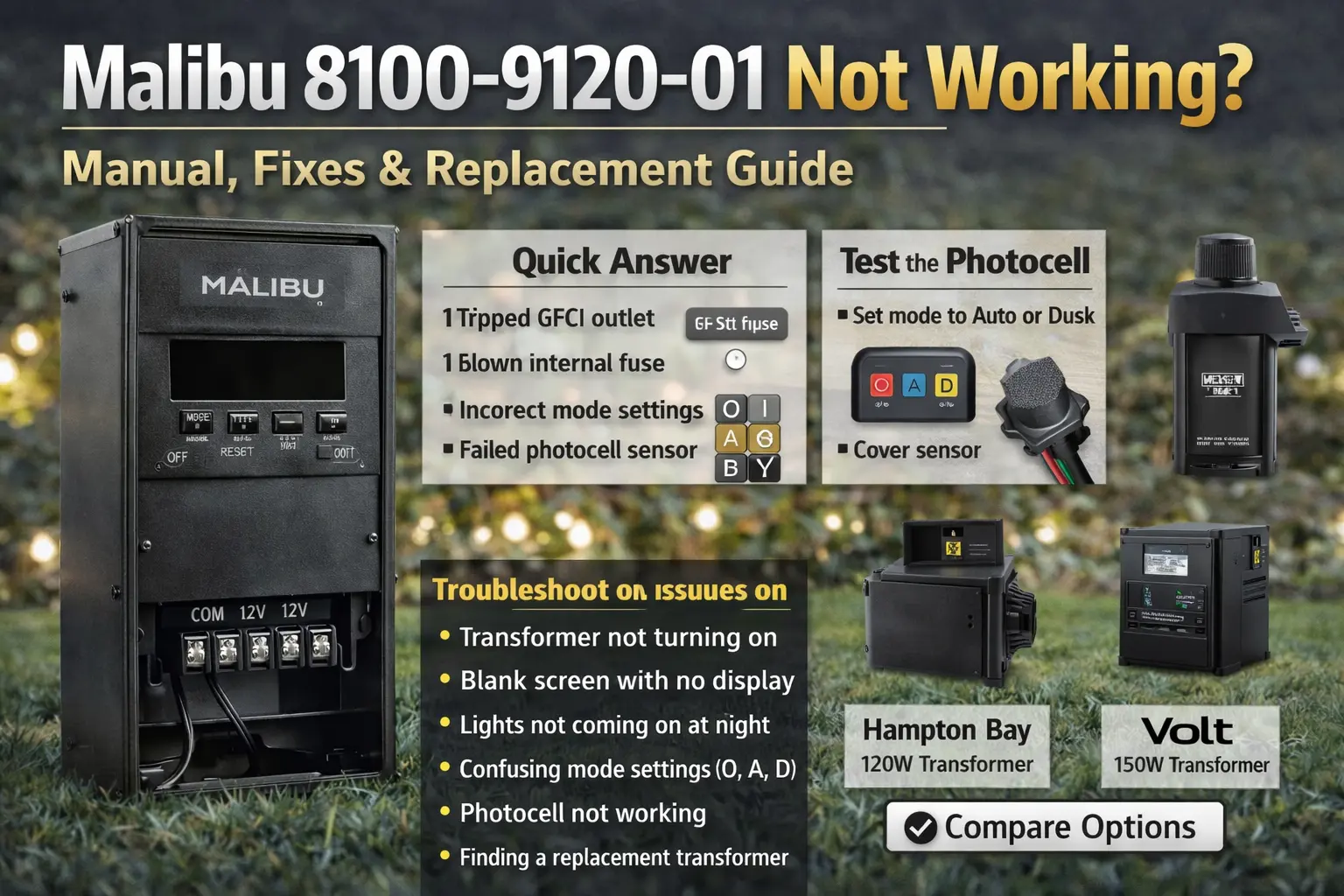
Quick Answer
If your Malibu 8100-9120-01 is not working, the most common causes are a tripped GFCI outlet, a blown internal fuse, incorrect mode settings, or a failed photocell sensor.
- Check the outlet and reset the GFCI
- Inspect the internal fuse
- Confirm the mode setting is O, A, or D as intended
- Cover the photocell to test night mode
- Replace the unit if the display is blank or unresponsive
Malibu 8100-9120-01 Not Turning On
If the transformer will not turn on at all, start with power and control settings before replacing the unit.
- Check outlet power and reset the GFCI
- Confirm breaker is not tripped
- Verify the unit is not in the wrong mode
- Test the photocell
- Inspect for internal failure if still unresponsive
This is the kind of page homeowners search for when a discontinued transformer leaves them with a dark yard and no support. The goal here is simple: help you solve the problem, not just identify the model. That means explaining what the settings mean, what usually fails, how to test the photocell, and when it is smarter to replace the whole unit rather than keep chasing one more repair.
The 8100-9120-01 tends to create confusion because the failure is not always dramatic. Sometimes the display goes blank. Sometimes the lights stay off because the photocell is no longer reading correctly. Sometimes the unit is technically alive but sitting in the wrong mode. And sometimes the transformer is just old enough that internal wear makes the whole system unreliable.
If you are not sure which Malibu transformer series you have, the Malibu Lighting Model Library and Replacement Parts Guide includes digital-series identification help, timer styles, fixture family matching, replacement paths, and model-number lookup support.
Malibu 8100-9120-01 Manual: Mode Settings Explained
This model uses simple letter-based modes that confuse many homeowners.
- O (On): lights stay on continuously
- A (Auto): uses photocell and timer control
- D (Dusk-to-Dawn): lights turn on at night and off at sunrise
If your lights are not turning on, the most common problem is not the fixtures. It is the transformer being set to the wrong mode or the photocell not reading darkness the way it should. This is why so many homeowners think the system failed when it is really a control problem first.
If you need more model-reference help, compare this page with the Portfolio Lighting catalog and the Portfolio Lighting model number lookup. Those pages help when labels are faded, settings are unclear, or you are comparing a dead older transformer to a modern replacement.
Malibu 8100-9120-01 Error Codes (E1, EE Explained)
If your Malibu transformer shows an error code, it usually points to a control or internal failure.
| Error Code | Meaning | What to Do |
|---|---|---|
| E1 | Internal control fault or overload | Check total load and reset the unit |
| EE | Display or memory error | Cycle power and check for internal failure |
If error codes continue after power reset, the transformer is usually at the end of its life and replacement is the better option.
Blank Screen or No Power
If the display is blank, the problem is usually power-related, not the lighting fixtures themselves.
- Check the outlet and reset the GFCI
- Confirm the circuit breaker is not tripped
- Inspect the internal fuse
- Test another device in the outlet
- Look for signs that the transformer is completely unresponsive
This is one of the highest-intent searches for this model because a blank display immediately feels like total failure. Sometimes it is. But many times the real problem is simpler: the outlet is dead, the GFCI has tripped, or a fuse has opened. If you work through those items in order, you can avoid replacing the wrong part.
Photocell Test (Fast Diagnosis)
The quickest way to test the photocell is to cover the sensor completely.
- Set the unit to Auto or Dusk mode.
- Cover the photocell with black electrical tape or a dark object.
- Wait one to two minutes.
If the lights turn on, the photocell is still working. If they do not, the sensor or the control side of the transformer may have failed. This is one of the fastest tests on the page because it separates “the unit never sees nighttime” from “the unit is dead no matter what.”
If you need broader help with low-voltage system behavior, use Portfolio lighting troubleshooting and Portfolio lighting transformer troubleshooting. Those pages help when the problem turns out to be bigger than one transformer setting.
Malibu 8100-9120-01 Photocell Bypass Test
The fastest way to test the photocell is to block all light from reaching the sensor.
- Set the transformer to Auto or Dusk mode
- Cover the photocell completely with electrical tape or cardboard
- Wait 1–2 minutes for the system to respond
If the lights turn on, the photocell is working and the issue is likely placement or outside light interference. If nothing happens, the sensor or control system may have failed.
Model Number Cross Reference
| Identifier | Value | Why It Matters |
|---|---|---|
| Model Number | 8100-9120-01 | Useful when the front label is still readable |
| UPC Code | 885305001859 | Helpful when people search by box, label, or old listing information |
| Power Rating | 120 Watt | Important when choosing a safe replacement transformer |
Many homeowners search by whatever number they can still read. That is why model, UPC, and wattage all matter on a page like this. If the original label is faded, cross-reference details help you confirm the unit before you spend money on parts or a replacement transformer.
Why Malibu 8100-9120-01 Stops Working
The most common causes are power loss, incorrect settings, or sensor failure—not the lights themselves.
This matters because many homeowners start at the fixtures. They replace bulbs, check connectors, and assume the problem is out in the yard. But when every light fails together, the transformer side deserves the first look. A dead outlet, wrong mode, bad photocell, or failed control board can make a whole system look dead at once.
- power loss at the outlet
- tripped GFCI
- blown fuse
- wrong control mode
- bad photocell
- age-related internal failure
If the system has overlapping symptoms like dim output, random on-off behavior, or no response at all, compare those patterns with Portfolio lighting transformer troubleshooting and Portfolio lighting troubleshooting. Those pages help you think in symptoms instead of guessing.
How to Reset Malibu Transformer
Reset by checking power, switching modes, and restoring the correct timer or photocell setting.
- Make sure the outlet has power.
- Reset the GFCI if the transformer is plugged into one.
- Check the breaker feeding that outlet.
- Set the transformer to the intended mode.
- Retest the photocell if the lights still do not respond.
On older units like this, reset does not always mean one button. Sometimes the real “reset” is restoring power, clearing the mode confusion, and testing the control path again. If the transformer remains blank or unresponsive after that, the unit is telling you the problem is likely internal.
Malibu 8100-9120-01 Wiring Diagram (Simple Guide)
If you disconnected the wires or are reinstalling the unit, this is the basic layout:
[Transformer Terminals]

COM  → Common wire (usually one side of all fixtures)
12V  → Main lighting cable
GND  → Ground (if present)
Most Malibu systems use a simple two-wire low-voltage setup. One wire connects to COM, and the other connects to the 12V terminal.
Best Replacement for Malibu 8100-9120-01
Because this model is discontinued, replacement is often the easiest and most reliable option. In many cases, the time spent chasing a weak older transformer is worth more than the cost difference between one more repair attempt and a modern low-voltage transformer that is easier to program and more dependable.
- Choose a 120W to 150W transformer if your system load is similar
- Look for LED compatibility if your fixtures have been upgraded
- Use a modern digital timer or a cleaner control system
- Make sure the cable and connector condition still support the new transformer
Good replacement research paths include Malibu lighting replacement parts, Portfolio lighting transformer alternatives, best replacement for Portfolio landscape lighting, and where to buy Portfolio lighting replacement parts. Those pages help you move from a dead older product into an upgrade path that is easier to live with.
If your Malibu transformer is failing or hard to manage, upgrading the control system can often be a better solution than replacing parts repeatedly. The AI outdoor lighting systems guide explains how modern systems are structured, while the AI automated lighting page shows how they perform in real use.
Should You Repair or Replace?
Older transformers can often be upgraded with better control instead of replaced. The smart hub compatibility guide explains how to connect legacy lighting systems to modern smart controls.
Older transformers often create uneven or overly bright lighting. The AI security and ambient lighting guide explains how to improve lighting behavior without relying on basic motion-only control.
- Repair it if the issue is clearly outlet power, a GFCI trip, or a simple settings problem
- Troubleshoot it further if the display still works and the controls still respond
- Replace it if the display is blank, the unit is unresponsive, or the transformer is behaving unpredictably
A Better Upgrade Path for a Dead Product
If your Malibu transformer has stopped working, the real question is what to do next. With many of these units discontinued and support limited, most homeowners are deciding whether to keep troubleshooting or move to a more reliable replacement.
Some newer transformers display error codes instead of failing silently. If you are dealing with a unit that shows E1, E2, or E3, the Hampton Bay error code guide explains how to diagnose and fix these issues step by step.
Need More Troubleshooting?
Compare your symptoms before you replace the wrong part.
Troubleshoot FirstNeed Malibu Parts Help?
Use the Malibu replacement page to compare what still makes sense to repair.
See Malibu PartsNeed a Modern Replacement?
Move into transformer alternatives and better upgrade options.
See AlternativesMalibu 8100-9120-01 FAQ
Need to identify additional Malibu transformers, path lights or discontinued replacement parts? Visit the Malibu Lighting Model Library Top 40 Parts Lookup for detailed specifications covering ML, LX and 8100-series Malibu systems commonly sold from the 1990s through the mid-2010s.
Why is my Malibu 8100-9120-01 not working?
The most common causes are power loss, incorrect mode settings, a failed photocell, or a blown fuse.
What do O, A, and D mean on Malibu transformer?
O means On, A means Auto with photocell and timer control, and D means Dusk-to-Dawn operation.
How do I test Malibu photocell?
Cover the sensor completely to simulate darkness and wait one to two minutes for the lights to turn on.
Why is the display blank on Malibu 8100-9120-01?
A blank display usually points to no power at the outlet, a tripped GFCI, a blown fuse, or internal transformer failure.
Should I repair or replace Malibu 8100-9120-01?
Repair is worth trying when the issue is simple power loss or settings confusion. Replacement is usually better when the unit is blank, dead, or unstable.
Final Note
This guide covers the most common issues with the Malibu 8100-9120-01 transformer, including power problems, confusing mode settings, photocell behavior, display failures, and when it makes more sense to replace the unit with a modern alternative.