
Portfolio Lighting Master Model & Replacement Handbook
Stop wasting time hunting for discontinued Portfolio parts. This premium PDF helps you identify legacy Portfolio Lighting models, understand common failures, and find compatible replacement options from brands like Malibu, VOLT, Hampton Bay, and Kichler.
Inside the PDF:
- 100+ model breakdown pages
- Transformer, path light, spotlight, and wall lantern specs
- Common failure patterns for discontinued models
- Compatible replacement brands and parts strategy
- What to check before buying the wrong part
If one wrong part costs you $20–$80, this $9.99 handbook can pay for itself before you make your first replacement purchase.
Quick Answer: Portfolio 121408 Transformer Troubleshooting
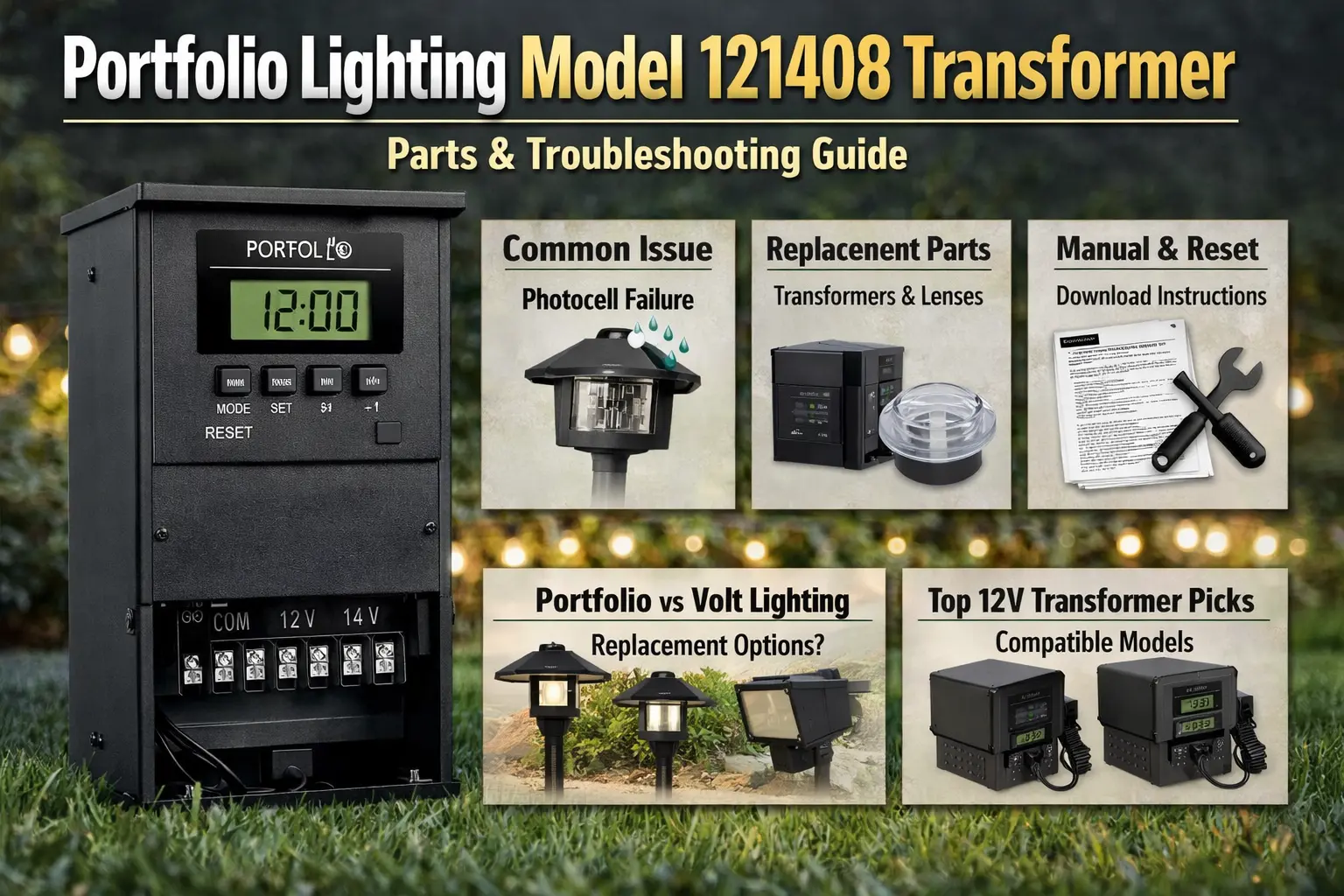
Portfolio Lighting Model 121408 is a low-voltage landscape transformer commonly used for outdoor lighting systems. If it is not working, the most common causes are a faulty photocell, incorrect timer settings, a tripped breaker, loose low-voltage wire connections, or internal transformer failure.
- Check power at the outlet and reset button first.
- Verify the timer settings and operating mode.
- Inspect the low-voltage terminals and wire connections.
- Replace the photocell if the lights do not turn on correctly at dusk.
- Replace the transformer if it hums loudly, overheats, or does not output voltage.
Need the manual? Start with Portfolio Lighting Manuals. Need troubleshooting? Go to Portfolio Lighting Transformer Troubleshooting. Need parts? Use Portfolio Lighting Parts and Accessories. Need a replacement? Compare options on Portfolio Lighting Transformer Alternatives.
If you need wiring diagrams, reset steps, or control details for other models, use Portfolio outdoor transformer manuals to compare common transformer layouts before troubleshooting further.
Portfolio 121408 Transformer Not Working (Quick Fix Guide)
If your Portfolio 121408 transformer is not working, the most common causes are a bad photocell sensor, a tripped internal breaker, or a GFCI outlet that needs to be reset.
- Cover the photocell to test if the sensor is stuck in “day mode”
- Press the reset button on the transformer
- Check and reset the GFCI outlet
- Reduce the lighting load if the unit keeps tripping
1. Photocell Sensor Not Turning Lights On
The photocell controls when your lights turn on at dusk. If it fails or is blocked, the transformer will stay off because it thinks it’s still daytime.
- Cover the sensor with black electrical tape
- Wait 1–2 minutes for the system to respond
- If the lights still don’t turn on, the photocell may be bad
2. Transformer Reset Button Keeps Tripping
A small push-to-reset breaker protects the transformer from overload. If your total wattage exceeds the unit’s capacity (around 120W), it will trip repeatedly.
- Press the reset button to restore power
- Disconnect a few lights and test again
- Check for damaged wires or short circuits
3. GFCI Outlet Has No Power
Outdoor transformers are usually connected to a GFCI outlet. Moisture or power surges can trip the outlet and cut power completely.
- Press the “Reset” button on the outlet
- Check nearby outdoor outlets on the same circuit
- Test the outlet with another device if needed
Portfolio 121408 Transformer Not Working
If your Portfolio 121408 transformer is not working at all, start by checking the outlet, GFCI protection, reset button, and timer mode before assuming the transformer itself has failed. In many cases, the real problem is a tripped breaker, bad photocell, loose low-voltage wire, or incorrect control setting rather than total transformer failure.
Portfolio 121408 Timer Not Working
A timer problem can make the transformer look dead even when it still has power. If the lights stay off, turn on at the wrong time, or ignore your programmed settings, verify the operating mode, dusk-to-dawn settings, and timer schedule before replacing the transformer.
Portfolio 121408 Transformer Buzzing
A slight hum can be normal on some low-voltage transformers, but loud buzzing usually points to overload, loose terminal connections, internal wear, or unstable output. If the transformer is buzzing and also getting hot, tripping, or failing to power lights consistently, replacement becomes more likely.
Portfolio 121408 Manual PDF
If you are searching for the Portfolio 121408 manual PDF, confirm the exact number on the label first and compare it against the Portfolio Lighting Manuals page. Older Portfolio transformers are often easier to match by label format, wattage, timer style, and control layout than by a single number alone.
If you’re searching for Portfolio Lighting Model 121408, you’re likely trying to identify your transformer, fix a problem, or find the right manual or replacement. This page helps you confirm what you have, understand what usually goes wrong, and choose the correct parts or next step.
Most people looking up this model are dealing with issues like no power, timer problems, or buzzing. Instead of guessing, use this guide to quickly identify the transformer, troubleshoot common failures, and decide whether to repair it or replace it.
For additional transformer wiring diagrams and component references, use Portfolio lighting technical manuals and wiring diagrams.
Identifying specific internal components for older fixtures can be a challenge, especially for discontinued units. For a comprehensive breakdown of technical specifications and wiring layouts, you can refer to our Portfolio Lighting Master Model & Replacement Handbook, which catalogs over 100 specialized models in one digital guide.
How to Identify Portfolio Lighting Model 121408
If you’re searching for “Portfolio Lighting Model 121408 transformer manual,” you’re usually trying to confirm an older low-voltage landscape transformer. These are typically black outdoor units mounted near a GFCI outlet and connected to low-voltage cable that powers path lights, spotlights, or other yard lighting.
Most transformers in this group have a terminal area on the front or bottom, a timer or control section, and a light sensor for dusk-to-dawn operation. The label may include a model number, item number, or other reference number, so it’s important to match what’s printed on your unit before buying parts or a replacement.
If your fixture is similar to model 0312384, see our 0312384 replacement guide for compatible parts and repair options.
What to compare when identifying it
- Overall housing shape and mounting style
- Digital timer versus simpler mechanical or mode-based controls
- Presence of a built-in photo eye or photocell feature
- Single output versus multi-tap terminal connections
- Printed wattage rating on the label
- Low-voltage cable gauge notes and outdoor rating
If you are not completely sure your transformer is model 121408, or the label is faded or missing, use the Portfolio Lighting catalog to compare transformer styles, control layouts, and fixture types. This can help you match your unit correctly and avoid ordering the wrong parts or replacement.
Common Problems With Portfolio 121408 Transformer
Most visitors searching this exact model number are trying to solve a real failure, not just identify the transformer. These are the most common problems tied to Portfolio 121408 transformer searches.
Why Portfolio 121408 Transformer Won’t Turn On
If the transformer will not turn on, check the outlet, GFCI, reset button, timer mode, and photocell first. A no-power symptom does not always mean the transformer is dead. It often points to control settings, overload protection, or wiring issues.
Portfolio 121408 Timer Not Working
Incorrect timer settings are one of the most common causes of “failed” transformer complaints. If the unit still has power but does not run the lights at the expected time, verify the timer schedule and any dusk-to-dawn or manual override settings.
Portfolio 121408 Photocell Problems
When the lights fail to come on at dusk or stay on at the wrong time, the photocell or light sensor is often the first component to suspect. Weather exposure and age can make these controls unreliable over time.
Portfolio 121408 Reset Button Keeps Tripping
A reset breaker that trips repeatedly usually means the transformer is overloaded, the wire run has a short, or a fixture branch has failed. Resetting it without finding the cause usually leads to repeated shutdowns.
Portfolio 121408 Transformer Buzzing or Overheating
Loud humming, buzzing, or excessive heat often points to internal wear, overload, or loose electrical connections. If the transformer hums loudly and struggles to power the system, replacement may be the smarter long-term fix.
For deeper symptom help, compare this page with Portfolio Lighting Transformer Buzzing, Portfolio Transformer Getting Hot, Portfolio Transformer Not Powering Lights, and Portfolio Transformer Tripping Breaker.
If your transformer is still working but difficult to control, upgrading the system may be a better long-term solution. The AI outdoor lighting systems guide explains how to improve control without replacing everything, and the AI automated lighting page shows how these systems behave in real-world setups.
If your transformer still powers lights but the system feels unreliable or too bright, the AI security and ambient lighting guide shows how to improve control and reduce unnecessary lighting.
Portfolio Lighting Model 121408 Reference Table
This table helps you confirm what you have, find the right manual, and match the correct parts or replacement options based on your transformer label.
| Field | What to Use on This Page | Why It Matters |
|---|---|---|
| Item Number | 121408 (verify on label or original packaging) | Homeowners often search older Portfolio products by item number instead of the manufacturer model number. |
| Model Number | Verify exact transformer label before ordering | Portfolio labels may include a separate model or family number that matters more than the store item number. |
| Fixture Type | Low-voltage landscape lighting transformer / power pack | This narrows the manual, troubleshooting, and replacement path. |
| Replacement Bulb Type | Not applicable to the transformer itself | The transformer powers fixtures that may use MR16 or integrated LED components, but the transformer does not use a replacement bulb. |
| Compatible Parts | Replacement Photocell, Low Voltage Wire Connectors, Transformer Replacement | These are the most common parts or replacement paths tied to transformer failures. |
| Manual Download | Start with Portfolio Lighting Manuals | The manuals hub is the safest next step if the exact public PDF has not been confirmed yet. |
Manual Download Help: Where to Look First
Most people searching for “Portfolio 121408 manual” aren’t looking for a long explanation. They want the exact manual or the quickest way to get it. Here’s the simplest way to find what you need:
- Confirm the full number on the transformer label
- Open Portfolio Lighting Manuals
- Compare with Portfolio Lighting Model Number Lookup if the label is confusing
- Use Portfolio Lighting Transformer Wiring Diagram if you need wiring help
- Use Portfolio Lighting Transformer Reset if the unit has tripped or will not restart
If you still cannot match the exact manual, this does not mean the transformer is unidentifiable. In many cases, the control layout and wattage family are enough to point you to the right replacement or troubleshooting path.
For other archived Portfolio transformer models and manual references, see the Portfolio technical archive.
Replacement Path: When the Manual Leads to a Dead End
Many Portfolio transformers are older, and some homeowners eventually discover that the exact unit is discontinued. That is where this page can still win the search and help the visitor. The real goal is not only finding the original manual. The real goal is solving the problem without wasting money.
When to repair
- The reset tripped once because of a temporary overload
- The terminal connections were loose or corroded
- The photocell or sensor appears to be the only failed part
- The timer setting was the real problem
When to replace
- The transformer hums loudly and runs hot
- The unit repeatedly trips even after wiring checks
- The internal controls fail or the output is unstable
- The original model is discontinued and parts are impractical
This is where compatible ecosystems matter. Some visitors searching for Portfolio model 121408 are really at the end of the lifecycle and need the next best solution, not a perfect factory-original part. In that case, start with Portfolio Lighting Transformer Replacement, Where to Buy Portfolio Lighting Replacement Parts, and Portfolio Lighting Transformer Alternatives.
Best Next Step for Portfolio 121408 Searches
If you searched this model number, your next step depends on the symptom. If the transformer will not turn on, start with outlet power, reset, and timer settings. If the unit buzzes or overheats, move quickly toward replacement guidance. If your main goal is finding the exact document, use the manuals page and compare the printed label carefully before ordering any parts.
- Need the manual? Start with the manuals hub.
- Need repair help? Use the transformer troubleshooting page.
- Need parts? Check the parts and accessories page.
- Need a replacement? Compare transformer alternatives and replacement guides.
For more Portfolio transformer and fixture specifications, see the Portfolio lighting model specs guide.
Should You Repair or Replace Portfolio Model 121408?
In many cases, the fastest answer is not just finding the manual. It is deciding whether the transformer is still worth repairing.
If your transformer still has power but is hard to manage, you may be able to improve control without replacing it. See the smart hub compatibility guide to learn how to connect this system to a smart hub.
- Repair it first if the problem is a timer setting, loose terminal, tripped reset, or bad photocell.
- Keep troubleshooting if the transformer powers on but the lights still fail intermittently.
- Replace it if it hums loudly, overheats, trips repeatedly, or does not deliver stable output.
- Use a compatible replacement path if the exact manual or original unit is discontinued.
Portfolio Lighting Model 121408 FAQ
Where can I find the Portfolio Lighting Model 121408 transformer manual?
- Check the exact label on the transformer.
- Open Portfolio Lighting Manuals.
- Compare the number on Portfolio Lighting Model Number Lookup.
- If needed, use the transformer wiring and troubleshooting pages to match the correct family.
What usually breaks first on a Portfolio transformer like model 121408?
- Photocell or light sensor problems
- Timer or mode-setting errors
- Reset breaker trips from overload
- Loose or corroded terminal connections
- Internal transformer failure on older units
How do I know if model 121408 is the right number?
- Read the full label carefully.
- Look for separate item and model numbers.
- Compare wattage, timer style, and terminal layout.
- Match the transformer family before ordering parts.
Why is my Portfolio transformer humming?
- A slight hum can be normal on some transformers.
- Loud buzzing may point to overload or internal wear.
- Check the cable load and low-voltage connections.
- If the unit is also hot or tripping, move to full troubleshooting.
Can I replace a discontinued Portfolio transformer with a compatible unit?
- Confirm the wattage and outdoor rating.
- Match timer and photocell features if needed.
- Verify cable compatibility and lighting load.
- Use the replacement and alternatives guides before buying.
What if I cannot find the exact 121408 PDF manual?
- Use the manuals hub and model lookup page first.
- Match the transformer family by controls and wattage.
- Use the wiring, reset, and troubleshooting guides for operation help.
- If the unit is discontinued, shift to compatible replacement guidance.
Bottom Line
If you have Portfolio transformer 121408, the smartest move is to confirm the label, check the common failure points first, and then decide whether you need the manual, a repair, or a full replacement. Most homeowners can narrow the problem quickly by checking power, timer settings, photocell behavior, terminal connections, and overload symptoms before spending money.