
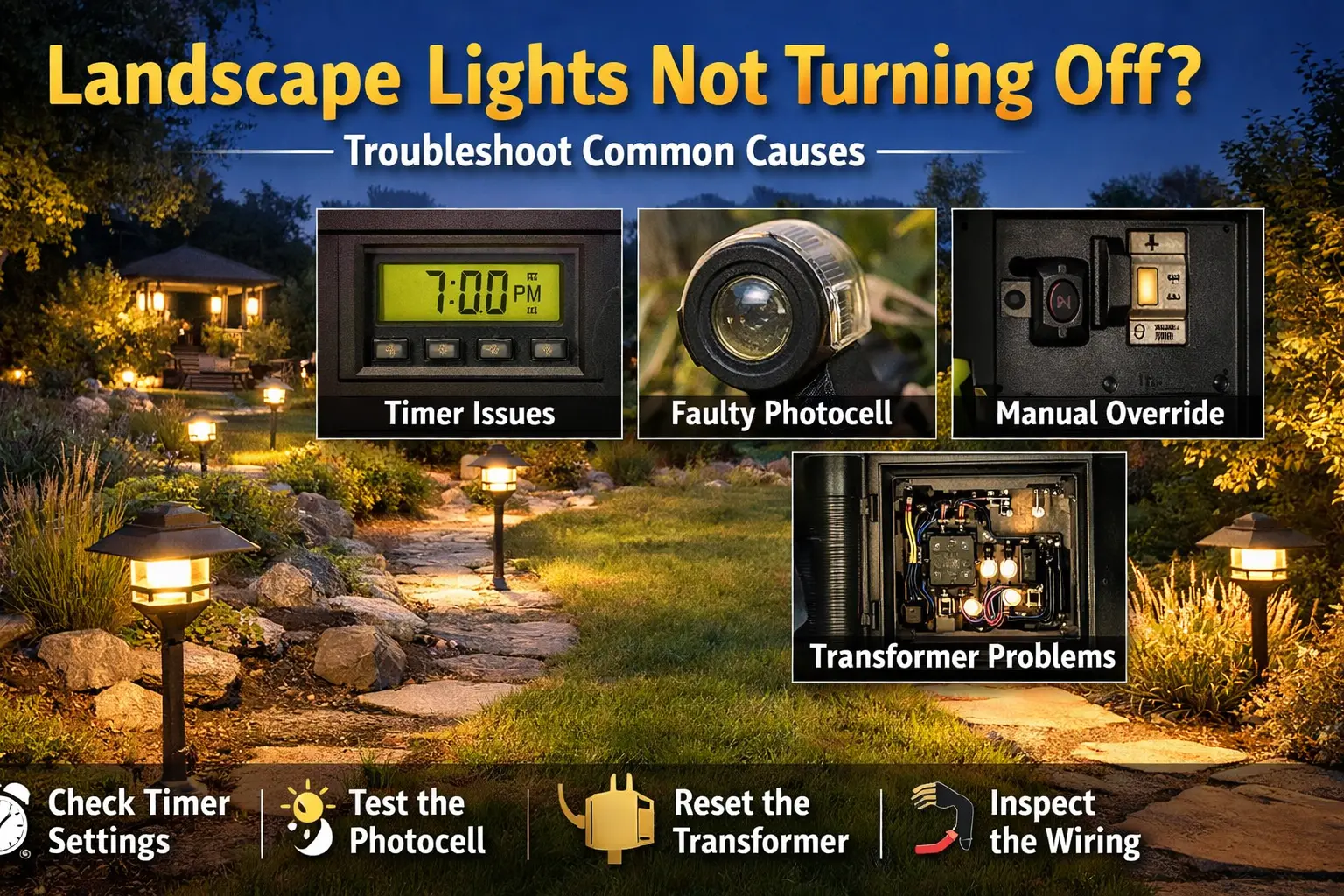
Why Are My Landscape Lights Not Turning Off? (Quick Answer)
Landscape lights usually stay on because of timer settings, a faulty photocell sensor, or a transformer stuck in manual mode. These controls tell the system when to turn off, so if one fails, the lights may run continuously.
- All night: timer settings are incorrect
- During the day: photocell is blocked or bad
- After testing: manual override is still on
Most problems can be fixed without replacing the transformer by correcting control settings first.
Lights Staying On: Fast Diagnosis Logic
| If This Happens | What It Means | What To Check First |
|---|---|---|
| Lights stay on all night | Timer is controlling incorrectly | Timer schedule and mode |
| Lights stay on during daylight | Photocell is blocked or failed | Sensor position and cleanliness |
| Lights stuck on after manual use | Manual override is active | Transformer switch position |
| Lights randomly stay on | Control module issue | Timer module and transformer reset |
| Lights ignore timer completely | Wiring or control failure | Control wiring and transformer |
The timing of when lights stay on is the fastest way to identify the cause.
Start Here: Fix Your Lights Fast
- If lights stay on at night → check timer settings
- If lights stay on during the day → check photocell
- If lights won’t turn off after testing → reset manual mode
- If nothing works → reset transformer
Start with the symptom you see. This prevents replacing parts you don’t need.
When landscape lights will not turn off, the issue is usually in the control side of the system rather than the fixture side. That means timers, photocells, manual override switches, and transformer settings are usually more important than bulbs or cable runs.
The most common causes are wrong timer programming, a stuck manual override, a blocked or failed photocell, or a transformer control problem. Start with the quick diagnosis table below, then work through the controls in a clear order before replacing any hardware.
When lights fail to turn off properly, the problem is often related to timers, photocells, or control systems rather than the fixtures themselves. However, systems that include multiple Portfolio path lights can make it more noticeable when control issues affect the entire lighting layout.
Why Landscape Lights Won’t Turn Off
Landscape lights usually stay on because the control system is telling them to keep running. The most common causes are incorrect timer settings, manual override being activated, a faulty photocell sensor, wiring problems in the control circuit, transformer malfunction, or a damaged timer module.
This is a different kind of problem than landscape lights not turning on. When the lights stay on all night or keep running during the day, the system is still receiving power correctly. The issue is more often that the off signal is not happening when it should.
Most Common Control Causes
- timer schedule programmed incorrectly
- manual override left on
- photocell sensor blocked or failed
- faulty timer module
Most Common Photocell Clues
- lights stay on during daylight
- sensor is dirty or shaded
- sensor faces another light source
- system worked until the sensor aged out
Most Common Timer Clues
- lights stay on all night
- schedule does not match sunset timing
- manual setting was changed recently
- power outage may have reset the timer
Most Common Transformer Control Clues
- lights stuck on after manual test mode
- timer will not switch back to auto
- control module behaves inconsistently
- transformer resets do not solve the issue
Quick Diagnosis Table for Landscape Lights Not Turning Off
Use this table to match the behavior you are seeing to the most likely control problem before you replace the transformer or fixtures.
| Symptom | Likely Cause | What To Check | Detailed Fix |
|---|---|---|---|
| Lights stay on all night | Timer settings | Timer schedule, Auto mode, and current program. | Landscape lighting timer setup |
| Lights stay on during daylight | Photocell blocked or failed | Sensor location, dirt buildup, shade, or artificial light exposure. | Landscape lighting timer setup |
| Lights stuck on after manual control | Manual override not reset | Transformer switch position and control mode. | Portfolio lighting transformer reset |
| Lights randomly stay on | Transformer control issue | Timer module, transformer behavior, and intermittent settings. | Portfolio transformer timer troubleshooting |
| Lights never shut off automatically | Faulty timer module | Program retention, timer display, and control function. | Portfolio transformer timer troubleshooting |
| Lights ignore timer completely | Wiring or control module failure | Control wiring, timer mode, and transformer reset behavior. | Portfolio lighting transformer troubleshooting |
How to Fix Landscape Lights That Won’t Turn Off
Check timer settings first
Timers are the most common cause of lights staying on too long. Verify the correct on and off schedule, make sure the timer is in auto mode, and check whether a recent power outage reset the programming. A timer that looks normal at a glance may still be running the wrong schedule.
Check manual override
Many transformers have a manual switch or override mode used for testing. If that setting is left on, the lights may stay on continuously. Review the transformer controls carefully and switch the unit back to its normal automatic mode.
Inspect the photocell sensor
A blocked or failed photocell can keep the system thinking it is dark outside. Dirt, mulch dust, cobwebs, plant growth, and nearby artificial lights can all interfere with a dusk-to-dawn sensor. Clean the sensor and confirm it is not aimed toward a porch light, spotlight, or reflective surface.
Reset the transformer timer
Power cycling sometimes fixes control errors, especially after outages or incorrect manual setting changes. If the transformer timer appears frozen, behaving inconsistently, or not saving settings correctly, a reset may help reveal whether the issue is in programming or hardware.
Inspect wiring to the timer or control module
Damaged wires in the control portion of the transformer can affect the off signal. This is less common than timer or photocell errors, but it becomes more likely in older systems, weathered enclosures, or transformers that have been repaired before.
Photocell Problems That Keep Lights On
Photocell sensors are designed to detect daylight and tell the transformer when it is time for the system to shut off. When that sensor is blocked, dirty, failed, or pointed toward another light source, it can misread the environment and keep the lights on much longer than intended.
This is one of the most common reasons outdoor lights stay on during the day. A photocell that once worked well may slowly become unreliable over time, especially after years of weather exposure. Sometimes the issue is not sensor failure at all. It may just be dirt, debris, or artificial light shining into the sensor.
If your system uses a photocell or dusk-to-dawn control, compare your setup to landscape lighting timer setup and make sure the sensor location still makes sense for how the yard is lit today.
Transformer Timer Problems
Transformer timer problems are another major reason landscape lights do not turn off. The issue may be a programming error, a faulty timer mechanism, a timer module that lost its settings, or a transformer stuck in a manual-on state after testing.
These problems often show up after a power outage, seasonal adjustment, or when the timer has not been reviewed in a long time. A system that used to work fine may suddenly stay on all night simply because the timer is no longer following the intended schedule.
For deeper help, review Portfolio transformer timer troubleshooting, Portfolio lighting transformer reset, and landscape lighting transformer guide.
Wiring and Control Issues
Wiring faults are less common on this symptom than on pages about lights not working, but they still matter. A damaged wire in the control circuit, a failing timer connection, or a weathered transformer enclosure can interfere with the signal that tells the system to shut off.
If the timer and photocell both seem correct but the lights still stay on, inspect the control side of the transformer rather than the fixture side of the run. The problem may be in the timer wiring, the internal control module, or the connection between the sensor and the transformer.
For system background, compare your setup to landscape lighting transformer guide and review the basic layout principles that control how low-voltage systems switch on and off.
Why This Problem Is Usually Not a Fixture Problem
When lights will not turn off, homeowners sometimes assume the fixtures themselves must be failing. That is usually not the case. Fixtures are typically the end point of the system. They receive the on or off command from the transformer and control system rather than deciding for themselves when to shut off.
That is why this symptom is much more often tied to timer schedules, photocells, manual switches, and transformer controls than to bulbs or path lights. Unless one specific fixture is causing a strange feedback issue, most “lights stay on all night” problems begin at the control point.
Portfolio Systems and Landscape Lights Not Turning Off
Many outdoor lighting systems installed over the past two decades used Portfolio low-voltage transformers and fixtures sold through Lowe’s. If your landscape lights are not turning off and your system includes Portfolio components, the issue may be related to timer programming, transformer controls, or photocell sensors. You can explore more detailed troubleshooting in our Portfolio lighting troubleshooting guide, review outdoor system setups in Portfolio landscape lighting, diagnose control problems in Portfolio transformer timer troubleshooting, or review wiring layouts in our Portfolio lighting wiring diagram guide.
Landscape Lights Not Turning Off FAQ
Why are my landscape lights staying on all the time?
The most common causes are timer programming issues, manual override settings, a bad photocell sensor, transformer control problems, or damaged wiring affecting the control circuit.
Why won't my outdoor lights turn off during the day?
Outdoor lights that stay on during daylight are often caused by a blocked or failed photocell sensor, incorrect timer settings, or a transformer stuck in manual-on mode.
Can a bad photocell keep landscape lights on?
Yes. A failed or blocked photocell can misread light levels and keep landscape lights on even when it should signal the system to turn off.
Why does my transformer timer not turn the lights off?
A transformer timer may fail to turn lights off because of programming errors, a stuck manual override, a faulty timer module, or internal control problems in the transformer.
How do I reset a landscape lighting timer?
Start by checking the timer mode, manual override position, and programming. Power cycling the transformer or resetting the timer module can sometimes correct control errors.
Final Thoughts on Landscape Lights Not Turning Off
Landscape lights that will not turn off are usually a control problem, not a fixture problem. The most common causes are timer programming, manual override settings, photocell issues, and transformer control failures.
Start with the timer and sensor first, then move into reset steps and control wiring only if needed. That troubleshooting order gives you the best chance of solving the issue quickly without replacing more parts than necessary.
More Landscape Lighting Troubleshooting Guides
Landscape Lights Not Turning On
Use this page when the system stays dark because of outlet, transformer, timer, or wiring problems.
Fix landscape lights not turning onLandscape Lights Not Working
Main troubleshooting page for low-voltage landscape lights that stop working fully or partially.
Fix landscape lights not workingLandscape Lights Blinking
Troubleshoot blinking outdoor lights, overload conditions, timers, and intermittent short issues.
Fix blinking landscape lightsLandscape Lights Flickering
Fix unstable lighting caused by loose connections, bad transformers, weak runs, or inconsistent power.
Fix flickering landscape lightsLandscape Lighting Timer Setup
Review timer programming, scheduling basics, and common setup mistakes in outdoor lighting systems.
Landscape lighting timer setupLandscape Lighting Transformer Guide
Learn how transformers control low-voltage lighting systems and where timer modules fit into the setup.
Landscape lighting transformer guideLandscape Lights Not Working After Rain
Moisture-related troubleshooting for wet fixtures, soaked connectors, and outdoor short problems.
Fix landscape lights after rainLandscape Lighting System Diagram
Review the typical path from transformer controls to cable runs and fixtures before tracing control problems.
View system diagramLandscape Lights Not Turning Off, Outdoor Lights Staying On, and Low Voltage Lights Stay On All Night Help
This page is designed to help readers diagnose landscape lights that are not turning off by matching the visible symptom to the most common control-related causes first. Use the diagnosis table and step-by-step checks above before replacing the transformer or rewiring the system.
Because this symptom is usually caused by timers, photocells, and transformer controls, this page focuses on those parts of the system rather than on bulbs and fixture layout. That makes it more useful for homeowners trying to solve the exact issue quickly.