
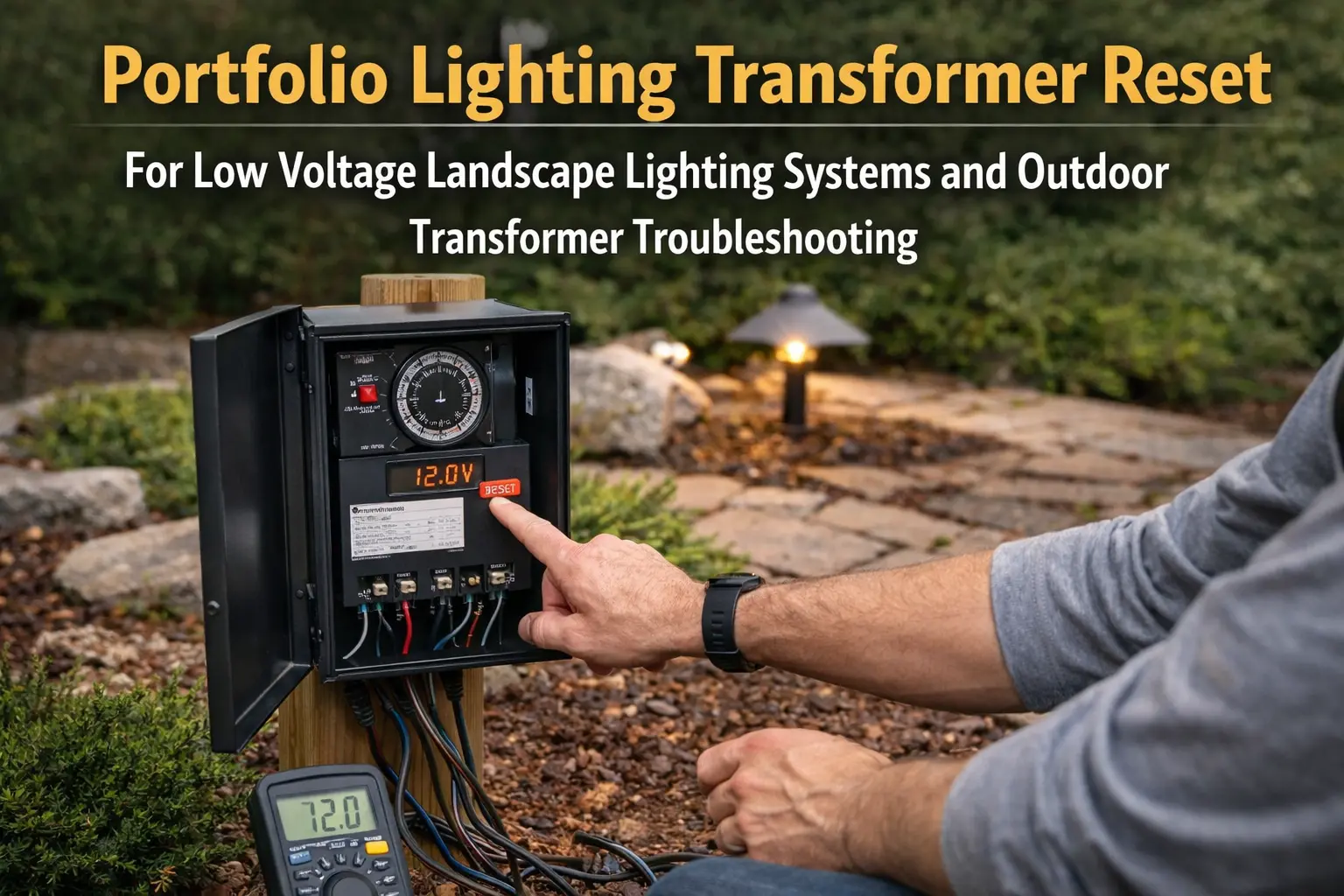
Quick Answer: My 7-Step Transformer Reset & Short Isolation Protocol
Resetting a tripped Portfolio landscape transformer is about isolating downstream line faults, not just forcing the power button back on. When a power pack cuts out or throws a circuit breaker, it is almost always responding to an internal safety mechanism protecting the core from an active overload or a bare wire touching wet soil.
Whenever I deal with a dead or continuously tripping power unit in the field, I use these seven sequential testing steps to safely clear the logic loop and find the root issue:
- 1. Perform a Hard 60-Second Power Drain: I start by turning the master switch off and completely unplugging the transformer from the 120V wall outlet for a full minute to allow the internal capacitors to drain completely and clear the memory.
- 2. Check the Thermal-Magnetic Breaker Switch: Many classic Portfolio units use a small pop-out black button or a toggle switch on the base; if it popped out, it indicates a high-amp thermal surge rather than a digital software freeze.
- 3. Test the Primary Outlet GFCI: I always check the actual outdoor GFCI wall outlet by pressing its native test and reset buttons; often, the wall plug has tripped ahead of the transformer itself.
- 4. Unhook the Secondary Low-Voltage Lines: If the unit trips again instantly, I disconnect the 12V direct-burial cables directly from the bottom terminal block lugs and try powering up the unit completely bare.
- 5. Run the "Bare Core" Power Test: With the yard lines completely unhooked, I plug the unit back in and flip it to manual ON; if the digital screen lights up and stays on, it proves the transformer core is healthy and the problem is out in the yard wiring.
- 6. Isolate Automated Controls (Timer & Photo Eye): I bypass the automated clock wheel or cover the photo cell lens entirely with dark tape; if the system operates only on a manual override, your automated modules are failing.
- 7. Audit Total Wattage Consumption: I add up the actual wattage of every bulb connected down the line; if the system load crosses 80% of the transformer's total rating, the unit will continuously shut down to stop its inner coils from melting.
⚠️ CRITICAL COMPONENT HAZARD: If your power pack continues to pop its safety breaker immediately after a reset, do not hold the button down. Forcing current into a direct copper-to-soil short or a crushed cable will burn out your remaining solid-state modules, which I detail inside my failure indexes below.
In my experience, jumping straight to a hardware replacement is a massive waste of money. Following a step-by-step diagnostic path—killing the line power, clearing the terminal blocks, and testing the bare transformer core first—is what saves you time and prevents unnecessary replacement costs.
If your system remains completely dead even after walking through this checklist, dive into my specialized Portfolio transformer not working directory to check for internal fuse issues.
For an exhaustive map of multi-meter testing targets and wire-splicing repairs, use my full transformer troubleshooting guide to fix your layout for good.
A transformer reset can be helpful, but it should not be the only thing you do. If the transformer tripped for a reason, simply resetting it without checking the likely cause can leave you right back where you started.
If the reset does not restore normal operation, continue with the Portfolio lighting transformer master guide to identify deeper issues such as overload, wiring faults, or internal failure.
If a transformer needs repeated resets, backup power is not the fix. A generator can supply temporary input power during an outage, but it cannot repair an overloaded transformer, shorted cable, wet connector, or failing timer. If you are trying to keep the lights on during a storm, first confirm the system is safe, then follow our generator power guide for landscape lighting.
This page fits naturally with Portfolio lighting transformer troubleshooting, Portfolio lighting transformer not working, Portfolio lighting transformer buzzing, Portfolio lighting transformer timer not working, and Portfolio lighting transformer wiring diagram. If the issue affects the full low voltage system, also use Portfolio lighting troubleshooting and Portfolio landscape lights not working. identify your transformer model
What a Portfolio Lighting Transformer Reset Really Means
A transformer reset usually means the transformer’s internal protection has tripped. That can happen for several reasons. Sometimes the system is overloaded. Sometimes there is a short somewhere in the low voltage line. Sometimes a damaged fixture, loose connector, or bad wire run creates enough of a problem that the transformer shuts itself down to protect the system.
That is why a reset is important, but also why it is only one part of the answer. If the reset works and the lights stay on, the issue may have been temporary. If the transformer resets and then trips again, that usually means there is still an active cause somewhere in the system. In that case, the reset did not fail. It simply revealed that a bigger problem is still there.
This distinction matters because many homeowners search for “reset” when what they really need is “diagnose.” The reset step is useful because it gives you a quick way to test whether the transformer can recover, but it should always be paired with a basic inspection of the rest of the system.
What to Check Before You Reset the Transformer
This is where you save time. A lot of failed reset attempts happen because the actual issue is still present. Before you press reset, take a minute to look at the obvious things first. You do not need to tear the whole system apart. You just want to rule out the most common reasons a transformer trips.
Quick checks before resetting
- confirm the outlet feeding the transformer still has power
- look to see whether the timer or controls are set correctly
- check whether the whole system is down or only one branch
- inspect visible connectors for looseness, corrosion, or damage
- look for pinched wire, cut cable, or recent landscaping damage
- check whether a fixture head, bulb, or stake is visibly broken
- consider whether you recently added more fixtures to the transformer load
If any of those checks point to a likely cause, address that first. A reset is more likely to hold when the original trigger has actually been removed.
How to Reset a Portfolio Lighting Transformer
The exact reset method can vary by transformer model, but the basic process is usually similar. Some Portfolio transformers have a clear reset button. Others behave more like a breaker-style unit where power cycling and control settings matter. The safest practical approach is to treat the transformer like a protected device that should be reset only after a basic inspection.
General reset process
- Turn the transformer off if your model has an on/off control.
- Check the outlet, timer setting, and visible low voltage connections.
- If the unit has a reset button, press it firmly once.
- If there is no obvious reset button, power cycle the unit according to the model’s control style.
- Turn the transformer back on and test whether the lights return.
- Watch the system for a few minutes to see whether it trips again.
If the system comes back and stays on, that is a good sign. If it trips again right away, the reset itself is not the real issue. Something else in the system is still triggering the shutdown.
What to do after the reset
After resetting, do not just walk away immediately. Look at the fixture run. Are all lights back, or only some? Did the timer start behaving normally again? Does the transformer sound different than before? The behavior right after the reset often gives you the best clues about what to do next.
If resetting the transformer does not solve the issue, the next part to inspect is often the photocell. A bad sensor can keep the system from turning on at the right time even when power is present. Learn more in our Portfolio lighting photocell repair guide.
If it trips again → check wiring or overload.
If no power at all → transformer may need replacement.
If your transformer still does not respond after resetting, this Portfolio 0805279 reset and troubleshooting guide walks through model-specific behavior, including timer and photocell issues.
If you need help identifying the transformer type or related setup details, use Portfolio lighting transformer wiring diagram, Portfolio lighting wiring diagram, and Portfolio lighting manuals.
Why a Portfolio Transformer Keeps Tripping
If the transformer keeps needing to be reset, there is almost always a reason. The most common causes are overload, a short, a bad connector, a damaged fixture, a failing timer or control, or internal transformer wear. Outdoor lighting systems deal with weather, soil movement, water exposure, and physical wear, so these causes are not unusual.
| Likely Cause | What It Often Looks Like | Best Next Page |
|---|---|---|
| Transformer overload | System trips after added fixtures or heavy load | Portfolio Lighting Transformer Replacement |
| Short in wire run | Reset trips again quickly or system goes dark repeatedly | How to Wire Landscape Lighting |
| Bad connector or damaged fixture | Intermittent outage or repeat trip after weather or movement | Portfolio Landscape Lights Not Working |
| Timer or control issue | Lights act inconsistent even when transformer has power | Transformer Timer Not Working |
| Internal transformer failure | Reset does not hold or unit behaves unpredictably | Transformer Not Working |
A reset becomes much more meaningful when you connect it to one of these causes. That is what turns this page from a quick fix page into a helpful troubleshooting page.
When a Reset Is Not Enough
There are times when a reset simply is not the right long-term answer. If the transformer repeatedly trips, hums loudly, smells hot, shows visible wear, or will not hold power even after you isolate obvious system issues, you may be beyond a reset-level problem. At that point, the right next step may be a deeper diagnosis or a replacement.
This is especially true with older outdoor lighting systems where the transformer has already seen years of weather, cycling, and load demand. Sometimes the reset function still works, but the transformer is no longer healthy enough to run the system reliably. In that case, the reset becomes more of a symptom than a solution.
Signs you may need more than a reset
- the transformer trips again immediately after reset
- you hear buzzing, humming, or abnormal noise
- only part of the system returns after reset
- the unit is hot, corroded, or visibly damaged
- the timer and outlet seem fine but the transformer still behaves erratically
For those situations, go to Portfolio lighting transformer not working, Portfolio lighting transformer buzzing, Portfolio lighting transformer replacement, and landscape lighting troubleshooting. transformer wattage guide
Best Next Troubleshooting Pages to Use
Because a reset issue is usually part of a bigger troubleshooting path, the best next page depends on what happened after the reset. If nothing came back on, start with the main transformer-not-working page. If the reset held but the timer still acts strange, go to the timer page. If the transformer sounds wrong, use the buzzing page. If the issue may be across the full landscape system, go to the broader troubleshooting hub.
For full transformer diagnosis
Use this when the reset did not solve the issue or you want the full transformer troubleshooting flow.
Transformer TroubleshootingFor dead transformer symptoms
Use this when the transformer still seems completely nonfunctional after reset attempts.
Transformer Not WorkingFor timer-related issues
Use this when the reset works but schedules, controls, or timer behavior still seem wrong.
Timer Not WorkingFor buzzing or noise
Use this when the transformer hums, buzzes, or sounds different before or after resetting.
Transformer BuzzingFor full system outages
Use this when the landscape lights themselves are the bigger issue, not just the transformer reset.
Landscape Lights Not WorkingFor replacement decisions
Use this when the reset issue points to a transformer that may simply need replacement.
Transformer ReplacementFinal Thoughts on a Portfolio Lighting Transformer Reset
A Portfolio lighting transformer reset can absolutely be the right first move, but it should not be the only move. The most helpful way to think about it is this: resetting the transformer is a test. If the system recovers and stays stable, great. If it trips again, the reset has already told you something useful. It is telling you that the real problem is still present somewhere in the system.
Portfolio Lighting Transformer Reset FAQ
How do you reset a Portfolio lighting transformer?
A Portfolio lighting transformer reset usually starts with turning the unit off, checking for overload or short-related issues, and then using the transformer’s reset button or breaker-style reset feature if the model has one.
Why does a Portfolio transformer need to be reset?
A Portfolio transformer may need to be reset because of overload, a short in the wire run, a bad fixture or connector, timer problems, weather-related electrical issues, or an internal protection trip.
What should you check before resetting the transformer?
Before resetting, check whether multiple lights are out, inspect visible wire connections, look for damaged fixtures or connectors, confirm the outlet has power, and make sure the transformer is not overloaded.
What if the transformer reset does not fix the problem?
If resetting does not solve the problem, the issue may involve the outlet, timer, internal transformer failure, damaged cable, voltage drop, or a short somewhere in the low voltage system.
Portfolio lighting transformer reset, low voltage transformer reset help, reset button troubleshooting, transformer trip causes, Portfolio landscape lighting power issues, and practical reset guidance for outdoor lighting systems.