
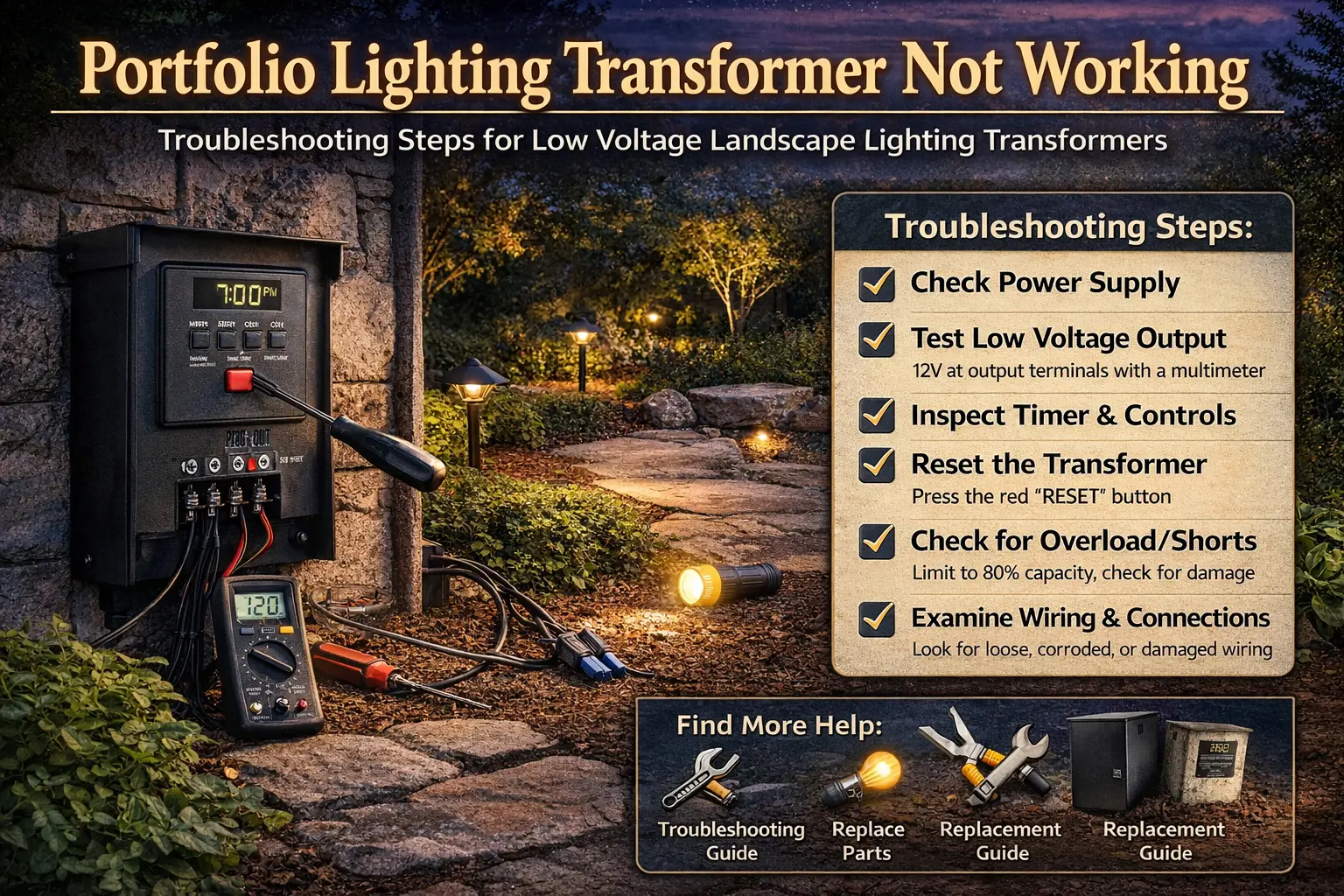
Quick Answer: Why Is My Portfolio Lighting Transformer Not Working?
Most transformer failures are not the transformer itself. The most common causes are no power at the outlet, a tripped GFCI or breaker, overload protection shutdown, a bad timer, or a short in the wiring or fixtures.
The fastest way to diagnose the issue is to check outlet power first, reset the transformer if possible, disconnect the lighting load, and then inspect wiring and fixtures for damage or moisture.
1. Check outlet + GFCI
2. Reset transformer
3. Disconnect load
4. Inspect wiring + fixtures
5. Test transformer output
If your system shut down after rain, go to lights not working after rain for faster diagnosis.
If your transformer has power but your lights are still out, follow the transformer not powering lights guide to isolate wiring and fixture issues.
How to Diagnose the Problem in 2 Minutes
- No power at all: check outlet or breaker
- Worked then shut off: overload or short
- After rain: moisture or connector issue
- Timer not working: control failure
Most transformer problems can be narrowed down quickly using these symptoms before deeper troubleshooting.
If the unit still does not respond after basic checks, use the Portfolio lighting transformer master guide to match your model, check failure patterns, and determine whether repair or replacement is the better option.
What This Usually Looks Like in Real Situations
- Lights stopped working after rain → likely water or short circuit
- System worked, then shut off after adding lights → overload
- Nothing turns on at all → power or outlet issue
- Transformer clicks or hums → internal or load issue
- Lights flickered before failure → wiring or voltage problem
Many homeowners land on this page because their entire landscape lighting system suddenly quit. The transformer seems like the obvious problem, but a total shutdown does not always mean the transformer itself has failed. Outdoor outlets trip. GFCI protection shuts off power. Timers stop switching. Wet fixtures create shorts. Added lights overload the system. All of those problems can make the transformer look dead.
That is why a step-by-step process matters. Start with the power source, then work forward through reset protection, timer settings, load size, and field wiring. If your system shut off after rain, digging, edging, or adding more fixtures, it is especially important to inspect the rest of the low-voltage run before replacing the unit. In many cases, a careful check can save you from buying a transformer you do not actually need.
If your issue started after weather exposure, compare this page with Portfolio lights not working after rain and Portfolio landscape lights not working after rain. If your system became unreliable after adding more fixtures, also review the Portfolio lighting transformer wattage guide and the Portfolio lighting transformer sizing guide.
Before replacing a dead transformer, check the Portfolio technical archive to match your model number with known manual, fuse, and troubleshooting information.
Common reasons a Portfolio lighting transformer stops working
A transformer rarely stops working without some sign or cause behind it. Sometimes the unit has simply reached the end of its life, but more often the shutdown starts somewhere else in the system. A shorted fixture, overloaded run, tripped breaker, wet connection, or failed timer can all interrupt operation and make the transformer look like the source of the problem.
Typical causes include:
- No power reaching the transformer outlet
- A tripped breaker or outdoor GFCI
- Built-in overload protection shutting the transformer down
- Timer or photocell controls not switching properly
- Loose, corroded, or wet wire connectors
- Damaged low-voltage cable
- Too many fixtures connected for the transformer size
- Internal component wear, buzzing, overheating, or water damage
If your entire yard is dark, do not start by assuming every fixture failed. The transformer is the shared power source, so one upstream issue can affect everything. That is why it helps to compare your symptoms with related pages such as Portfolio landscape lights not working, Portfolio lights blinking, and Portfolio lighting too dim if your system was unstable before it quit altogether.
Check the power source first
Before doing anything else, confirm that the transformer is actually receiving power. This sounds basic, but it solves a surprising number of landscape lighting problems. Outdoor receptacles are exposed to weather, lawn equipment, extension cords, and accidental resets. If the outlet lost power, the transformer cannot do its job no matter how healthy the unit itself may be.
Start with these checks:
- Make sure the transformer is fully plugged into the outlet.
- Test the outlet with another device to confirm it is live.
- Check the breaker panel for a tripped breaker.
- Inspect any nearby GFCI outlet and reset it if needed.
- Look for damaged plugs, cords, or signs of heat.
If the outlet is dead, fix that problem first. If the outlet is live and the transformer still shows no sign of operation, continue to the reset and overload checks below. If your setup includes multiple outdoor lighting zones, also compare the system wiring to the low voltage landscape lighting zones guide and the low voltage landscape lighting system diagram so you can tell whether one run or the whole transformer is affected.
If your transformer appears completely dead, use Portfolio outdoor transformer manuals to verify reset steps, timer settings, and wiring before assuming full failure.
Reset and overload protection checks
Many Portfolio transformers include overload protection designed to shut the unit down when there is too much load or a short in the circuit. When this happens, the transformer may appear dead even though the internal safety system is doing exactly what it is supposed to do. That is why a reset can sometimes bring the system back temporarily, especially after rain, accidental wire damage, or adding more fixtures.
If your model supports a reset, follow the exact process in the Portfolio lighting transformer reset guide. After resetting, pay close attention to what happens next. If the unit starts working and then quickly shuts down again, that usually points to one of three things: too much wattage, a shorted cable or fixture, or heat-related protection.
Systems that repeatedly shut down should also be compared against Portfolio transformer tripping breaker and Portfolio transformer getting hot. Those pages help you sort out whether the shutdown is electrical protection, environmental stress, or transformer failure.
Inspect wiring, connectors, and fixtures
A damaged landscape lighting cable or failed fixture can absolutely make the transformer stop supplying power. When there is a short circuit in the field, the transformer may shut down to protect itself. That is why a transformer problem often starts with a walking inspection of the yard rather than immediate replacement.
The transformer feeds power into the entire lighting run. From there, voltage travels through the cable and out to each fixture. If you want a clearer picture of how that path works, study the how to wire landscape lighting guide, the landscape lighting cable guide, and the landscape lighting connectors guide. Those pages make it much easier to inspect the system logically instead of guessing.
Walk the run and inspect for:
- Loose or broken wire connectors
- Damaged path lights, spotlights, or stake lights
- Cable cuts caused by edging, digging, or shovels
- Exposed conductor or cracked insulation
- Water intrusion inside fixture bodies or sockets
- Corrosion near terminals and wire connections
If your transformer issue started right after yard work, focus on physical cable damage first. If the lights failed after a storm, inspect for wet fixtures and corroded connections. If the system had been flickering, blinking, or turning on inconsistently before complete failure, compare those symptoms to Portfolio LED lights flickering and Portfolio landscape lights short circuit.
If you discover a damaged fixture, it may help to compare replacement options before blaming the transformer. The approved site pages that often help here are Portfolio lighting parts and accessories, Portfolio lighting replacement parts, and landscape lighting replacement parts.
A transformer that trips power may not be bad by itself; the GFCI may be reacting to leakage somewhere downstream in the lighting run. The GFCI trip vs transformer fault guide explains how to test the circuit before replacing the transformer.
Timer and photocell problems can look like transformer failure
Many Portfolio transformers include built-in timers or photocells that control when the lights come on. When those controls fail, homeowners often think the transformer itself is dead because the lights never turn on automatically. In some cases, the transformer still has power, but the switching mechanism is no longer telling the system to energize the low-voltage output.
Common timer-related symptoms include lights that never turn on, lights that stay on all day, lights that ignore programmed settings, or a timer dial that no longer advances. If that sounds familiar, compare this page with Portfolio lighting transformer timer not working, Portfolio light timer not working, and Portfolio lighting photocell not working.
Some systems use timer plus photocell logic, while others rely on only one control method. If your schedule has become unpredictable, the Portfolio low voltage lighting timer guide and the landscape lighting timer settings guide can help you verify whether the schedule setup is correct before replacing parts.
If the transformer shows output but the lights still fail, the problem may be downstream. A system that works only when wet usually points to a high-resistance splice or corroded cable connection rather than a dead transformer.
What overload symptoms usually look like
Overload is one of the most common reasons a transformer stops working after changes were made to the system. If you recently added fixtures, upgraded lamps, or expanded the yard layout, the transformer may now be carrying more wattage than it was designed to handle.
| Symptom | What it often means | Helpful next page |
|---|---|---|
| Transformer works briefly, then shuts down | Overload protection or short circuit | Transformer getting hot |
| Lights are dim before complete failure | Voltage drop, overload, or failing output | Portfolio lighting too dim |
| Breaker or GFCI trips repeatedly | Electrical fault or excessive load | Transformer tripping breaker |
| Transformer hums or buzzes loudly | Load stress, internal wear, or loose internal component | Transformer buzzing |
| Problem started after adding more lights | Transformer may be undersized | Transformer sizing guide |
When to replace the transformer
Sometimes the transformer really is the failed component. Outdoor transformers live through moisture, heat, cold, insects, dirt, and years of electrical cycling. Even a well-installed unit can eventually wear out. If you confirmed outlet power, ruled out a short in the cable run, checked the timer, and the unit still will not produce usable output, replacement becomes the logical next step.
Replacement is usually the right move when:
- Outlet power is confirmed, but the transformer still has no output
- The unit will not reset or immediately shuts down again
- There is visible corrosion, cracking, or water damage
- The transformer smells burnt or hums abnormally
- The system load has outgrown the original transformer size
If you are at that stage, the next page to review is Portfolio lighting transformer replacement. It pairs well with how to replace a landscape lighting transformer and Portfolio lighting transformer alternatives if you are comparing replacements instead of hunting down the exact original model.
If you want to confirm failure before buying anything, use the testing steps on how to test a landscape lighting transformer. That page can help you separate a dead transformer from a system-side problem that only looks like one.
Best related pages if your transformer still is not working
Portfolio Lighting Transformer Reset
Use this when the transformer suddenly stopped after rain, overload, or a suspected short.
Open reset guidePortfolio Lighting Transformer Troubleshooting
Use this for a wider diagnostic path when you want to compare several transformer symptoms at once.
Open troubleshooting guidePortfolio Lighting Transformer Replacement
Use this when testing points to an actual failed transformer and you need the next buying step.
Open replacement guidePortfolio Transformer Not Powering Lights
Use this if the transformer appears on, but your fixtures still are not receiving usable power.
Open power-loss guidePortfolio Landscape Lights Not Turning On
Use this if your symptom is system-wide darkness and you are not yet sure the transformer is the cause.
Open no-light guidePortfolio Low Voltage Lighting
Use this to understand how the whole low-voltage system is supposed to work together.
Open low voltage guidePortfolio lighting transformer troubleshooting FAQ
Why is my Portfolio transformer not turning on?
The most common causes include no power at the outlet, a tripped breaker, overload protection shutdown, timer malfunction, damaged wiring, or a failed transformer.
How do I reset my Portfolio transformer?
Many Portfolio transformers can be reset by using the reset button if present or by disconnecting power, correcting the overload or short, and restoring power. The exact process varies by model. Use the Portfolio lighting transformer reset guide for the next step.
Can a bad light fixture cause the transformer to shut down?
Yes. A damaged fixture, bad connector, wet socket, or shorted cable can trigger overload protection and cause the transformer to shut down. That is why checking the lighting run matters before replacing the transformer.
How do I know if the transformer is overloaded?
A transformer may be overloaded if it powers off after running briefly, feels unusually hot, hums loudly, trips protection repeatedly, or stopped working after additional fixtures were added. Review the transformer wattage guide and transformer sizing guide if you suspect this.
When should I replace a Portfolio lighting transformer?
Replacement is usually the best option when outlet power is confirmed, wiring faults have been ruled out, the unit will not reset, there is visible corrosion or water damage, or the transformer no longer produces output voltage.
Can timer problems make it look like the transformer failed?
Yes. A failed timer or photocell can prevent lights from turning on even when the transformer still has power, which makes the problem look like a transformer failure. Compare your symptoms with Portfolio lighting transformer timer not working.
Portfolio Lighting Master Model & Replacement Handbook
Stop wasting time hunting for discontinued Portfolio parts. This premium PDF helps you identify legacy Portfolio Lighting models, understand common failures, and find compatible replacement options from brands like Malibu, VOLT, Hampton Bay, and Kichler.
Inside the PDF:
- 100+ model breakdown pages
- Transformer, path light, spotlight, and wall lantern specs
- Common failure patterns for discontinued models
- Compatible replacement brands and parts strategy
- What to check before buying the wrong part
If one wrong part costs you $20–$80, this $9.99 handbook can pay for itself before you make your first replacement purchase.
Portfolio lighting transformer not working: final takeaway
A dead-looking transformer does not always mean a dead transformer. Start with basic power, then check reset behavior, load size, timer control, and field wiring. That sequence catches most real-world problems faster than replacing parts at random. If you work through the checks in this guide and still have no output, replacement is probably the right move.
For buying help after troubleshooting, the best next pages are Portfolio lighting transformer replacement, buy Portfolio lighting, and Portfolio lighting parts and accessories.