
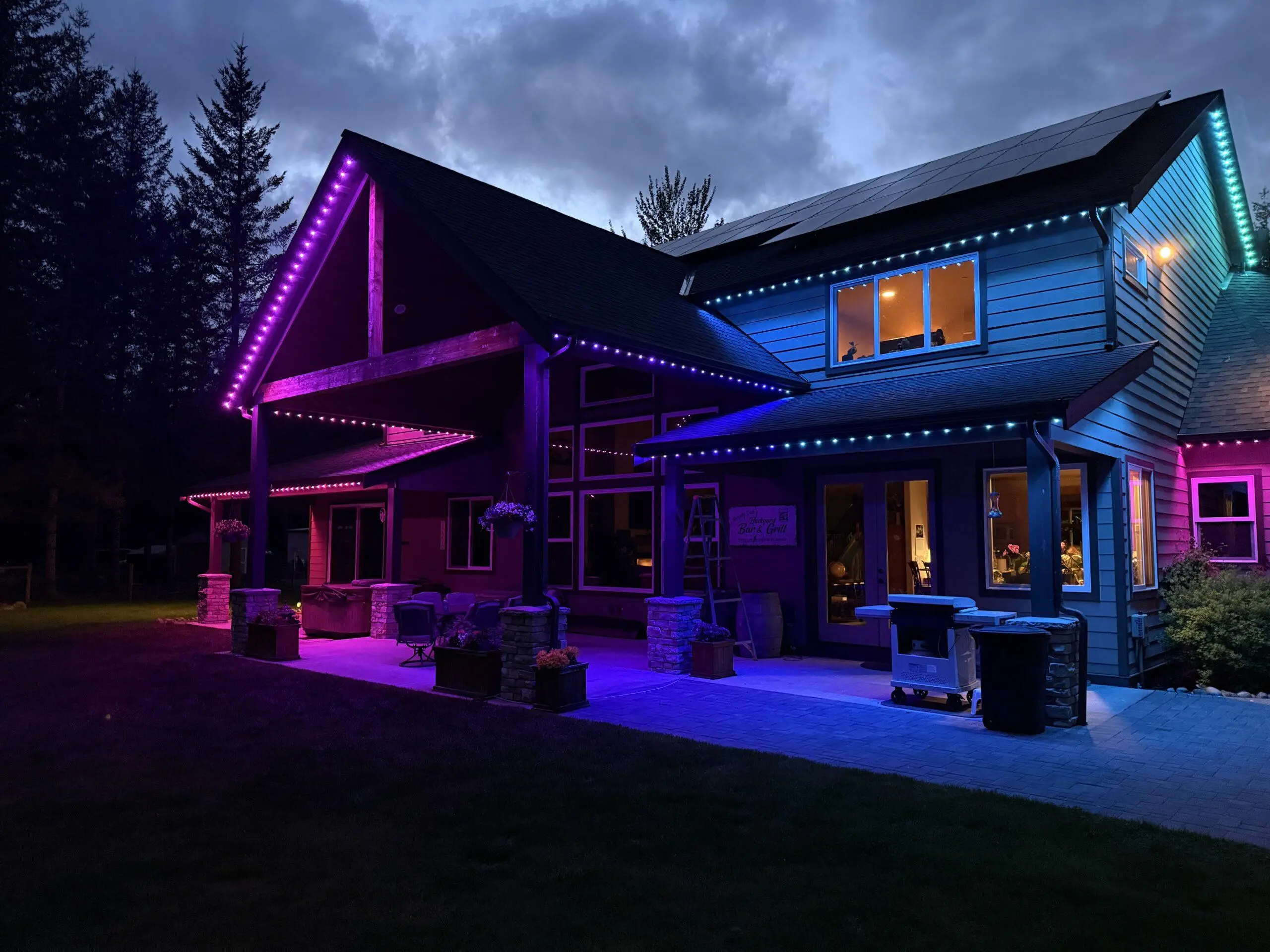
Quick Answer: A reliable smart holiday lighting setup combines the right control system, stable connectivity, and properly protected outdoor power. Most issues like flicker, dropouts, or unresponsive lights come from mismatched devices, weak signal coverage, or poor installation—not the lights themselves.
The simplest approach is to choose one ecosystem, plan your power path carefully, and build around a system that can scale. For a complete system overview, see the holiday lighting guide.
Smart Holiday Lighting Setup Logic
- If lights flicker or dim → check power path and voltage stability
- If devices disconnect → improve signal (Wi-Fi or Thread coverage)
- If apps feel unreliable → use systems with local control support
- If adding permanent lighting → plan power injection and layout early
- If mixing brands → verify compatibility before installing
Goal: build one stable system instead of stacking disconnected products.
Smart holiday lighting systems can look like they have app or controller problems when the real issue is a weak LED strand, overloaded adapter, failing fuse, loose plug or moisture-damaged connector. If the lights flicker in every mode, dim under load or blink even when the schedule is correct, the strand itself needs to be checked. Use this LED Christmas light flicker and dimming repair guide before replacing smart plugs or controllers.
For full system planning, including safety and installation requirements, see the electrical code and safety guide.
👉 Most smart holiday lighting problems can be diagnosed in under a minute by checking power, signal, and compatibility.
For a patriotic smart scene, the Patriotic July 4th Outdoor Lighting Guide shows how to build red, white, and blue RGBW scenes with sunset automation, dimming schedules, and clean true-white output.
Who This Setup Guide Is For
- Homeowners installing smart holiday lighting for the first time
- People fixing flickering, dim, or unreliable smart lights
- Users upgrading to permanent or programmable lighting systems
- Anyone trying to unify multiple smart lighting products into one system
Jump to What You Need
Smart holiday lighting is moving away from isolated products and toward unified home systems. In practical terms, that means the best setups now combine reliable connectivity, zone planning, safe outdoor power, and enough local control to keep the display usable even when the internet or a brand app behaves badly.
This page is built for homeowners who want more than a basic on-off smart plug. If you are trying to connect app-controlled holiday lights, permanent programmable roofline LEDs, or hybrid seasonal scenes that work with your broader home automation setup, this guide is designed to help you build a system that is stable instead of frustrating.
If your goal is a larger ecosystem rather than a one-off display, the strongest approved support pages are the Matter / Thread guide, smart hub compatibility guide, and localized edge vs cloud guide.
If you are trying to build a smart holiday lighting setup that actually works reliably, this page is just one part of the system. Most problems—flicker, connection dropouts, incompatible devices, and weak outdoor performance—come from missing the bigger picture.
The full holiday lighting guide walks through everything from planning and power setup to permanent lighting options, smart ecosystems, and troubleshooting so you can build a system that works the first time instead of fixing it later.
If your lighting feels harsh or uncomfortable, the issue may not be control but light quality. See biological lighting infrastructure to understand flicker, spectrum, and driver performance.
Smart Holiday Lighting Requirements Checklist
- Weather-protected power source: Use a protected outlet and an outdoor-rated connection path.
- Extra-duty in-use cover: Smart plugs and adapters need protection from moisture while plugged in.
- Stable signal path: Smart devices need either strong Wi-Fi coverage or a nearby Thread-capable network path.
- Controller housing: Smart controllers should be installed in a ventilated, weather-resistant enclosure.
- Load planning: Long permanent runs need voltage planning so the far end does not flicker or dim.
- Fallback control: The best setups still offer local control or local automations if the internet is down.
This is the part most “how to use a smart plug” articles skip. A real smart holiday system is not just software. It is a combination of physical installation, signal stability, controller quality, and power planning. That is why modern smart holiday lighting is closer to system design than seasonal decorating.
For best results with smart controls and dimming, use the LED holiday bulb replacement guide to choose bulbs that match voltage, color temperature, and dimming capability.
Comparison: Smart Plugs vs Smart Controllers vs Permanent Programmable Tracks
| Level | Typical Hardware | Control Style | Best Use Case | Big Limitation |
|---|---|---|---|---|
| Level 1 | Standard strands + outdoor smart plug | Basic on / off scheduling | Simple seasonal setups and low-cost automation | No built-in color logic or effect control |
| Level 2 | Smart strands or app-controlled string lights | Scenes, color changes, app routines | Seasonal displays with dynamic effects | Can be app-dependent and less stable at larger scale |
| Level 3 | Permanent programmable tracks or roofline systems | Year-round scenes, zones, routines, ecosystem integration | Unified seasonal lighting across the whole house | Needs better planning for power, signal, and controller layout |
The jump from Level 1 to Level 3 is not just about spending more money. It is about moving from simple appliance control to real lighting architecture. If you want one house system that can handle Christmas, Halloween, patriotic scenes, and general accent lighting, you are really designing a permanent programmable environment.
Smart plugs and timers still have load limits. Before automating a large display, use the holiday lighting power calculator to confirm your lights and decorations are not overloading the circuit.
Matter & Thread: Why Modern Smart Holiday Systems Stay Connected Better
The biggest technical shift in smart holiday lighting is interoperability. Homeowners no longer want one brand app for the roofline, another app for the patio lights, and a third app for a plug-in wreath. They want one system that behaves like part of the house.
Wi-Fi vs Bluetooth vs Thread
Wi-Fi is common and convenient, but it places every device onto your home wireless network. That works fine for a few devices, but large holiday setups can become messy if every controller, strand, and plug is competing for signal quality and router attention.
Bluetooth is useful for close-range setup and direct device communication, but it is often less practical for larger outdoor layouts where signal range and consistent control matter.
Thread is different because it is built as a low-power mesh network. In a good Matter-over-Thread environment, devices help extend the network rather than all behaving like isolated Wi-Fi clients. That can make large displays feel more stable and responsive, especially when the house already includes other compatible smart home devices.
For the full deeper dive, use the approved Matter / Thread connectivity guide.
Power Injection Logic for Permanent LEDs
One of the most overlooked problems in premium smart holiday systems is long-run voltage loss. Permanent programmable LEDs can look incredible at the beginning of a run and weak, inconsistent, or flickery toward the far end if the layout is not planned correctly.
What Power Injection Means
Power injection is the process of adding properly planned power farther down a long LED run so the end of the system does not starve for voltage. This is especially important on longer rooflines, larger facades, or systems that push high-density scenes and brighter animations.
Why It Matters
Without enough usable power at distance, permanent smart holiday lights can show classic end-of-run symptoms:
- visible dimming at the far end
- flicker during brighter scenes
- inconsistent color output
- controller confusion that looks like a software problem but is really electrical
If my visitors are already comfortable with transformer and voltage concepts, this section naturally pairs with the approved AI transformer voltage load balancing page and the transformer size calculator.
Local Control vs Cloud: The Privacy and Reliability Angle
Another major 2026 smart-lighting question is not just “does it work?” but “what happens when the internet goes down?” This is where local control becomes a real differentiator instead of an enthusiast talking point.
Cloud-Dependent Systems
Cloud-based systems can be convenient and beginner-friendly, but they often depend more heavily on vendor apps, account status, and internet availability. That can be fine for simple seasonal use, but it becomes frustrating if the entire display feels trapped behind one app and one server path.
Local Control Systems
Systems that support local logic through a hub, bridge, or automation platform give you more resilience. They can keep schedules, scenes, and routines available within the home instead of relying entirely on cloud calls. That matters for privacy-minded homeowners, but it also matters for uptime.
Use the approved localized edge AI vs cloud page to support this section and the smart landscape lighting bridge page if you want a more practical “how do these systems connect?” follow-up.
2026 Smart Hub Compatibility Matrix
| Ecosystem | Best For | What It Does Well | What to Watch |
|---|---|---|---|
| Apple Home | Privacy-minded homes and strong Thread interest. | Clean ecosystem control and good support for modern interoperability paths. | Works best when the rest of the home is already aligned with Apple devices. |
| Google Home / Alexa | Voice routines and broad compatibility. | Easy voice-driven scenes and broad household adoption. | Large mixed-brand setups still benefit from careful device planning. |
| Samsung SmartThings | Complex routines and cross-device automation logic. | Strong option for users who want more advanced automation behavior. | Best results come from understanding your actual device mix first. |
The right hub is not always the “best” hub in general. It is the best hub for the devices already in your house, the automations you want to build, and how much local control you care about.
For exact ecosystem planning, the strongest approved support page here is Smart Hub Compatibility Guide.
How to Build a Unified Smart Holiday Lighting System
Start With One Control Philosophy
The best systems usually begin with a simple decision: do you want convenience, effects, or complete year-round control? That answer tells you whether you should stay with smart plugs, move to smart strands, or invest in permanent programmable hardware.
If you are considering upgrading from temporary lights to a fully automated system, see our permanent vs temporary holiday lights guide to understand the long-term benefits and trade-offs.
Smart holiday lighting systems still require proper electrical protection. See outdoor GFCI requirements to ensure safe operation of smart plugs and controllers.
Smart lighting systems are most effective when they are designed around real nighttime comfort instead of maximum brightness. The outdoor lighting and human health guide explains how scheduling, dimming curves, warm-spectrum LEDs, and glare management can dramatically improve the nighttime usability of patios, pathways, and landscape systems without sacrificing visibility or security.
Keep the Signal Path Clean
Outdoor displays fail as often from poor signal planning as from wiring mistakes. Avoid putting the controller in a weak network dead zone. Keep border-router coverage, bridge placement, or Wi-Fi strength in mind before finalizing physical mounting locations.
Use Weather-Protected Hardware Paths
Smart hardware is still outdoor hardware. Outdoor-rated covers, enclosures, and connector protection matter just as much as app quality. This is why smart holiday systems still overlap with core outdoor-lighting best practices.
Smart scheduling can control when a C7 or C9 display operates, but it cannot correct a deteriorated socket. Repeated switching may make an existing intermittent contact more noticeable because a loose or corroded socket can flicker, arc, or fail to restart reliably after each off cycle. Before adding automation to an older screw-base string, inspect it with the C7 and C9 socket repair and maintenance guide and verify bulb seating, contact pressure, socket temperature, cord condition, actual wattage, and outdoor suitability.
Build Repeatable Scenes
The goal is not just turning lights on. The goal is building reusable logic: Halloween scenes, Christmas scenes, New Year scenes, team-color scenes, party scenes, and fallback default scenes that can all be recalled without redoing the system every season.
For the seasonal-logic angle, use the approved AI Holiday Theming Logic page and the broader Portfolio Lighting Hybrid Smart Upgrade Guide.
If you are mixing smart controls with older holiday strands, keep this Christmas lights half out troubleshooting guide handy for diagnosing partial strand failures before replacing the whole set.
If your smart holiday setup uses outdoor plugs, extension cords, or app-controlled displays, make sure the connections are protected with our outdoor holiday light weatherproofing guide.
If your smart plug or controller has power but the light strand stays dark, check the strand fuse with our Christmas light fuse replacement guide.
Smart Holiday Lighting FAQ
What is the easiest way to make holiday lights smart?
The easiest entry point is standard holiday lighting on an outdoor-rated smart plug. That gives you app scheduling and on-off control without replacing the lights.
What is better for smart holiday lighting: Wi-Fi or Thread?
Wi-Fi is common and simple, but Thread-based systems are often better for reliability and scale because they create a mesh network instead of loading every device onto your home Wi-Fi.
Why do permanent holiday lights flicker at the end of a long run?
That is often caused by voltage drop. On longer runs, the end of the system may need better layout planning, shorter zones, or power injection.
What is local control in smart holiday lighting?
Local control means the lighting system can keep operating through a local hub, controller, or automation engine even if cloud access or internet service is unavailable.