
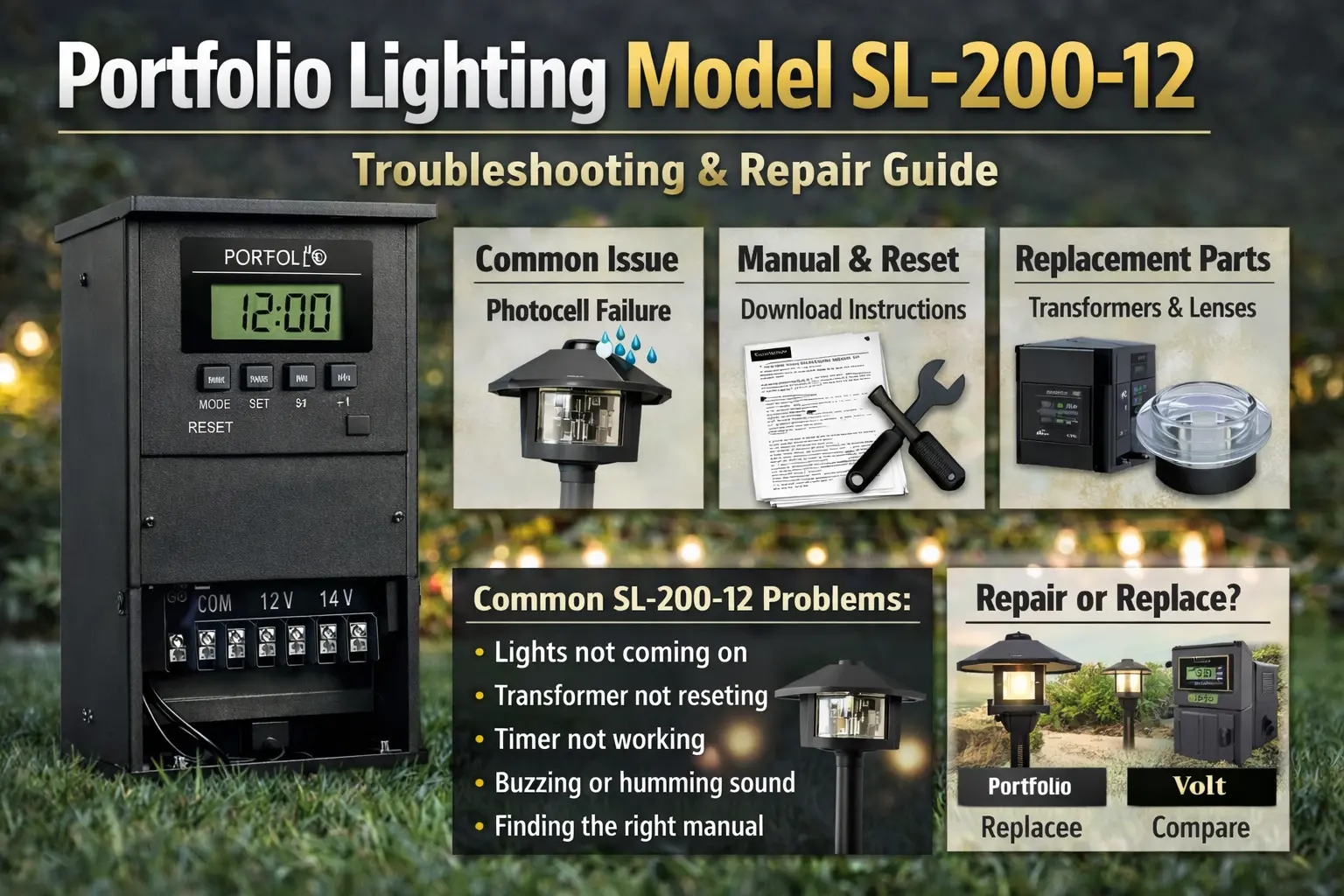
Quick fix: If your SL-200-12 is not working, check the outlet power, reset the GFCI, press the transformer reset, and test the photocell before replacing the unit.
Quick Answer: Portfolio SL-200-12 Troubleshooting
If your Portfolio SL-200-12 is not working, the most common causes are no power at the outlet, a tripped GFCI, a bad photocell sensor, timer settings that are not in the right mode, or a transformer that is overloaded or wearing out internally.
- Check the outlet and reset the GFCI first
- Use the transformer reset if it has tripped
- Cover the photocell to test if it is stuck in daylight mode
- Reduce the lighting load if the unit keeps tripping
- Replace the transformer if it hums loudly, overheats, or fails after reset
Why Portfolio SL-200-12 Stops Working
Most SL-200-12 problems come down to three things: no power, control failure (timer or photocell), or overload. Start by checking power, then reset, then controls before assuming the transformer is bad.
Portfolio SL-200-12 Not Working (Fast Troubleshooting)
If your Portfolio SL-200-12 is not working, the most common causes are no power, a tripped GFCI, a faulty photocell, timer settings, or an overloaded transformer.
- Check outlet power and reset the GFCI
- Press the transformer reset button
- Cover the photocell to test night mode
- Reduce load if the unit keeps tripping
- Replace the transformer if it hums or overheats
If your Portfolio SL-200-12 transformer stopped powering your lights, you’re likely trying to figure out what failed and what to do next. This page helps you check the most common problems, test the transformer, find the right manual, and decide whether repair or replacement makes more sense.
Because this is a low-voltage transformer, one issue here can affect your entire lighting system. A timer problem can make it look like all the lights are dead. A bad photocell can stop lights from turning on at night. An overloaded transformer can cause tripping or inconsistent power. That’s why it’s best to troubleshoot the transformer first before replacing fixtures or bulbs.
Identification: What the Portfolio SL-200-12 Looks Like
The SL-200-12 is a low-voltage Portfolio transformer style unit used to power landscape lighting. In plain terms, you are usually looking for a compact transformer body mounted near an outdoor outlet, with low-voltage cable leaving the bottom or side and controls for timing and light activation. Depending on the version, it may include a reset feature, timer controls, and a photocell or dusk-to-dawn function.
If you are standing in front of the unit and trying to confirm the model, look for:
- a weather-resistant transformer housing mounted near the home
- low-voltage cable feeding the landscape lights
- timer or control settings on the front or lower control area
- a reset feature or breaker-style protection
- label information showing the model family or power details
If the label is faded or hard to read, compare the transformer shape and control style with the Portfolio Lighting catalog, the Portfolio Lighting manuals, and the Portfolio Lighting model number lookup. Those three pages are the fastest way to confirm whether the unit in front of you really is the SL-200-12.
If your fixture is similar to model 0312384, see our 0312384 replacement guide for compatible parts and repair options.
Portfolio SL-200-12 Reference Table
This table gives you a quick overview of the SL-200-12, including common issues, manual help, and the best next step if your transformer is not working.
| Item | SL-200-12 Details | Best Next Step |
|---|---|---|
| Item Number | Model-specific transformer page for Portfolio SL-200-12 | Confirm the label with the model lookup page |
| Model Number | SL-200-12 | Match the unit controls and housing style before ordering parts |
| Replacement Bulb Type | Not applicable to the transformer itself; bulb type depends on the fixtures connected to it | Check connected fixtures or browse Portfolio MR16 LED replacement bulbs if your system uses MR16 lamps |
| Compatible Parts | Transformer replacement options, photocell-related parts, connectors, cable, and fixture-side replacement components | See parts and accessories, transformer replacement, and low-voltage wire connectors |
| Manual Download | Best matched through the manuals and catalog path for exact control layout confirmation | Start with Portfolio Lighting manuals and Portfolio Lighting catalog |
| Common Failure | Power loss, GFCI interruption, stuck photocell, timer confusion, overload, overheating, or internal transformer wear | Work through the troubleshooting sections below in order |
Common Failure: What Usually Breaks on the SL-200-12
The most common failure pattern on this model is not one dramatic break. It is usually one of a few repeat problems that make the whole system appear dead or unreliable.
- Outlet or GFCI power loss: the transformer itself may be fine, but it is not getting power
- Photocell failure: the unit stays in the wrong light mode and the lights do not respond at dusk
- Timer setting problems: the controls are in the wrong mode or the timer is no longer keeping proper schedule
- Overload: too many fixtures or too much wattage causes trips, overheating, or unstable operation
- Internal wear: older transformers can hum, get hot, or stop sending stable output even when the controls appear normal
In practical terms, homeowners often think “all the lights failed at once,” when the real cause is a single transformer-side issue. That is why the best repair plan is to troubleshoot the SL-200-12 first, then move outward into the cable and fixtures only if the transformer checks out.
Portfolio SL-200-12 Not Turning On
If your transformer will not turn on, check the outlet, GFCI, reset button, and circuit breaker before assuming internal failure.
Portfolio SL-200-12 Manual
If you need the manual, start with the Portfolio Lighting manuals page and confirm the control layout before downloading.
Portfolio SL-200-12 Replacement
If the transformer hums, overheats, or trips repeatedly, replacement is usually the better option than continued repair.
If this SL-200-12 guide does not match your exact unit, compare related Portfolio transformer models in the Portfolio technical archive.
If troubleshooting depends on wiring or internal components, check Portfolio lighting technical manuals and wiring diagrams to confirm correct connections and part compatibility.
Why SL-200-12 Is Not Working
If your SL-200-12 is completely dead, start with incoming power before you assume the transformer itself is bad.
The first checks are simple and they solve a surprising number of “dead transformer” problems:
- Make sure the outlet has power.
- Reset the GFCI if the transformer is plugged into one.
- Check any exterior breaker related to that outlet or circuit.
- Look for reset protection on the transformer.
- Temporarily reduce the lighting load and test again.
If the transformer powers up only after reducing the load, the unit may not be dead at all. It may be overloaded. In that case, compare your setup with the Portfolio lighting transformer sizing guide and the Portfolio lighting transformer wattage guide.
Portfolio SL-200-12 Not Turning On
When the transformer will not turn on at all, think like this: no power in, no power out. If the outlet is live and the reset does nothing, internal failure becomes much more likely. That is when pages like Portfolio transformer not working and how to test a landscape lighting transformer become the next best move.
SL-200-12 Photocell Not Working
If the lights do not come on at night, the photocell is one of the first things to test.
A stuck or failing photocell can leave the transformer thinking it is still daylight. The result is simple but frustrating: the lights never turn on when you expect them to.
- Cover the photocell fully to simulate darkness.
- Wait briefly to see whether the lights respond.
- Check whether the timer mode is overriding photocell behavior.
- Inspect for dirt, damage, or water around the sensor area.
- If the unit still does not respond, compare with a replacement path.
If your problem is clearly dusk-to-dawn related, cross-check this with Portfolio lighting photocell not working and how to replace Portfolio photocell. Those pages help when the lights work sometimes but not on the right schedule.
Lights Not Coming On at Night
This symptom often gets blamed on bulbs or wiring first. But if every light stays off together, the transformer controls usually deserve the first inspection. A system-wide night failure points far more often to the photocell, timer, or transformer power state than to many bulbs failing at once.
If you want to compare this transformer with other Portfolio models, check the Portfolio lighting model specs guide.
SL-200-12 Timer Not Working
Timer problems are often simpler than they look.
Many homeowners lose time by assuming the timer is broken when the unit is actually in the wrong mode. The SL-200-12 may appear unreliable if the settings are in manual, override, daylight, or another mode that does not match how you expect the lights to behave.
- Review the current timer mode and schedule.
- Check whether the photocell is part of the timing behavior.
- Reset and reprogram the unit if the schedule appears corrupted.
- Test with a simple on/off cycle before returning to a full schedule.
For deeper timer help, use Portfolio lighting transformer timer not working, Portfolio low-voltage lighting timer guide, and landscape lighting timer setup. Those pages are especially helpful if your SL-200-12 works sometimes but never at the right time.
SL-200-12 Keeps Tripping
If the reset keeps tripping, look at load and wiring before anything else.
A transformer that trips once may have been hit by a temporary issue. A transformer that trips repeatedly is telling you the system has a real problem. The most common causes are too many fixtures, a short in the cable, moisture in wire connectors, or a failing internal component.
- disconnect part of the load and retest
- inspect wire splices and connectors for corrosion or looseness
- check for damaged cable where edging, digging, or traffic may have hit it
- test whether one fixture or one branch causes the trip
If repeat trips started after rain, that shifts suspicion toward wet connectors or damaged cable. If the problem started after adding more lights, overload becomes the leading suspect. Compare this with Portfolio transformer tripping breaker and Portfolio lights not working after rain.
SL-200-12 Buzzing or Humming
A quiet transformer is normal. A loud buzz or hum is a warning sign.
Buzzing usually points to overload, loose internal components, age-related wear, or a transformer that is working harder than it should. Some hum can be minor. A hum that grows louder over time, comes with heat, or happens alongside lighting problems is a sign to take the unit seriously.
- reduce the lighting load and listen for change
- check whether the housing feels unusually hot
- look for signs of repeated reset trips
- replace the unit if humming is strong and performance is unstable
For related symptoms, compare with Portfolio lighting transformer buzzing and Portfolio transformer getting hot. Those two patterns often overlap on older transformers that are reaching the end of their useful life.
Portfolio SL-200-12 Manual
If you are searching for the Portfolio SL-200-12 manual, start by confirming the exact control layout before relying on any download.
That matters because model families can look similar while using different timer or photocell arrangements. The safest path is to compare the unit in hand with the Portfolio Lighting manuals, the Portfolio Lighting catalog, and the model number lookup page.
Use the manual search path when you need:
- timer programming instructions
- reset information
- wiring layout guidance
- confirmation that your transformer version matches the page you are using
Portfolio SL-200-12 Replacement
Replacement makes more sense than repair when the transformer fails basic power tests, hums loudly, overheats, or trips repeatedly even after you reduce load and inspect wiring. When you reach that point, use Portfolio lighting transformer replacement, Portfolio landscape lighting transformer replacement kits, and Portfolio lighting transformer alternatives so you can choose a unit that fits your system instead of guessing.
Should You Repair or Replace SL-200-12?
- Repair it if the issue is clearly the outlet, GFCI, timer setting, wiring connection, or photocell
- Troubleshoot it further if the transformer still powers on and responds after reset
- Replace it if it hums loudly, overheats, trips constantly, or fails even after the load is reduced
Next Step: Diagnose the SL-200-12 Problem
When your SL-200-12 is not working, the goal is to narrow down the cause quickly. Check for power issues first, then test the timer and photocell, then look for overload or wiring problems before replacing lights or parts.
Need Exact Model Confirmation?
Use the model and reference tools before ordering parts.
Use Model LookupNeed System-Wide Diagnosis?
Step back and compare your symptoms with the broader transformer and troubleshooting guides.
Troubleshoot TransformerNeed Parts or Replacement?
Move into parts, transformer replacement, or compatible alternatives.
Browse PartsShould You Repair or Replace SL-200-12?
- Repair it if the issue is outlet power, timer, or photocell
- Keep troubleshooting if the unit still powers on
- Replace it if it hums loudly, overheats, or trips repeatedly
Portfolio SL-200-12 FAQ
Why is my Portfolio SL-200-12 not working?
- Check the outlet for power.
- Reset the GFCI if there is one.
- Use the transformer reset.
- Test the photocell by covering it.
- Reduce the load and try again.
How do I reset SL-200-12 transformer?
- Turn off or disconnect the transformer if needed.
- Reset the outlet or GFCI first.
- Use the transformer reset or breaker-style protection.
- Reconnect with a lighter load if tripping was the issue.
- Test the lights again after the reset.
Why does SL-200-12 keep tripping?
- Check for overload from too many fixtures.
- Inspect cable and connectors for shorts or moisture.
- Isolate branches or fixtures one at a time.
- Retest with part of the load removed.
- Replace the transformer if it still trips with a reduced load.
Why are my lights not coming on at night?
- Test the photocell by covering it.
- Review the timer mode.
- Confirm the transformer has power.
- Check whether the unit is sending output to the system.
- Move to replacement if the controls no longer respond correctly.
Where can I find the SL-200-12 manual?
- Confirm the model label on the transformer.
- Use the manuals page to compare control layouts.
- Use the catalog if the label is faded or incomplete.
- Cross-check with the model lookup page.
- Download or reference the closest exact match only after confirming the model family.
When should I replace the transformer?
- Replace it if it hums loudly.
- Replace it if it overheats.
- Replace it if it trips after basic load reduction.
- Replace it if the controls no longer respond reliably.
- Replace it if repair time is becoming more expensive than a correct new unit.
Final Note
This guide covers the most common SL-200-12 transformer issues, including power problems, timer and photocell behavior, tripping, buzzing, and when it makes sense to repair or replace the unit.