
Quick-Jump Model Index
If you're seeing newer Origin21 products while searching these models and wondering what changed, I explain the transition here: Portfolio to Origin21 compatibility and rebrand guide.
If you’re working across different models or brands, compatibility can get confusing fast. I’ve simplified that here: universal lighting compatibility source.
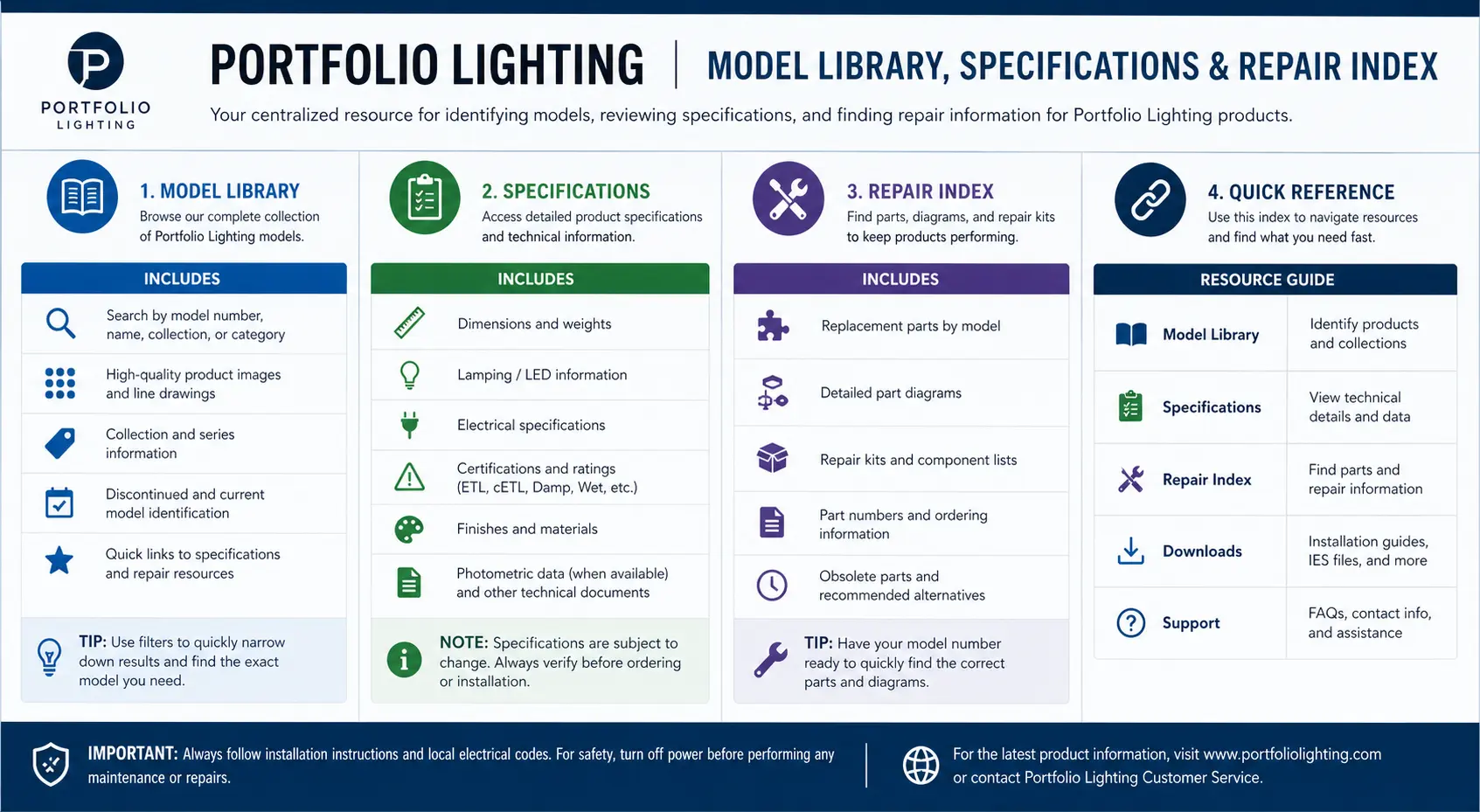
Choose the model number or category that matches your label. If the exact number is not listed, start with the closest category first: transformer, timer, path light, spotlight, wall lantern, photocell, LED module, or replacement driver.
Power & Logic: Transformers, Timers, Power Packs
120W Power Pack #284340
200W Power Pack #284341
300W Power Pack #20401
Digital Timer Module SL-121
Early Transformer SL-300
300W Manual Dial
Path & Accent: Tier Lights, Spotlights, Well Lights
Classic Path Light #15843
Tiered Top Path #04321
Metal Pathway #03268
In-Ground Well #05934
Ball-Joint Spotlight #16035
Cast Aluminum Spot
Structure & Wall: Lanterns, Floodlights, Step Lights, Post Lights
Motion Lantern #28481
Hardwired Wall Mount #08422
Step Light #50284
Modern Lantern #11842
High-Lumen Flood #22941
Post Light
Sensors & Parts: Photocells, Drivers, LED Modules, Pond Lights
Model Lookup Logic: What the Number Usually Tells You
A Portfolio model number is not always a perfect match, but the first characters often point toward the product family. Use this quick decoder when the label is faded, partial, or missing a digit.
For expanded technical specifications, repairability scoring, connector compatibility, and transformer load details, visit the Portfolio Lighting Master Model Technical Database.
| First Characters | Likely Product Category | Common Volt / Watt Range | What to Check First |
|---|---|---|---|
| SL / 00 | Early transformers and power packs | 45W–300W | Timer, fuse, photocell, terminal screws, GFCI outlet |
| 16 / 15 | Path lights, spotlights, and accent fixtures | 12V low voltage | Bulb base, socket corrosion, stake, connector, lens gasket |
| VEL / 28 | Motion lights, wall lanterns, and hardwired fixtures | 120V hardwired | Junction box, mounting bracket, glass, socket, photocell |
| PT / L0 | Photocells, drivers, sensors, and LED modules | Component specific | Connector shape, voltage, polarity, weather rating |
Visual ID Clues: Match the Part Before You Order
Older Portfolio labels can fade, peel, or disappear. When the model number is hard to read, use the physical shape and part layout to narrow the category before buying replacements.
Transformer / Power Pack
Look for a “breadbox” style metal or plastic housing, timer dial, photocell window, fuse holder, and low-voltage terminal screws.
Path Light
Look for a tiered cap, vertical stem, ground stake, small wedge or bi-pin bulb, and a pierce connector on low-voltage cable.
Spotlight / Flood
Look for a swivel knuckle, adjustable head, MR-style lamp, cast aluminum housing, and stake or surface-mount base.
Wall Lantern
Look for a backplate, glass panels, cap nuts, mounting crossbar, hardwired leads, and a 120V junction box connection.
This is a model-by-model repair index for Portfolio Lighting owners who already know the number, but do not know what the number means. Instead of stopping at a product label, each section explains the likely fixture type, common failure point, direct fix, and replacement path.
If you are still unsure what your number is, use the Portfolio Lighting model number lookup. For general failure symptoms, start with Portfolio Lighting troubleshooting.
For original instructions and model documentation, compare this index with Portfolio lighting manuals.
Once you identify your system and components, you can use them for creative setups. See the Halloween landscape lighting guide for effects, safety tips, and ways to turn your lighting into a themed display.
For a larger model-by-model specification breakdown, use the Portfolio lighting model specs guide to compare transformers, path lights, wall fixtures, replacement parts, and repair notes.
For broader replacement help, use Portfolio lighting parts and accessories to compare bulbs, stakes, connectors, glass, and transformer components.
For model-specific replacement parts, see the 0312384 replacement parts guide to match glass, bulbs, and mounting components.
Many accent and spotlight fixtures use MR16 bulbs. See MR16 LED replacement bulb options for compatible upgrades.
For detailed specs and compatible parts, review the 0688503 manual and parts guide .
After identifying an older fixture or transformer, use the commercial-grade landscape lighting upgrade guide to decide whether repair or full system replacement offers better long-term value.
Featured Model Repair Examples
The best way to use a Portfolio model index is to move from identification to diagnosis. Once the model family is known, the repair decision should be based on the actual failure pattern, not just the product name. For examples of deeper model-level documentation, review the Portfolio Lighting Model 7133C replacement parts guide, the Portfolio DualBrite PF-4300-BK motion light manual, and the Portfolio Lighting Model SLL12BK solar light parts guide.
The 80% Transformer Rule
To stop transformer buzzing (especially on #284341), never exceed 80% of the rated wattage. For a 300W pack, keep your total fixture load under 240W. This prevents overheating and extends the life of the digital timer module.
The "Rain Reset" Trick
If your GFCI trips after a storm, the culprit is usually model #03268 (Well Light) or #30194 (Pond Light). Dry the connectors with a hairdryer and apply dielectric grease to the gaskets to prevent a repeat failure.
Transformer Troubleshooting Master Table
Many Portfolio searches begin with panic: buzzing, tripping, no lights, timer failure, or flickering. Use this table before replacing the whole transformer.
For wiring diagrams and setup instructions, see the 121408 transformer manual .
If your system matches older transformer or wall fixture models, see the 284369, TC001, and 284357 manuals and parts guide for wiring diagrams, common failures, and exact replacement parts.
| Symptom | Likely Cause | Direct Solution | Best Related Guide |
|---|---|---|---|
| Loud buzzing | Overloaded transformer, loose mounting, worn core, or failing timer | Remove 1-2 fixtures, tighten mounting, reduce wattage load, or upgrade transformer size. | Transformer troubleshooting |
| Breaker trips | Short in landscape wire, water inside fixture, damaged connector, or 120V supply problem | Disconnect output cable first. If breaker stops tripping, inspect the yard wire and fixtures. | Transformer tripping breaker |
| GFCI trips after rain | Wet outlet, water inside connector, flooded fixture, or bad in-use cover | Dry and inspect connections, upgrade weatherproof covers, and replace wet splices. | Lights not working after rain |
| Timer will not reset | Digital module failure, internal battery failure, or sun-damaged display | Bypass internal timer with a smart plug or replace the control module if available. | Transformer troubleshooting |
| Lights dim at end of run | Voltage drop from long wire run, undersized cable, or daisy-chain layout | Use heavier cable, split the run, move to higher tap where supported, or use T-method wiring. | Voltage drop guide |
| Terminal block melted | Loose screws creating resistance heat | Replace lugs or terminal block, tighten properly, and inspect wire strands. | Terminal block guide |
The 80% Transformer Safety Rule
Do not load an older Portfolio transformer all the way to its printed wattage rating. A safer working target is about 80% of the transformer’s rated capacity, especially on older systems with long wire runs, mixed bulbs, or older terminals.
Rain Reset Tip: What to Do After a Storm
If your Portfolio lights stop working after rain, do not keep resetting the GFCI over and over. Water may be trapped inside a connector, fixture housing, outlet cover, or transformer plug.
If the system keeps tripping after drying, inspect for damaged wire, flooded fixtures, cracked lenses, or corroded splices before turning it back on.
Power & Logic Models: Transformers, Timers, Power Packs
These models control the entire lighting system. If they fail, every fixture may look dead even when the transformer, outlet, timer, photocell, or terminal block is the real problem.
Portfolio Model #284338: 120W Power Pack
| Category | Data / Solution |
|---|---|
| Visual ID & Specs | Compact low-voltage landscape lighting power pack, usually used for small path-light or accent-light systems. Typical use case: 12V output with limited fixture capacity. |
| Common Fail Point | Overloading. Homeowners add too many fixtures and the transformer begins humming, running hot, or shutting down. |
| Direct Fix | Add total fixture wattage and keep the load below the transformer rating. Convert old halogen fixtures to LEDs or upgrade to a larger transformer. |
| Replacement SKU / Next Step | Use a listed outdoor low-voltage transformer with enough headroom. See Portfolio Lighting transformer replacement. |
Portfolio Model #284340: 200W Power Pack
| Category | Data / Solution |
|---|---|
| Visual ID & Specs | Mid-size power pack for larger low-voltage landscape runs. Often paired with path lights, spotlights, and mixed fixture layouts. |
| Common Fail Point | Voltage drop and loose terminal screws. Longer wire runs may make the last fixtures look weak even if the transformer is working. |
| Direct Fix | Split long runs, use heavier cable, clean and tighten terminal lugs, and test voltage at the farthest fixture. |
| Replacement SKU / Next Step | Use landscape lighting voltage drop calculator before replacing the transformer. |
Portfolio Model #284341: 300W Power Pack
This is a top-priority power-pack model because it often gets used on larger systems. The more fixtures connected, the more likely homeowners are to see timer freezes, fading LCD screens, buzzing, or overheated terminals.
| Category | Data / Solution |
|---|---|
| Visual ID & Specs | Large 300W landscape lighting power pack, commonly used for multi-zone or high-fixture-count systems. |
| Common Fail Point | Digital timer freeze, LCD fade in direct sun, overload hum, and terminal heating from loose wire contact. |
| Direct Fix | Bypass a failed internal timer with an outdoor-rated smart plug, shade the display with a small hood, reduce wattage load, and re-tighten output terminals. |
| Replacement SKU / Next Step | If the core hums loudly under a safe load, replace the transformer. See transformer troubleshooting. |
Portfolio Model #20401: Digital Plug-In Timer Module
| Category | Data / Solution |
|---|---|
| Visual ID & Specs | Digital timer module used to control power timing for lighting systems or plug-in outdoor equipment. |
| Common Fail Point | Internal battery failure, programming loss, frozen buttons, or display fade. |
| Direct Fix | Perform a full reset, reprogram the schedule, and replace with an outdoor-rated smart plug if the module no longer saves settings. |
| Replacement SKU / Next Step | Use an outdoor-rated timer or smart plug. For smart lighting strategy, see smart holiday lighting setup. |
Portfolio SL-121: Early Model Low-Voltage Transformer
| Category | Data / Solution |
|---|---|
| Visual ID & Specs | Early-generation transformer for small low-voltage systems. Often found on older Portfolio landscape lighting installations. |
| Common Fail Point | Aging mechanical components, weak output, corroded terminals, or transformer hum. |
| Direct Fix | Clean terminals, reduce load, test output voltage, and inspect the outlet supplying the transformer. |
| Replacement SKU / Next Step | Replace with a modern listed outdoor transformer sized to the current LED or halogen load. |
Portfolio SL-300: 300W Transformer with Manual Dial
| Category | Data / Solution |
|---|---|
| Visual ID & Specs | Manual-dial 300W transformer commonly used for larger traditional halogen landscape systems. |
| Common Fail Point | Timer dial wear, loose pegs, buzzing under load, and heat from older high-wattage fixtures. |
| Direct Fix | Use a plug-in outdoor timer or smart plug as a timer bypass, then reduce load by converting halogens to LEDs. |
| Replacement SKU / Next Step | If output is unstable, use Portfolio transformer replacement to size a modern replacement. |
Path & Accent Fixture Models
Path lights and accent lights usually fail at the socket, stake, connector, lens, gasket, or ball joint. These are high-engagement repairs because the fixture body often looks fine while the connection point fails.
Portfolio Model #16034: Classic 3-Tier Black Landscape Path Light
| Category | Data / Solution |
|---|---|
| Visual ID & Specs | Classic 3-tier black landscape path light. Often associated with an 11W wedge-base style bulb in older kits. |
| Common Fail Point | The tiered design catches debris and water, which leads to socket rust-out and intermittent contact. |
| Direct Fix | Clean the socket, use a small wire brush, add dielectric grease, switch to a cooler wedge-base LED, and drill a small 1/8-inch weep hole in the lower tier if water collects. |
| Replacement SKU / Next Step | Match stake diameter, finish, bulb base, and shade style. For general parts, use Portfolio parts and accessories. |
Portfolio Model #15843: Tiered Top Path Light
| Category | Data / Solution |
|---|---|
| Visual ID & Specs | Decorative tiered-top path light for walkways, borders, and planting beds. |
| Common Fail Point | Bulb not working from socket corrosion, debris buildup, and worn pierce connector. |
| Direct Fix | Clean socket contacts, replace the bulb with the correct voltage and base, and replace the connector with a waterproof low-voltage connector if the pierce contacts are weak. |
| Replacement SKU / Next Step | Match cap diameter, stake thread, and bulb base before buying replacement parts. |
Portfolio Model #04321: Metal Pathway Light with Stake Failure
| Category | Data / Solution |
|---|---|
| Visual ID & Specs | Metal pathway light often installed along mulch beds and walkways. |
| Common Fail Point | Plastic stakes snap from mower impact, frozen soil, or forcing the fixture into compacted ground. |
| Direct Fix | Remove the broken stake stub, measure the thread or stem diameter, and replace with a compatible metal or heavy-duty universal stake. |
| Replacement SKU / Next Step | Check mounting hardware and bracket replacement for hardware-matching logic. |
Portfolio Model #03268: In-Ground Well Light
| Category | Data / Solution |
|---|---|
| Visual ID & Specs | In-ground well light for uplighting trees, walls, columns, and landscape focal points. |
| Common Fail Point | Lens fills with water, fixture clogs with mulch, or gasket fails from soil pressure and freeze-thaw movement. |
| Direct Fix | Remove debris, clean the lens seat, replace or grease the gasket, improve drainage gravel around the housing, and avoid burying the rim below mulch level. |
| Replacement SKU / Next Step | For wet failures, use landscape lights not working after rain. |
Portfolio Model #05934: Spotlight with Ball-Joint Breakage Issues
| Category | Data / Solution |
|---|---|
| Visual ID & Specs | Adjustable landscape spotlight with ball-joint aiming hardware. |
| Common Fail Point | Ball joint cracks or strips when the fixture is over-tightened or hit by yard equipment. |
| Direct Fix | Loosen before aiming, replace the stake/joint assembly if available, or retrofit with a compatible universal spotlight stake and bracket. |
| Replacement SKU / Next Step | If converting to LED, verify beam angle, color temperature, and wattage compatibility. |
Portfolio Model #16035: Cast Aluminum Spotlight
| Category | Data / Solution |
|---|---|
| Visual ID & Specs | Cast aluminum low-voltage spotlight for trees, walls, columns, and architectural accents. |
| Common Fail Point | Moisture behind lens, corrosion at socket, and stripped aiming screw. |
| Direct Fix | Clean lens gasket, apply a thin layer of plumber’s grease, replace corroded bulb/socket parts if possible, and avoid overtightening aiming screws. |
| Replacement SKU / Next Step | Use Portfolio landscape lighting for fixture planning and replacement options. |
Structure & Wall Fixture Models
Wall lights, motion lanterns, step lights, floodlights, and post lights often involve 120V wiring, weatherproof boxes, photocells, lenses, and mounting hardware. Always turn power off at the breaker before servicing hardwired fixtures.
VEL-2867-MD-PIR: Motion Lantern with PIR Sensor
| Category | Data / Solution |
|---|---|
| Visual ID & Specs | Motion-sensing wall lantern with PIR sensor used near doors, garages, patios, and side yards. |
| Common Fail Point | PIR sensor stuck on from spider webs, dirt, voltage spikes, or incorrect sensitivity settings. |
| Direct Fix | Clean the sensor lens, reduce sensitivity, and perform a hard reset: turn breaker off for 60 seconds, turn back on, then wait 5 minutes before testing. |
| Replacement SKU / Next Step | For outdoor junction box safety, use outdoor lighting junction box requirements. |
Portfolio Model #28481: Hardwired Wall Mount Fixture
| Category | Data / Solution |
|---|---|
| Visual ID & Specs | Hardwired wall-mounted outdoor fixture, typically 120V and connected to a junction box. |
| Common Fail Point | Socket corrosion, loose wire nut, poor gasket seal, or backplate not sealing flat to siding. |
| Direct Fix | Turn off breaker, inspect socket and splices, reseal the backplate correctly, and replace damaged wire connectors with outdoor-rated methods. |
| Replacement SKU / Next Step | Use electrical code safety guide before modifying 120V fixtures. |
Portfolio Model #08422: Step Light with Lens Clouding
| Category | Data / Solution |
|---|---|
| Visual ID & Specs | Low-profile step light used on stairs, decks, retaining walls, and hardscape transitions. |
| Common Fail Point | Lens clouding from UV exposure, moisture intrusion, or trapped condensation behind the lens. |
| Direct Fix | Clean lens, check gasket, reseal the housing, and redirect drainage so water does not sit against the fixture body. |
| Replacement SKU / Next Step |
Portfolio Model #50284: Modern Lantern with Photocell Bypassing
| Category | Data / Solution |
|---|---|
| Visual ID & Specs | Modern outdoor lantern often paired with dusk-to-dawn photocell control. |
| Common Fail Point | Photocell keeps fixture on during day or prevents light from turning on at night. |
| Direct Fix | Clean photocell window, check for artificial light hitting the sensor, and bypass only if wiring is understood and power is off. |
| Replacement SKU / Next Step | See AI automated landscape lighting for control logic ideas. |
Portfolio Model #11842: High-Lumen Floodlight
| Category | Data / Solution |
|---|---|
| Visual ID & Specs | Bright outdoor floodlight used for driveways, yards, garages, and security lighting. |
| Common Fail Point | Heat stress, failed driver, water intrusion, or glare complaints from over-aimed fixtures. |
| Direct Fix | Check aiming angle, reduce unnecessary brightness, inspect gasket, and replace failed driver/fixture if the LED module is integrated. |
| Replacement SKU / Next Step | For responsible lighting, see fix light trespass and dark sky compliance. |
Portfolio Model #22941: Post Light with Base Corrosion
| Category | Data / Solution |
|---|---|
| Visual ID & Specs | Outdoor post light mounted on a post, pier, column, or base plate. |
| Common Fail Point | Base corrosion from water collecting under the fixture or around mounting screws. |
| Direct Fix | Remove loose corrosion, improve drainage, use corrosion-resistant screws, reseal base correctly, and verify the junction box is not holding water. |
| Replacement SKU / Next Step | Use outdoor lighting junction box requirements for box and mounting concerns. |
Sensors, Drivers, LED Modules, and Specialty Models
These parts are often searched because the fixture body still looks good, but the control or internal electronic component has failed.
L062013: Replacement LED Driver
| Category | Data / Solution |
|---|---|
| Visual ID & Specs | Replacement LED driver for integrated LED fixtures. Match input voltage, output voltage/current, wattage, and physical size. |
| Common Fail Point | Driver fails while the LED board still works, often after heat buildup or moisture exposure. |
| Direct Fix | Match electrical specs exactly before replacing. Do not guess based on shape alone. |
| Replacement SKU / Next Step | For LED issues, use Portfolio LED lights flickering. |
PT-001: Universal Photocell Sensor
| Category | Data / Solution |
|---|---|
| Visual ID & Specs | Dusk-to-dawn photocell sensor used to turn lighting on at night and off during the day. |
| Common Fail Point | Sensor blocked by dirt, aimed at artificial light, water intrusion, or stuck relay. |
| Direct Fix | Clean lens, reposition away from fixture glare, test with tape over the sensor, and replace if the relay is stuck. |
| Replacement SKU / Next Step | For smart control upgrades, see AI outdoor lighting systems. |
Portfolio Model #90123: Color-Changing LED Module
| Category | Data / Solution |
|---|---|
| Visual ID & Specs | Color-changing LED module used in accent, specialty, or decorative systems. |
| Common Fail Point | Color mismatch, controller failure, water intrusion, or failed integrated LED board. |
| Direct Fix | Reset controller, check voltage at module, inspect waterproofing, and replace the whole module if LEDs are integrated. |
| Replacement SKU / Next Step | For automation logic, see AI automated landscape lighting. |
Portfolio Model #30194: Pond / Underwater Light with Seal Failures
| Category | Data / Solution |
|---|---|
| Visual ID & Specs | Specialty pond or underwater-rated light designed for wet or submerged environments only when intact and properly rated. |
| Common Fail Point | Seal failure, cloudy lens, tripping GFCI, water inside housing, or corrosion at cable entry. |
| Direct Fix | Stop using immediately if water is inside the housing. Replace the fixture or gasket only if the model is designed to be serviced. |
| Replacement SKU / Next Step | For GFCI safety, review outdoor lighting GFCI requirements NEC 2026. |
Pond and water feature lighting should be designed to minimize glare, protect fish, and reduce disruption to surrounding wildlife. Review wildlife-friendly outdoor lighting principles for recommended color temperature, beam control, and fixture placement.
Model-Specific Repair Pages Worth Checking First
If you are using this repair index to identify an older Portfolio product, these exact-model pages should be checked before buying a generic replacement part.
The SS9C-P5-BKT-CPK1 manual page helps identify bundled kit components, the 0378225 connector page explains hidden splice failure, the 0157561 flood light page covers lens and socket failure, the 0062582 model page explains path light repair logic, the 0805200 transformer page covers power-center diagnostics, and the 7404280540 replacement guide focuses on fixture compatibility and repairable parts.
These pages are especially helpful when the original product is discontinued but the failed part can still be matched by function, size, connector type, or mounting geometry.
Not every Portfolio Lighting model has enough confirmed information for a full repair guide yet. Some numbers appear only on faded labels, old boxes, Lowe's receipts, transformer doors, or partial manuals. For those harder-to-confirm records, use the Portfolio Lighting Lost Models Archive to review known model families, confidence scores, repairability ratings, and the best next step for identification.
Recently Added Portfolio Fixture Model Guides
Identifying discontinued Portfolio fixtures and sourcing replacement parts is much harder when no documentation exists online. The model-specific guides below cover the most-searched discontinued Portfolio fixture item numbers — each page provides specs, parts identification, troubleshooting by symptom, and compatible replacement options for that specific model.
If you are working with outdoor wall lanterns, deck lights, or fixtures with internal circuit boards that have no available manual, these pages are the most complete resources available. Each guide also links to the broader Portfolio replacement parts library, the model number lookup, and the discontinued Portfolio lighting hub.
📋 New Fixture Model Pages — Parts, Troubleshooting & Replacement
Dedicated guides for five discontinued Portfolio fixture models — the most specific and actionable resources available for these item numbers anywhere online.
For the full list of discontinued Portfolio model guides including transformer-specific pages, use the discontinued Portfolio lighting hub or the model number lookup to find the guide that matches your specific item number.
Portfolio Transformer Model Pages to Add to Your Repair Lookup
Transformer models deserve their own lookup path because they control the entire low-voltage system. A fixture may be fine, but the wrong transformer wattage, timer setting, photocell condition, or terminal connection can make the whole lighting run fail.
The EE4859BK Portfolio transformer documentation is useful for identifying older black outdoor power packs and comparing their setup behavior.
Use the 999928302 Portfolio transformer specifications guide when you need a model-specific reference for label lookup, timer behavior, and replacement planning.
The SL-100-12 Portfolio transformer specification page supports smaller 100-watt systems where load limit and wiring layout matter.
For failing 300-watt units, the LTF300WH transformer diagnostic guide walks through overheating, shutdown, output, and load-related symptoms.
The 0066580 Portfolio manual and parts lookup helps round out the model library with another archived repair and replacement reference.
Is Your Portfolio Model Missing?
If your model number is not listed, search the exact number first. Then try the category and symptom together, such as “Portfolio transformer buzzing,” “Portfolio path light broken stake,” “Portfolio photocell stuck on,” or “Portfolio LED driver replacement.”
Start with the Portfolio Lighting model number lookup, then use Portfolio Lighting troubleshooting if the number is missing or unreadable.
If your model number is not listed, check the Portfolio lighting catalog to compare older and discontinued fixtures.
Open Model Number LookupUsing Model Specifications to Avoid Wrong Replacement Parts
Portfolio Lighting model specifications become especially important when dealing with discontinued fixtures because appearance alone rarely guarantees compatibility. Two fixtures may look identical in marketplace listings while using different low-voltage connectors, lens depths, stem diameters, transformer loads or LED systems.
The 016107 WHCM432R8 lens guide demonstrates why lens geometry and gasket pressure matter for long-term moisture protection, while the 0311569 replacement kit guide explains how older Portfolio kit systems can contain multiple hidden part variations under one retail model number.
Mechanical fitment problems are another major source of failed repairs. The 17945-000 shade replacement guide focuses on diffuser stability and fitter sizing, while the 230132-145P parts guide explains how unstable connectors and deteriorating low-voltage splices can create intermittent lighting failures that appear random.
Additional specification-driven troubleshooting appears in the FY09-003 0048184 manual guide, 18907-000 manual guide, 25966-3 parts guide and 2851294 troubleshooting guide, where fixture dimensions, transformer behavior and connector design are analyzed in real-world repair scenarios.
Portfolio Lighting Model Library FAQ
How do I identify an old Portfolio Lighting model?
Start with the sticker or stamped model number, then compare the fixture category, voltage, bulb base, transformer wattage, finish, mounting hardware, and common failure symptom. Older Portfolio products are often easier to identify by part layout than by model number alone.
Why does my Portfolio transformer buzz?
Buzzing usually comes from overload, loose mounting, worn timer parts, loose terminal screws, or a shorted landscape wire run. Disconnect the output cable and test the transformer without the lighting run before replacing the whole unit.
Can I replace old Portfolio parts with universal replacements?
Often yes, but only if the replacement matches voltage, wattage, bulb base, physical size, outdoor rating, connector type, mounting method, and safety listing.
Why do Portfolio path lights stop working one at a time?
Single-fixture failures are usually caused by bulb failure, socket corrosion, bad pierce connectors, moisture inside the lens, broken stakes pulling the wire, or voltage drop at the end of a long run.
Model Number and Repair Disclaimer
Portfolio model numbers, part numbers, and replacement options can vary by production run, retailer package, finish, and fixture design. Always confirm voltage, wattage, bulb base, mounting dimensions, outdoor rating, and wire type before ordering parts or modifying any lighting system. Turn off power before servicing fixtures, and use a licensed electrician for 120V wiring.